Op werkdagen voor 23:00 besteld, morgen in huis Gratis verzending vanaf €20
-
Inloggen

Uw winkelwagen

Naar winkelwagen Verder winkelen
Uitdagingen + oplossingen
Alle uitdagingen + oplossingen
  • Direct naar
    • Alle uitdagingen en oplossingen
    • Meest bekeken managementvragen
    • Recent gestelde vragen
    • Stel jouw managementvraag
    • Boeken als cadeau
  • Ontdek oplossingen per thema
    • Boekadviezen en geschenken
    • Digitalisering en technologie
    • Communicatie en onderhandeling
    • Compliance en regelgeving
    • alle thema’s
  • Voorbeelden
    • Boekcadeau voor promotie
    • AI toepassen op werk
    • Versterken interne communicatie
    • Voorkomen corruptie en onethisch gedrag
    • alle vragen
Managementboeken
Alle managementboeken
  • Direct naar
    • Boeken als cadeau
    • Managementboek TOP 100
    • AI-books
    • Managementuitdagingen
    • Auteur in de spotlight
    • Online Magazine
    • Binnenkort verwacht
    • Aanbiedingen
    • Trending trefwoorden
  • Rubrieken
    • Advisering
    • Algemeen management
    • Coaching en trainen
    • Communicatie en media
    • Economie
    • Financieel management
    • Inkoop en logistiek
    • Internet en social media
    • IT-management / ICT
    • Juridisch
    • Leiderschap
    • Marketing
    • Mens en maatschappij
    • Non-profit
    • Ondernemen
    • Organisatiekunde
    • Personal finance
    • Personeelsmanagement
    • Persoonlijke effectiviteit
    • Projectmanagement
    • Psychologie
    • Reclame en verkoop
    • Strategisch management
    • Verandermanagement
    • Werk en loopbaan
    • alle rubrieken
Overige boeken
Alle overige boeken
  • Direct naar
    • Bestseller 60
    • Fictie TOP 20
    • Non-fictie TOP 20
    • Spanning TOP 20
    • Jeugd TOP 10
    • Culinair TOP 10
    • Aanbiedingen
    • Boeken als cadeau
  • Rubrieken
    • Cadeauboeken
    • Computer en informatica
    • Economie
    • Filosofie
    • Flora en fauna
    • Geneeskunde
    • Geschiedenis
    • Gezondheid
    • Informatief / professioneel
    • Jeugd
    • Juridisch
    • Koken en eten
    • Kunst en cultuur
    • Literatuur en romans
    • Mens en maatschappij
    • Naslagwerken
    • Paramedisch
    • Psychologie
    • Reizen
    • Religie
    • Schoolboeken
    • Spiritualiteit
    • Sport, hobby, lifestyle
    • Thrillers en spanning
    • Wetenschap en techniek
    • Woordenboeken en taal
Interactief leren
Alle seminars & trainingen
  • Direct naar
    • Live events
    • Online training
    • AI-books
  • Online Magazine
    • Previews
    • Recensies
    • Interviews
    • Podcasts
    • Videos
  • Volg ons op
    • Spotify
    • YouTube
    • Instagram
    • Linkedin
Attenderingen
Aanbevelingen instellen
  • Algemeen
    • Recht op u af
    • Juridisch
    • Expertselectie juridisch
    • Series
    • Herdrukken
    • Wetenschappelijk
  • Aanbevolen per ministerie
    • Algemene Zaken
    • Binnenlandse Zaken en Koninkrijksrelaties
    • Buitenlandse Zaken
    • Defensie
    • Economische Zaken
    • Financiën
    • Infrastructuur en Waterstaat
    • Justitie en Veiligheid
    • Landbouw, Visserij, Voedselzekerheid en Natuur
    • Onderwijs, Cultuur en Wetenschap
    • Nationale Politie
    • Sociale Zaken en Werkgelegenheid
    • Volksgezondheid, Welzijn en Sport
Abonnementen
Abonnementencatalogus
  • Algemeen
    • Uw abonnementen
    • Verlengen / opzeggen
    • Openstaande claims
    • Bibliografische wijzigingen
    • Abonnementshouders
    • Afleveradressen
    • Referenties
    • Notities
  • Aanbevolen per ministerie
    • Algemene Zaken
    • Binnenlandse Zaken en Koninkrijksrelaties
    • Buitenlandse Zaken
    • Defensie
    • Economische Zaken
    • Financiën
    • Infrastructuur en Waterstaat
    • Justitie en Veiligheid
    • Landbouw, Visserij, Voedselzekerheid en Natuur
    • Onderwijs, Cultuur en Wetenschap
    • Nationale Politie
    • Sociale Zaken en Werkgelegenheid
    • Volksgezondheid, Welzijn en Sport
Boekseries
Boekseriecatalogus
  • Algemeen
    • Uw serieabonnementen
    • Geadresseerden
    • Abonnementshouders
    • Afleveradressen
    • Referenties
    • Notities
  • Aanbevolen per ministerie
    • Algemene Zaken
    • Binnenlandse Zaken en Koninkrijksrelaties
    • Buitenlandse Zaken
    • Defensie
    • Economische Zaken
    • Financiën
    • Infrastructuur en Waterstaat
    • Justitie en Veiligheid
    • Landbouw, Visserij, Voedselzekerheid en Natuur
    • Onderwijs, Cultuur en Wetenschap
    • Nationale Politie
    • Sociale Zaken en Werkgelegenheid
    • Volksgezondheid, Welzijn en Sport
Nu lezen
Online Magazine
  • Direct naar
    • Recensies
    • Interviews
    • Previews
    • Opinie
    • Actueel
    • Podcasts
    • Videos
  • Lees over
    • Algemeen management
    • Coachen en trainen
    • Leiderschap
    • Marketing
    • Organisatiekunde
    • Strategisch management
    • Verandermanagement
    • meer onderwerpen
  • Recente artikelen
Meer
  • Meer
    010-4731397
    Klantenservice
    Mijn account
    Mijn bestellingen
    010-4731397
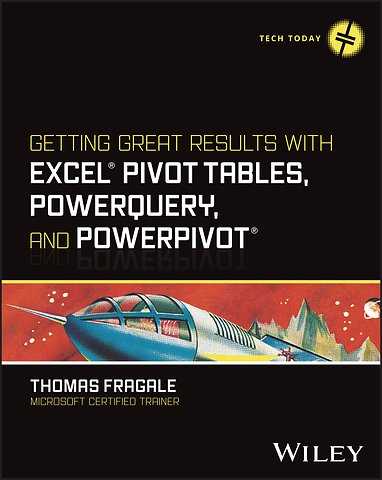
    Boeken Wetenschap en techniek Getting Great Results with Excel Pivot Tables, Pow erQuery and PowerPivot
    Getting Great Results with Excel Pivot Tables, Pow erQuery and PowerPivot
    Getting Great Results with Excel Pivot Tables, Pow erQuery and PowerPivot
    Thomas Fragale Meer over Thomas Fragale
    Thomas Fragale

    Getting Great Results with Excel Pivot Tables, Pow erQuery and PowerPivot

    Gebonden Engels 2024 9781394243051
    Niet leverbaar.

    Samenvatting

    Get more out of your data with step-by-step tutorials for the Excel features you need to know

    Excel is still the most popular tool for organizing and analyzing data, and today's professionals are expected to have a high degree of fluency with it. Complex Excel tools like Pivot Tables, PowerQuery, and PowerPivot can help you manage and report on data the way you need to. Getting Great Results with Excel Pivot Tables, PowerQuery and PowerPivot offers a fresh look at how these tools can help you. Author and Microsoft Certified Trainer Thomas Fragale breaks down the topics into easy-to-use steps and screenshots, so you'll be able to put your advanced Excel skills into practice right away.

    Using Pivot Tables, PowerQuery, and PowerPivot, you can import, sort, transform, summarize, and present your data, all without having to be a programmer. This book takes the technical jargon out of using these features, so you can do your job more efficiently, bring value to your teams, and advance your career. The plain-English instructions inside will help anyone learn to get quick, meaningful results from your data, without having a degree in computing.

    - Get easy-to-understand walkthroughs for analyzing data and creating dashboards in Microsoft Excel
    - Learn how to organize data in Excel and use advanced features to find patterns and insights
    - Summarize any kind of data faster and easier, leaving you more time for other tasks
    - Turn raw numbers into new knowledge, reports, and charts that tell coworkers and customers what they need to know

    This book is great for anybody who has tons of raw data and needs to make sense of it. Managers, salespeople, finance professionals, marketers—along with anyone else who works with large amounts of data—will love this quick and easy guide to Pivot Tables, PowerQuery, and PowerPivot.

    Trefwoorden

    pivottablesexceldata-analysepower querypowerpivotdashboardsrapportagebusiness intelligencedatamodelleringdata-importdatavisualisatiedata transformatiedatakwaliteitmicrosoftdatakwaliteitmicrosoft
    pivottablesexceldata-analysepower querypowerpivotdashboardsrapportagedatamodelleringbusiness intelligencedata-importdatavisualisatiedata transformatiemicrosoftdatakwaliteitmicrosoftdatakwaliteit

    Specificaties

    ISBN13:9781394243051
    Taal:Engels
    Bindwijze:gebonden
    Aantal pagina's:304
    Uitgever:John Wiley & Sons
    Verschijningsdatum:29-4-2024
    Hoofdrubriek:Wetenschap en techniek
    Serie:Tech Today
    Thema:
    UF Bedrijfsapplicaties
    UFC Spreadsheetsoftware
    UMP Microsoft programmeren

    Lezersrecensies

    Wees de eerste die een lezersrecensie schrijft!
    Schrijf een recensie
    Lees ons recensiebeleid
    Uw waardering
    ?
    Log in om uw waardering te geven
    Klik om uw waardering te geven

    Inhoudsopgave

    Foreword xxi
    Introduction xxiii

    Chapter 1 Preparing the Data for an Excel Pivot Table 1
    What Is Data? 2
    What the Data Should Look Like 3
    Types of Data That Can Be Used in Excel Pivot Tables 6
    Using Excel Data 7
    Importing Data from External Data Sources into Excel 9
    Importing Data from a Text/CSV File 10
    Importing Data from an Access Database 13
    Importing Data from a Web Page 13
    Connecting to an ODBC Database 16
    Importing Data from a Different Excel Workbook 17
    Refreshing the Data 18
    Using Power Query to Clean the Data 20
    Using the Queries & Connections Window 21
    Analyzing the Table 23
    Splitting a Column 24
    Merging Columns 25
    Changing Data Types 26
    Removing Columns and Rows 26
    Undoing Steps in Power Query 28
    Replacing Values 29
    Trimming Spaces from the Beginning and End of the Data in a Column 30
    Combining Tables Using the Append Query 31
    Combining Tables Using the Merge Query 32
    Creating Subtotals in Your Data Using the GroupBy Query 34
    Using Power Query to Create Calculations 36
    Calculating Age/Years of Service 37
    Using the Built-in Date Functions 38
    Using the Built-In Time Functions 39
    Using a Custom Column for Other Calculations 40
    Calculating a Line Total 40
    Calculating the Days to Ship 41
    Calculating the New Total 41
    Changing or Viewing an Existing Custom Column 43
    Using a Conditional Column for Calculations 44
    Calculating a Reorder 44
    Changing or Viewing an Existing Conditional Column 45
    Summary 46

    Chapter 2 Summarizing and Presenting Data with a Pivot Table 47
    What Is a Pivot Table? 47
    Making a Pivot Table from Scratch 48
    The PivotTable Fields Window 50
    Summarizing Data on One Field 53
    The Default Calculation in the Values Section 55
    Showing the Detail with a Drill Down 55
    Creating a Cross Tab or Cross Reference 56
    Adding More Layers of Detail to the Pivot Table 57
    Creating and Managing Groups 57
    Changing the Grouping Order 58
    Adding Groupings to Columns 58
    Creating Your Own Group 58
    Removing Your Own Group 59
    Using Recommended PivotTables and Analyzing Data 60
    Creating a Pivot Table Using Recommended PivotTables 60
    Creating a Pivot Table Using Analyze Data 61
    Making the Pivot Table Look Better 62
    Formatting Numbers 63
    Managing Subtotals 63
    Calculating Grand Totals 64
    Working with Blank Rows 65
    Changing the Layout 65
    Applying Styles 67
    Replacing Spaces and Other Options 68
    Using Conditional Formatting 71
    Summary 72

    Chapter 3 Using Calculations in Pivot Tables 73
    Using Built-In Calculations in Your Pivot Table 73
    Adding Calculation Fields to the Pivot Table 74
    Changing the Calculation Type of a Field 75
    Changing the Order of the Calculations 78
    The Calculations in the Summarize Values By Tab 78
    The Calculations in the Show Values As Tab 79
    Removing Calculations from the Pivot Table 86
    Delaying Calculations in a Pivot Table 86
    Changing the Way Errors Display in the Pivot Table 87
    Creating Custom Calculations 89
    Calculated Fields 89
    To Change or Delete a Calculated Field 92
    Calculated Items 93
    To Change or Delete a Calculated Item 95
    The Solve Order 96
    Documenting Your Calculated Items and Fields 98
    Limitations of Calculated Fields and Items 99
    Refreshing Values on the Pivot Table 100
    Manual Refresh 101
    Automatic Refresh 102
    Changing the Data Source 103
    Using Numbers from the Pivot Table in Other Calculations 105
    Enabling the GETPIVOTDATA Function 105
    Using the GETPIVOTDATA Function 106
    Summary 107

    Chapter 4 Sorting and Filtering the Pivot Table 109
    Sorting the Pivot Table 110
    Sorting by a Column 110
    Sorting by a Row 112
    Putting the Pivot Table in Ascending Order 113
    Creating Your Own Sort Order 113
    Creating Your Own Sort Order by Dragging Cells 113
    Creating Your Own Sort Order by Using a Custom List 114
    Sorting a Pivot Table with Multiple Fields 119
    Filtering the Pivot Table 121
    Filter by Selection 122
    Clearing the Filter 123
    Using AutoFilters 123
    Label Filters 125
    Value Filters 127
    Top 10 Filters 129
    Date Filters 131
    Showing Items with No Data 132
    Using the Filters Section 134
    Creating New Sheets from the Field in the Filters Section 136
    Using Slicers and Timelines 137
    Creating a Timeline 140
    Updating Multiple Pivot Tables Using Slicers and Timelines 142
    Removing a Slicer or a Timeline Window 143
    Summary 143

    Chapter 5 Making the Pivot Table More Visual with Charts 145
    Creating a Chart from a Pivot Table 146
    PivotChart Features 148
    The Design Tab and the Format Tab for a Chart 151
    Managing and Modifying Chart Elements 153
    The Chart Title 154
    Data Labels 156
    Changing the Number Format of the Data Labels 156
    Changing the Data Labels to Display Vertically 158
    Trendlines 161
    Adding a Trendline to a Chart 161
    Creating a Forecast from a Trendline 162
    Formatting the Numbers of the Y-Axis or X-Axis 164
    Creating and Managing a Pie Chart 166
    Changing the Data Labels on the Pie Chart to Percents 166
    Separating a Section from a Pie Chart 168
    Changing the Pie Chart to a Doughnut Chart 168
    Creating a Combo Chart 169
    Creating and Using Chart Templates 171
    Summary 174

    Chapter 6 Summarizing Data by Date and Time 175
    Summarizing a Pivot Table by the Built-in Date Periods 176
    Summarizing a Pivot Table by a Single Period of Time 176
    Summarizing a Pivot Table by More Than One Time Period 180
    Showing/Hiding the Totals for Each Time Period 180
    Expanding/Collapsing Time Periods in the Pivot Table 181
    Using Slicers to Filter the Pivot Table by Date and Time 181
    Displaying Earliest and Most Recent Dates 184
    Summarizing the Pivot Table by Number of Days 186
    Summarizing the Pivot Table Using Custom Date Calculations 188
    Summarizing the Pivot Table by Week 189
    Using the Day of the Week in a Pivot Table 191
    Using a Fiscal Period in a Pivot Table 194
    Summary 197

    Chapter 7 Creating a Pivot Table from Multiple Spreadsheets 199
    Creating a Pivot Table from Multiple Ranges Using the PivotTable Wizard 200
    Creating a Pivot Table Using the Data Model 205
    Adding, Changing, or Deleting Relationships 210
    Adding Additional Tables into the Data Model 211
    Creating and Managing Sets 213
    Changing or Deleting a Set 216
    Summary 217

    Chapter 8 Improving a Pivot Table with Power Pivot 219
    Activating the Power Pivot Add-In 220
    Using the Power Pivot Add-In 222
    Adding Tables to the Data Model 223
    Adding Formatted Excel Tables into the Data Model 224
    Adding Tables from Other Sources into the Data Model 224
    Joining Tables 227
    Changing, Deleting, and Managing the Relationships 229
    Creating a Pivot Table from the Power Pivot for Excel Window 230
    Adding Calculations to a Pivot Table Using the Data Model 232
    Adding a Calculated Column to a Table in the Data Model 232
    Adding a Measure into the Data Model 234
    Creating a KPI 236
    Summary 239

    Chapter 9 Pulling It All Together: Creating a Dashboard from Pivot Tables 241
    Looking at a Finished Dashboard 242
    Creating Your Own Dashboard 243
    Adding Charts to Your Dashboard 244
    Adding Slicers and Timelines to Your Dashboard 245
    Displaying Totals and Percent of Totals 247
    Working with Form Controls, Macros, and VBA Code 248
    The Developer Tab 249
    Adding Command Buttons 250
    Saving a Workbook with a Macro 253
    Adding a Combo Box 255
    Adding Finishing Touches to Your Dashboard 260
    Hiding Sheets 261
    Hiding the Pivot Table, Gridlines, Column Headings, and the Formula 262
    Summary 264

    Index 265
    Afgekapt op 60 regels

    Managementboek Top 100

    Bekijk de volledige Managementboek Top 100

    Rubrieken

    • advisering
    • algemeen management
    • coaching en trainen
    • communicatie en media
    • economie
    • financieel management
    • inkoop en logistiek
    • internet en social media
    • it-management / ict
    • juridisch
    • leiderschap
    • marketing
    • mens en maatschappij
    • non-profit
    • ondernemen
    • organisatiekunde
    • personal finance
    • personeelsmanagement
    • persoonlijke effectiviteit
    • projectmanagement
    • psychologie
    • reclame en verkoop
    • strategisch management
    • verandermanagement
    • werk en loopbaan
    Uw cookie-instellingen
    Deze website maakt gebruik van verschillende soorten cookies. Sommige cookies worden geplaatst door diensten van derden die op onze pagina's worden weergegeven. Om deze externe content te kunnen tonen is nodig dat u toestemming geeft voor het zetten van persoonlijke en marketingcookies. U kunt uw toestemming op elk moment wijzigen of intrekken. In onze cookieverklaring vindt u meer informatie.

    Functionele cookies
    Deze zijn noodzakelijk voor de werking van de website, zonder deze cookies kan de website niet naar behoren werken.

    Persoonlijke en marketingcookies
    Wij gebruiken cookies voor statistieken om bij te houden en rapportages te krijgen over hoe bezoekers de website gebruiken. Zo kunnen wij onze website verbeteren. Marketingcookies worden gebruikt om bezoekers te volgen wanneer ze verschillende websites bezoeken. Hun doel is advertenties weergeven die zijn toegesneden op en relevant zijn voor de individuele gebruiker.
    Op werkdagen voor 23:00 besteld, morgen in huis Gratis verzending vanaf €20

    Klantenservice

    Over ons Contact Voorwaarden Bestellen en retourneren Lezen en luisteren Voor auteurs Recensiebeleid Partnerprogramma

    Zakelijk

    Zakelijke diensten Partnerprogramma Cadeaubonnen

    Altijd op de hoogte

    Schrijf u in voor onze nieuwsbrief en blijf up-to-date met relevante interviews en recensies, inspirerende events en de beste acties.
    PRETTIG KENNIS MAKEN
    Thuiswinkel waarborg Algemene voorwaarden Colofon Privacy Cookies Cookie instellingen Toegankelijkheidsverklaring Service & Contact Over ons
    © 2026 Mainpress BV

    Producten

      Auteurs

        Trefwoorden

          Artikelen

            Getting Great Results with Excel Pivot Tables, Pow erQuery and PowerPivot

            Getting Great Results with Excel Pivot Tables, Pow erQuery and PowerPivot
            Thomas Fragale
            /
            loader
            Recensiebeleid
            AI-book

            Wat is een AI-book?

            Een AI-book is niet een boek dat geschreven is door AI maar een boek dat verrijkt is met AI. Het maakt de inhoud van een boek interactief via WhatsApp, zodat je ermee kunt chatten. Zie het als een razend slimme assistent die het boek perfect begrijpt en er alles uit onthouden heeft. Jij kunt deze assistent alles vragen. Vraag bijvoorbeeld hoe je iets kunt toepassen op jouw persoonlijke situatie, om een korte samenvatting, of wat de belangrijkste inzichten zijn. AI-books zijn alleen te gebruiken via WhatsApp, je hoeft er geen aparte app voor te installeren.
            Meer informatie over AI-books

            ?

            Geef uw beoordeling

            Getting Great Results with Excel Pivot Tables, Pow erQuery and PowerPivot

            Verwijder uw beoordeling