U heeft gezocht op 9781449320683. Het product dat u zocht is niet meer in die editie leverbaar en is vervangen door de onderstaande editie.

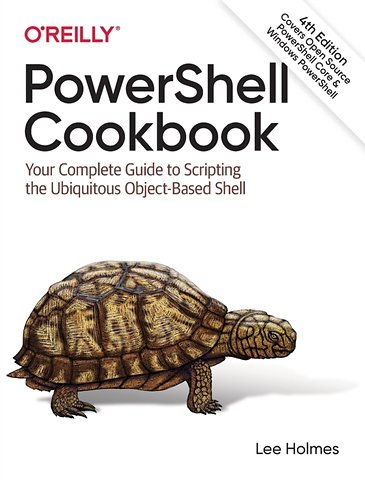
Windows PowerShell Cookbook

The Complete Guide to Scripting Microsoft's Command Shell

Paperback Engels 2021 4e druk 9781098101602
€ 103,37
Levertijd ± 16 werkdagen
Gratis verzonden

Samenvatting

How do you use PowerShell to navigate the filesystem, manage files and folders, or retrieve a web page? This introduction to the PowerShell language and scripting environment provides more than 400 task-oriented recipes to help you solve all kinds of problems. Intermediate to advanced system administrators will find more than 100 tried-and-tested scripts they can copy and use immediately.

Updated for PowerShell 5.1 and Open Source PowerShell up to 7.0 and beyond, this comprehensive cookbook includes hands-on recipes for common tasks and administrative jobs that you can apply whether you're on the client or server version of Windows. You also get quick references to technologies used in conjunction with PowerShell, including regular expressions, the XPath language, format specifiers, and frequently referenced .NET, COM, and WMI classes.

- Learn how to use PowerShell on Windows 10 and Windows Server 2019
- Tour PowerShell's core features, including the command model, object-based pipeline, and ubiquitous scripting
- Master fundamentals such as the interactive shell, pipeline, and object concepts
- Perform common tasks that involve working with files, internet-connected scripts, user interaction, and more
- Solve tasks in systems and enterprise management, such as working with Active Directory and the filesystem

Specificaties

ISBN13:9781098101602
Taal:Engels
Bindwijze:paperback
Aantal pagina's:1007
Uitgever:O'Reilly
Druk:4
Verschijningsdatum:30-6-2021
Hoofdrubriek:IT-management / ICT

Lezersrecensies

Wees de eerste die een lezersrecensie schrijft!

Over Lee Holmes

Lee Holmes is a developer on the Microsoft Windows PowerShell team, and has been an authoritative source of information about PowerShell since its earliest betas. His vast experience with Windows PowerShell lets him to integrate both the 'how' and the 'why' into discussions. Lee's integration with the PowerShell and administration community (via newsgroups, mailing lists, and blogs) gives him a great deal of insight into the problems faced by all levels of administrators, and PowerShell users alike.

Andere boeken door Lee Holmes

Inhoudsopgave

Foreword
Preface

1. The PowerShell Interactive Shell
1.0. Introduction
1.1. Install PowerShell Core
1.2. Run Programs, Scripts, and Existing Tools
1.3. Run a PowerShell Command
1.4. Resolve Errors Calling Native Executables
1.5. Supply Default Values for Parameters
1.6. Invoke a Long-Running or Background Command
1.7. Program: Monitor a Command for Changes
1.8. Notify Yourself of Job Completion
1.9. Customize Your Shell, Profile, and Prompt
1.10. Customize PowerShell’s User Input Behavior
1.11. Customize PowerShell’s Command Resolution Behavior
1.12. Find a Command to Accomplish a Task
1.13. Get Help on a Command
1.14. Update System Help Content
1.15. Program: Search Help for Text
1.16. Launch PowerShell at a Specific Location
1.17. Invoke a PowerShell Command or Script from Outside PowerShell
1.18. Understand and Customize PowerShell’s Tab Completion
1.19. Program: Learn Aliases for Common Commands
1.20. Program: Learn Aliases for Common Parameters
1.21. Access and Manage Your Console History
1.22. Program: Create Scripts from Your Session History
1.23. Invoke a Command from Your Session History
1.24. Program: Search Formatted Output for a Pattern
1.25. Interactively View and Process Command Output
1.26. Program: Interactively View and Explore Objects
1.27. Record a Transcript of Your Shell Session
1.28. Extend Your Shell with Additional Commands
1.29. Find and Install Additional PowerShell Scripts and Modules
1.30. Use Commands from Customized Shells
1.31. Save State Between Sessions

2. Pipelines
2.0. Introduction
2.1. Chain Commands Based on Their Success or Error
2.2. Filter Items in a List or Command Output
2.3. Group and Pivot Data by Name
2.4. Interactively Filter Lists of Objects
2.5. Work with Each Item in a List or Command Output
2.6. Automate Data-Intensive Tasks
2.7. Intercept Stages of the Pipeline
2.8. Automatically Capture Pipeline Output
2.9. Capture and Redirect Binary Process Output

3. Variables and Objects
3.0. Introduction
3.1. Display the Properties of an Item as a List
3.2. Display the Properties of an Item as a Table
3.3. Store Information in Variables
3.4. Access Environment Variables
3.5. Program: Retain Changes to Environment Variables Set by a Batch File
3.6. Control Access and Scope of Variables and Other Items
3.7. Program: Create a Dynamic Variable
3.8. Work with .NET Objects
3.9. Create an Instance of a .NET Object
Afgekapt op 60 regels

Managementboek Top 100

€ 103,37
Levertijd ongeveer 16 werkdagen
Gratis verzonden

Rubrieken

Producten

    Auteurs

      Trefwoorden

        Artikelen

          Windows PowerShell Cookbook