,

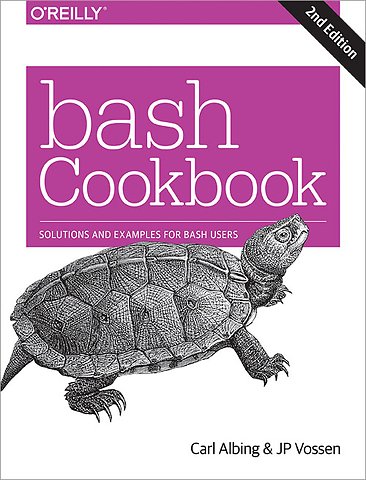
bash Cookbook

Solutions and Examples for bash Users

Paperback Engels 2017 2e druk 9781491975336
€ 71,22
Levertijd ± 16 werkdagen
Gratis verzonden

Samenvatting

For system administrators, programmers, and end users, shell command or carefully crafted shell script can save you time and effort, or facilitate consistency and repeatability for a variety of common tasks. This cookbook provides more than 300 practical recipes for using bash, the popular Unix shell that enables you to harness and customize the power of any Unix or Linux system.

Ideal for new and experienced users alike—including proficient Windows users and sysadmins—this updated second edition helps you solve a wide range of problems. You’ll learn ways to handle input/output, file manipulation, program execution, administrative tasks, and many other challenges. Each recipe includes one or more scripting examples and a discussion of why the solution works.

You’ll find recipes for problems including:
- Standard output and input, and executing commands
- Shell variables, shell logic, and arithmetic
- Intermediate shell tools and advanced scripting
- Searching for files with find, locate, and slocate
- Working with dates and times
- Creating shell scripts for various end-user tasks
- Working with tasks that require parsing
- Writing secure shell scripts
- Configuring and customizing bash

Specificaties

ISBN13:9781491975336
Taal:Engels
Bindwijze:paperback
Aantal pagina's:699
Uitgever:O'Reilly
Druk:2
Verschijningsdatum:3-11-2017
Hoofdrubriek:IT-management / ICT

Lezersrecensies

Wees de eerste die een lezersrecensie schrijft!

Over Carl Albing

Carl Albing is currently a Distinguished Visiting Professor in the Department of Computer Science at the U.S. Naval Academy where he is teaching courses on programming languages and on High Performance Computing. Prior to this he was writing software for some of the biggest and fastest computers in the world as a software engineer for Cray, Inc. As an independent consultant, he is comfortable programming with C, Java, bash and much more. Carl is the coauthor of two books, one on Java development on Linux and his latest, the O'Reilly "bash Cookbook". A former software consultant, manager, analyst and programmer with an amazing breadth of software experience, Carl has worked with companies in the US, Canada and Europe. He has worked for large companies and small startups, in technical as well as in managerial and marketing roles. Carl's software projects, past and present, involve the design and development of distributed computing software, medical image processing applications, compilers, medical devices, web-based factory floor automation, and more. Carl's education includes a Ph.D. in Computer Science as well as a B.A. degree in Mathematics and an International MBA. He has spoken at conferences and training seminars in the US, Canada and Europe as well as local high schools and colleges. Carl enjoys speaking at user groups and seminars on Linux, C, Java, and bash topics.

Andere boeken door Carl Albing

Over J.P. Vossen

JP Vossen has been working with computers since the early 80s and has been in the IT industry since the early 90s, specializing in Information Security since the late 90s. He's been fascinated with scripting and automation since he first understood what an autoexec.bat was, and was delighted to discover the power and flexibility of bash and GNU on Linux in the mid-90s. He has previously written for Information Security Magazine and SearchSecurity.com, among others. On those few occasion when he's not in front of a computer, he is usually taking something apart, putting something together, or both.

Andere boeken door J.P. Vossen

Inhoudsopgave

Preface
Who Should Read This Book
About This Book
Conventions Used in This Book
Using Code Examples
O’Reilly Safari
We’d Like to Hear from You
Acknowledgments

Beginning bash
1.1. Why bash?
1.2. The bash Shell
1.3. Decoding the Prompt
1.4. Showing Where You Are
1.5. Finding and Running Commands
1.6. Getting Information About Files
1.7. Showing All Hidden (Dot) Files in the Current Directory
1.8. Using Shell Quoting
1.9. Using or Replacing Builtins and External Commands
1.10. Determining if You Are Running Interactively
1.11. Setting bash as Your Default Shell
1.12. Keeping bash Updated
1.13. Getting bash for Linux
1.14. Getting bash for xBSD
1.15. Getting bash for macOS
1.16. Getting bash for Unix
1.17. Getting bash for Windows
1.18. Getting bash Without Getting bash
1.19. Learning More About bash Documentation

Standard Output
2.1. Writing Output to the Terminal/Window
2.2. Writing Output but Preserving Spacing
2.3. Writing Output with More Formatting Control
2.4. Writing Output Without the Newline
2.5. Saving Output from a Command
2.6. Saving Output to Other Files
2.7. Saving Output from the ls Command
2.8. Sending Output and Error Messages to Different Files
2.9. Sending Output and Error Messages to the Same File
2.10. Appending Rather than Clobbering Output
2.11. Using Just the Beginning or End of a File
2.12. Skipping a Header in a File
2.13. Throwing Output Away
2.14. Saving or Grouping Output from Several Commands
2.15. Connecting Two Programs by Using Output as Input
2.16. Saving a Copy of Output Even While Using It as Input
2.17. Connecting Two Programs by Using Output as Arguments
2.18. Using Multiple Redirects on One Line
2.19. Saving Output When Redirect Doesn’t Seem to Work
2.20. Swapping STDERR and STDOUT
2.21. Keeping Files Safe from Accidental Overwriting
2.22. Clobbering a File on Purpose

Standard Input
3.1. Getting Input from a File
3.2. Keeping Your Data with Your Script
3.3. Preventing Weird Behavior in a Here-Document
3.4. Indenting Here-Documents
3.5. Getting User Input
3.6. Getting Yes or No Input
3.7. Selecting from a List of Options
3.8. Prompting for a Password
Afgekapt op 63 regels

Managementboek Top 100

€ 71,22
Levertijd ongeveer 16 werkdagen
Gratis verzonden

Rubrieken

Producten

    Auteurs

      Trefwoorden

        Artikelen

          bash Cookbook