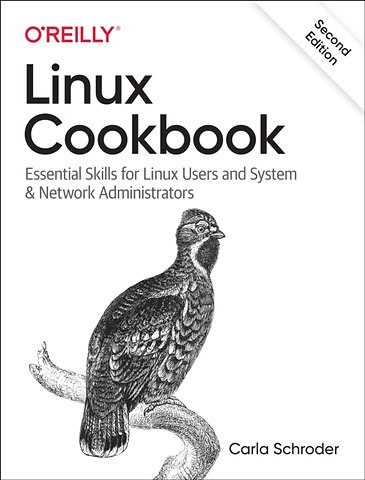
Linux Cookbook
Essential Skills for Linux Users and System & Network Administrators
Paperback Engels 2021 2e druk 9781492087168Samenvatting
This handy cookbook teaches new-to-intermediate Linux users the essential skills necessary to manage a home or small business network. The recipes in this book are updated to cover new technologies such as systemctl, firewalld, modern package managers, the Raspberry Pi, and connecting Android and iOS devices to your network. You'll learn how to install, maintain, and troubleshoot a Linux system, add and remove software, manage filesystems, run backups and restores, manage name services, securely connect to remote systems, partition storage devices, build a LAN gateway on Raspberry Pi, and more: all the fundamental tasks you'll need to run and maintain a Linux system.
Carla Schroder, author of over a thousand Linux how-tos for various publications, as well as the Networking Cookbook and the Book of Audacity, teaches the solid Linux foundations you need to build and run your network. How do you multiboot? Or troubleshoot software, hardware, and network issues? Each recipe addresses a specific problem and includes a discussion that explains the solution and provides insight into how it works.
- Learn how the Linux ecosystem is structured
- Enable smartphones and tablets to safely connect to your LAN
- Manage fundamental subsystems and essential tasks
- Secure remote access and build a firewall/internet gateway
- Manage users and groups, and filesystems and partitions
- Rescue nonbooting systems
- Manage name services and the Dynamic Host Configuration Protocol (DHCP)
Specificaties
Lezersrecensies
Inhoudsopgave
Who Should Read This Book
Why I Wrote This Book
Navigating This Book
Conventions Used in This Book
Using Code Examples
O’Reilly Online Learning
How to Contact Us
Acknowledgments
1. Installing Linux
1.1. Entering your System BIOS/UEFI Setup
1.2. Downloading a Linux Installation Image
1.3. Creating a Linux Installation USB Stick with UNetbootin
1.4. Creating a Linux Installation DVD with K3b
1.5. Using the Wodim Command to Create a Bootable CD/DVD
1.6. Creating a Linux Installation USB Stick with the dd Command
1.7. Trying a Simple Ubuntu Installation
1.8. Customizing Partitioning
1.9. Preserving Existing Partitions
1.10. Customizing Package Selection
1.11. Multi-Booting Linux Distributions
1.12. Dual-boot with Microsoft Windows
1.13. Recovering an OEM Windows 8 or 10 Product Key
1.14. Mounting Your ISO Image on Linux
2. Managing the GRUB Bootloader
2.1. Rebuilding your GRUB Configuration File
2.2. Un-hiding a Hidden GRUB Menu
2.3. Booting to a Different Linux Kernel
2.4. Understanding GRUB Configuration Files
2.5. Writing a Minimal GRUB Configuration File
2.6. Setting a Custom Background for Your GRUB Menu
2.7. Changing Font Colors in the GRUB Menu
2.8. Applying a Theme to your GRUB Menu
2.9. Rescuing a Non-booting System From the grub> Prompt
2.10. Rescuing a Non-booting System From the grub rescue> Prompt
2.11. Re-installing Your GRUB Configuration
3. Starting, Stopping, Restarting, and Putting Linux into Sleep Modes
3.1. Shutting Down with systemctl
3.2. Shutting Down, Timed Shutdowns, and Rebooting with the shutdown Command
3.3. Shutting Down and Rebooting with halt, reboot, and poweroff
3.4. Sending your System into Sleep Modes with systemctl
3.5. Rebooting Out of Trouble with Ctrl+Alt+Del
3.6. Disabling, Enabling, and Configuring Ctrl+Alt+Delete in the Linux Console
3.7. Creating Scheduled Shutdowns with cron
3.8. Scheduling Automated Startups with UEFI Wakeups
3.9. Scheduling Automated Startups with RTC Wakeups
3.10. Setting up Remote Wakeups with Wake-on-LAN over Wired Ethernet
3.11. Setting up Remote Wakeups over Wifi (WoWLAN)
4. Managing Services with Systemd
4.1. Learning if your Linux uses Systemd
4.2. Understanding PID 1, the Mother of All Processes
4.3. Listing Services and their States with systemctl
4.4. Querying the Status of Selected Services
4.5. Starting and Stopping Services
4.6. Enabling and Disabling Services
4.7. Stopping Troublesome Processes
4.8. Managing Runlevels with systemd
4.9. Diagnosing Slow Startups
5.1. Finding a User’s UID and GID
5.2. Creating a Human User with useradd
5.3. Creating a System User with useradd
5.4. Changing the useradd Default Settings
5.5. Customizing the Documents, Music, Video, Pictures, and Downloads Directories
5.6. Creating User and System Groups with groupadd
5.7. Adding Users to Groups with usermod
5.8. Creating Users with adduser on Ubuntu
5.9. Creating a System User with adduser on Ubuntu
5.10. Creating User and System Groups with addgroup
5.11. Checking Password File Integrity
5.12. Disabling a User Account
5.13. Deleting a User with userdel
5.14. Deleting a User with deluser on Ubuntu
5.15. Removing a Group with delgroup on Ubuntu
5.16. Finding and Managing all Files for a User
5.17. Using su to Be Root
5.18. Granting Limited root Powers with sudo
5.19. Extending the sudo Password Timeout
5.20. Creating Individual sudoers Configurations
5.21. Managing the root User’s Password
5.22. Changing sudo to not ask for the root Password
6. Managing Files and Directories
6.1. Creating Files and Directories
6.2. Quickly Creating a Batch of Files for Testing
6.3. Working with Relative and Absolute File Paths
6.4. Deleting Files and Directories
6.5. Copying, Moving, and Renaming Files and Directories
6.6. Setting File Permissions with chmod’s Octal Notation
6.7. Setting Directory Permissions with chmod’s Octal Notation
6.8. Using the Special Modes for Special Use Cases
6.9. Removing the Special Modes in Octal Notation
6.10. Setting File Permissions with chmod’s Symbolic Notation
6.11. Setting the Special Modes with chmod’s Symbolic Notation
6.12. Setting Permissions in Batches with chmod
6.13. Setting File and Directory Ownership with chown
6.14. Changing Ownership on Batches of Files with chown
6.15. Setting Default Permissions with umask
6.16. Creating Shortcuts (Soft and Hard Links) to Files and Directories
6.17. Hiding Files and Directories
7. Backup and Recovery with rsync and cp
7.1. Selecting Which Files to Back Up
7.2. Selecting Files to Restore from Backups
7.3. Using the Simplest Local Backup Method
7.4. Automating Simple Local Backups
7.5. Using rsync for Local Backups
7.6. Making Secure Remote File Transfers with rsync over SSH
7.7. Automating rsync Transfers with cron and SSH
7.8. Excluding Files from Backup
7.9. Including Selected Files to Backup
7.10. Managing Includes with a Simple Include File
7.11. Managing Includes and Excludes with an Exclude File
7.12. Limiting rsync’s Bandwidth Use
7.13. Building an rsyncd Backup Server
7.14. Limiting Access to rsyncd Modules
7.15. Creating a Message of the Day for rsyncd
8. Managing Disk Partitioning with parted
8.1. Unmounting Your Partitions Before Using parted
8.2. Choosing the Command Mode for parted
8.3. Viewing Your Existing Disks and Partitions
8.4. Creating GPT Partitions on a Non-booting Disk
8.5. Creating Partitions for Installing Linux
8.6. Removing Partitions
8.7. Recovering a Deleted Partition
8.8. Increasing Partition Size
8.9. Shrinking a Partition
9. Managing Partitions and Filesystems with GParted
9.1. Viewing Partitions, Filesystems, and Free Space
9.2. Creating a New Partition Table
9.3. Deleting a Partition
9.4. Creating a New Partition
9.5. Deleting a Filesystem Without Deleting the Partition
9.6. Recovering a Deleted Partition
9.7. Resizing Partitions
9.8. Moving a Partition
9.9. Copying a Partition
9.10. Managing Filesystems with GParted
10. Getting Detailed Information about Your Computer Hardware
10.1. Collecting Hardware Information with lshw
10.2. Filtering lshw Output
10.3. Detecting Hardware, Including Displays and RAID Devices, with hwinfo
10.4. Detecting PCI Hardware with lspci
10.5. Understanding lspci Output
10.6. Filtering lspci Output
10.7. Using lspci to Identify Kernel Modules
10.8. Using lsusb to List USB Devices
10.9. Listing Partitions and Hard Disks with lsblk
10.10. Getting CPU Information
10.11. Identifying Your Hardware Architecture
11. Creating and Managing Filesystems
11.1. Listing Supported Filesystems
11.2. Identifying Your Existing Filesystems
11.3. Resizing Filesystems
11.4. Deleting Filesystems
11.5. Using a New Filesystem
11.6. Creating Automatic Filesystem Mounts
11.7. Creating Ext4 Filesystems
11.8. Configuring the Ext4 Journal Mode
11.9. Finding Which Journal Your ext4 Filesystem is Attached To
11.10. Improving Performance with an External Journal for Ext4
11.11. Freeing Space from Reserved Blocks on Ext4 Filesystems
11.12. Creating a New XFS Filesystem
11.13. Resizing an XFS Filesystem
11.14. Creating an exFAT Filesystem
11.15. Creating FAT16 and FAT32 Filesystems
11.16. Creating a Btrfs Filesystem
12. Secure Remote Access with OpenSSH
12.1. Installing OpenSSH Server
12.2. Generating New Host Keys
12.3. Configuring Your OpenSSH Server
12.4. Checking Configuration Syntax
12.5. Setting Up Password Authentication
12.6. Retrieving a Key Fingerprint
12.7. Using Public Key Authentication
12.8. Managing Multiple Public Keys
12.9. Changing a Passphrase
12.10. Automatic Private Key Management with Keychain
12.11. Using Keychain to make Passphrases Available to Cron
12.12. Tunneling an X Session Securely over SSH
12.13. Opening an SSH Session and Running a Commmand in One Line
12.14. Mounting Entire Remote Filesystems with sshfs
12.15. Customizing the Bash Prompt for SSH
12.16. Listing Supported Encryption Algorithms
13. Secure Remote Access with OpenVPN
13.1. Installing OpenVPN, Server and Client
13.2. Setting up a Simple Connection Test
13.3. Setting up Easy Encryption with Static Keys
13.4. Installing EasyRSA to Manage your PKI
13.5. Creating a PKI
13.6. Customizing EasyRSA Default Options
13.7. Creating and Testing Server and Client Configurations
13.8. Controlling OpenVPN with systemctl
13.9. Distributing Client Configurations More Easily with .ovpn Files
13.10. Hardening Your OpenVPN Server
13.11. Configuring Networking
14. Building a Linux Firewall with firewalld
14.1. Querying Which Firewall is Running
14.2. Installing firewalld
14.3. Finding Your Firewalld Version
14.4. Configuring iptables or nftables as the firewalld Backend
14.5. Listing All Zones, and All Services Managed by Each Zone
14.6. Listing and Querying Services
14.7. Selecting and Setting Zones
14.8. Changing the Default firewalld Zone
14.9. Customizing firewalld Zones
14.10. Creating a New Zone
14.11. Integrating NetworkManager and firewalld
14.12. Allowing or Blocking Specific Ports
14.13. Blocking IP Addresses with Rich Rules
14.14. Changing a Zone Default Target
15. Printing on Linux
15.1. Using the CUPS Web Interface
15.2. Installing a Locally-attached Printer
15.3. Giving Printers Useful Names
15.4. Installing a Network Printer
15.5. Using Driverless Printing
15.6. Sharing Non-networked Printers
15.7. Correcting the “Forbidden” Error Message
15.8. Installing Printer Drivers
15.9. Modifying an Installed Printer
15.10. Saving Documents by Printing to a PDF File
15.11. Troubleshooting
16. Managing Local Name Services with Dnsmasq and the hosts File
16.1. Simple Name Resolution with /etc/hosts
16.2. Using /etc/hosts for Testing, and Blocking Annoyances
16.3. Finding All DNS and DHCP Servers on your Network
16.4. Installing Dnsmasq
16.5. Making systemd-resolved and NetworkManager Play Nice with Dnsmasq
16.6. Configuring Dnsmasq for LAN DNS
16.7. Configuring firewalld to Allow DNS and DHCP
16.8. Testing Your Dnsmasq Server from a Client Machine
16.9. Managing DHCP with Dnsmasq
16.10. Advertising Important Services over DHCP
16.11. Creating DHCP Zones for Subnets
16.12. Assigning Static IP Addresses from DHCP
16.13. Configuring DHCP Clients for Automatic DNS Entries
16.14. Managing Dnsmasq Logging
16.15. Configuring Wildcard Domains
17. Keeping Time with ntpd, Chrony, and timesyncd
17.1. Finding Which NTP Client is on your Linux System
17.2. Using timesyncd for Simple Time Synchronization
17.3. Setting Time Manually with timedatectl
17.4. Using Chrony for your NTP Client
17.5. Using Chrony as a LAN Time Server
17.6. Viewing Chrony Statistics
17.7. Using ntpd for your NTP Client
17.8. Using ntpd for your NTP Server
17.9. Managing Time Zones with timedatectl
17.10. Managing Time Zones Without timedatectl
18. Building an Internet Firewall/Router on Raspberry Pi
18.1. Starting and Shutting Down Raspberry Pi
18.2. Finding Hardware and Howtos
18.3. Cooling the Raspberry Pi
18.4. Installing Raspberry Pi OS with Imager and dd
18.5. Installing Raspberry Pi with NOOBS
18.6. Connecting to a Video Display without HDMI
18.7. Booting into Recovery Mode
18.8. Adding a Second Ethernet Interface
18.9. Setting up an Internet Connection Sharing Firewall with Firewalld
18.10. Running your Raspberry Pi Headless
18.11. Building a DNS/DHCP Server with Raspberry Pi
19. System Rescue and Recovery with SystemRescue
19.1. Creating your SystemRescue Bootable Device
19.2. Getting Started with SystemRescue
19.3. Understanding SystemRescue’s Two Boot Screens
19.4. Understanding SystemRescue’s Boot Options
19.5. Identifying Filesystems
19.6. Resetting a Linux Root Password
19.7. Enabling SSH in SystemRescue
19.8. Copying Files Over the Network with scp and sshfs
19.9. Repairing GRUB From SystemRescue
19.10. Resetting a Windows Password
19.11. Rescuing a Failing Hard Disk with GNU ddrescue
19.12. Managing Partitions and Filesystems from SystemRescue
19.13. Creating a Data Partition on your SystemRescue USB Drive
19.14. Preserving Changes in SystemRescue
20. Troubleshooting a Linux PC
20.1. Finding Useful Information in Log Files
20.2. Configuring journald
20.3. Building a Logging Server with systemd
20.4. Monitoring Temperatures, Fans, and Voltages with lm-sensors
20.5. Adding a Graphical Interface to lm-sensors
20.6. Monitoring Hard Disk Health with smartmontools
20.7. Configuring smartmontools to Send Email Reports
20.8. Diagnosing a Sluggish System with top
20.9. Viewing Selected Processes in top
20.10. Escaping From a Frozen Graphical Desktop
20.11. Troubleshooting Hardware
21. Troubleshooting Networks
21.1. Testing Connectivity with ping
21.2. Profiling Your Network with FPing and Nmap
21.3. Finding Duplicate IP Addresses with arping
21.4. Testing HTTP Throughput and Latency with httping
21.5. Using mtr to Find Troublesome Routers
Software Management Cheatsheets
-Package Management Commands
-Managing Software on Ubuntu
-Managing Software on Fedora
-Managing Software on openSUSE
Anderen kochten ook
 Daniel Walsh€ 67,82
 Daniel Barret€ 35,11
 Cisco Networking Academy€ 103,37
 Ronald Smit€ 34,99
 Derek DeJonghe€ 69,24
 Jason Edelman€ 69,24
Rubrieken
- advisering
- algemeen management
- coaching en trainen
- communicatie en media
- economie
- financieel management
- inkoop en logistiek
- internet en social media
- it-management / ict
- juridisch
- leiderschap
- marketing
- mens en maatschappij
- non-profit
- ondernemen
- organisatiekunde
- personal finance
- personeelsmanagement
- persoonlijke effectiviteit
- projectmanagement
- psychologie
- reclame en verkoop
- strategisch management
- verandermanagement
- werk en loopbaan