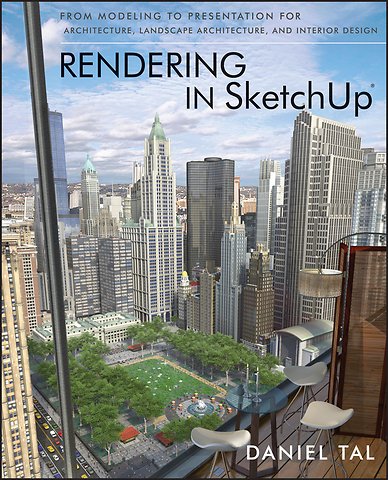
Rendering in SketchUp

From Modeling to Presentation for Architecture, Landscape Architecture and Interior Design

Paperback Engels 2013 9780470642191
€ 60,66
Levertijd ± 8 werkdagen
Gratis verzonden

Samenvatting

The sure way for design professionals to learn SketchUp modeling and rendering techniques Rendering In SketchUp provides instructions for creating 3D photoreal graphics for SketchUp models using integrated rendering programs. The book serves as a beginner rendering manual and reference guide to further develop rendering skills. With an emphasis on step–by–step process, SketchUp users learn a universal approach to rendering varied SketchUp projects, including architecture, interiors, and site design models. The book focuses on tasks and principles at the core of photorealistic rendering, including: Rendering process: Learn a step–by–step process focused on workflow within SketchUp s familiar workspace. Universal method: Understand how the process can be used to work with a variety of different integrated rendering programs, including Shaderlight, SU Podium and Twilight Render∗∗. These programs are easy to learn and function in SketchUp. > Textures and materials: Discover how to obtain, apply and edit texture images representing surfaces. Component details: Learn how to acquire and organize model details to allow for rich, expressive settings while maintaining computer and SketchUp performance. Exterior and simulated lighting: Learn to set exterior lighting with the SketchUp s Shadow menu or illuminate a scene with simulated lights, lamps, and bulbs. Render settings: Use specific settings for various rendering programs to quickly set texture character, image quality, and graphic output. Computer specifications: Find out how computers produce renders and the type of computer hardware required to streamline the process. Photoshop post–processing: Learn how to further refine rendered images in Photoshop. ∗∗Free online chapters: The book reviews specific settings for SketchUp and the rendering plug–in Shaderlight. Given the ever–changing nature of technology, free, online accompanying chapters detail settings for additional integrated rendering programs including SU Podium, Twilight Render, and more.  

Specificaties

ISBN13:9780470642191
Taal:Engels
Bindwijze:paperback
Aantal pagina's:628
Verschijningsdatum:30-4-2013

Lezersrecensies

Wees de eerste die een lezersrecensie schrijft!

Over Daniel Tal

Daniel Tal, ASLA, is a practicing landscape architect in Denver, Colorado, and a SketchUp specialist who conducts workshops and seminars on SketchUp for landscape architects and architects. Daniel also consults on SketchUp tools and future SketchUp developments to meet the needs of landscape architects and architects, and helps Beta test SketchUp releases.

Andere boeken door Daniel Tal

Inhoudsopgave

Acknowledgments  ix
Part 1 Overview and Concepts
Chapter 1: Introduction to Rendering in SketchUp 2
Integrated Rendering Programs 3
Studio Rendering Programs 4
Digital Rendering and Photorealism  5
Using This Book 8
The Software 10
Chapter 2: Contents and Extended Features 14
Companion IRP Chapters 14
Method and Reference Guide 18
Chapter 3: The Rendering Process 23
Create the SketchUp Model 24
The Iterative Rendering Process  28
The Post–Rendering Process 33
Chapter 4: How Rendering Works 35
IRP Render Processing  35
Computer Hardware and Rendering 37
Other Rendering Options 40
Computer Specifications 42
Chapter 5: Learning to Look 45
Rendering as an Art Form 45
Becoming a Student of Light and Color  53
Part 2 Textures
Chapter 6: Textures Overview 56
Textures in SketchUp  58
The Texturing Process 63
General Considerations  65
Texture Image Formats 68
Chapter 7: The Texture Library 69
SketchUp Native Textures  70
Web Sources  70
Choosing and Downloading Textures  72
Saving a Texture Library 76
Searching CG Textures 77
Linking the Texture Library 79
Chapter 8: The SketchUp Texture Tools  81
Macintosh Texture Tools  81
PC Texture Tools  82
The Paint Bucket Tool  83
The Styles Menu 95
The Right–Click Texture Menu 98
Chapter 9: Apply, Assess, and Adjust  109
The Three As  109
Apply  111
Assess and Adjust 121
Texture Tips  141
Chapter 10: Editing Textures in an External Photo Editor  146
Linking an Editor to SketchUp  146
Launching, Editing, and Saving  147
Typical Alterations  150
Part 3 Modeling Detail
Chapter 11: An Overview of Modeling Detail  168
What Is Detail Modeling? 170
Methods 173
Chapter 12: The Detailing Tools  176
The Component Library  176
The Component Browser  178
Using Layers 181
SketchUp Scenes  186
Afgekapt op 60 regels

Managementboek Top 100

€ 60,66
Levertijd ongeveer 8 werkdagen
Gratis verzonden

Rubrieken

Producten

    Auteurs

      Trefwoorden

        Artikelen

          Rendering in SketchUp