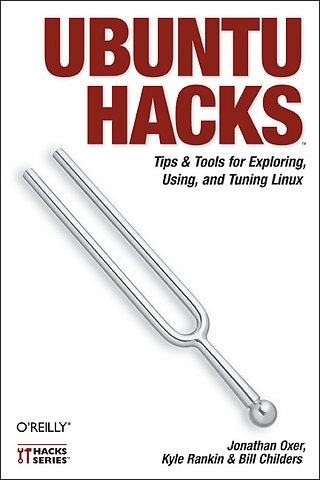
Ubuntu Hacks
Tips & tools for exploring using, anf tuning Linux
Paperback Engels 2006 1e druk 9780596527204Samenvatting
Ubuntu Linux- the most popular Linux distribution on the planet- preserves the spirit embodied in the ancient African word ubuntu, which means both 'humanitary offers' and 'I am what I am because of who we all are'. Ubuntu won the Linux journal Reader's Choice Award for best Linux distribution and is consistently the top ranked Linux variant on DistroWatch.com. The reason this distribution is so widely popular is that Ubuntu is designed to be useful, usable, customisable, and always available for free worldwide.
'Ubuntu Hacks' is your one-stop source for all of the community knowledge you need to get the most out of Ubuntu: a collection of 100 tips and tools to help new and experienced Linux users install, configure, and customize Ubuntu. With this set of hacks, you can get Ubuntu Linux working exactly the way you need it to.
Learn how to:
- Install and test-drive Ubuntu Linux
- Keep your system running smoothly
- Turn Ubuntu into a multimedia powerhouse: rip and burn discs, watch video, listen to music, and more
- Take Ubuntu on the road with Wi-Fi wireless networking, Bluetooth, etc.
- Hook up multiple displays and enable your video card's 3-D acceleration
- Run Ubuntu with virtualization technology such as Xen and VMware
- Tighten your system's security
- Set up an Ubuntu-powered server
Specificaties
Lezersrecensies
Inhoudsopgave
Preface
Chapter 1. Getting Started
1. Test-Drive Ubuntu
2. Get Help
3. Make Live CD Data Persistent
4. Customize the Ubuntu Live CD
5. Install Ubuntu
6. Dual-Boot Ubuntu and Windows
7. Move Your Windows Data to Ubuntu
8. Install Ubuntu on a Mac
9. Set Up Your Printer
10. Install Ubuntu on an External Drive
11. Install from a Network Boot Server
12. Submit a Bug Report
13. Use the Command Line
14. Get Productive with Applications
Chapter 2. The Linux Desktop
15. Get Under the Hood of the GNOME Desktop
16. Tweak the KDE Desktop
17. Switch to a Lighter Window Manager
18. Install Java
19. Search Your Computer
20. Access Remote Filesystems
21. Tweak Your Desktop Like a Pro
22. Sync Your Palm PDA
23. Sync Your Pocket PC
24. Customize the Right-Click Contextual Menu
25. Download and Share Files with the Best P2P Software
26. Make Your Own PDFs
27. Blog with Ubuntu
Chapter 3. Multimedia
28. Install Multimedia Plug-ins
29. Watch Videos
30. Play DVDs
31. Buy Songs at the iTunes Music Store
32. Get a Grip on CD Ripping
33. Burn CDs and DVDs
34. Automate Audio CD Burning
35. Rip and Encode DVDs
36. Create a Video DVD
37. Connect to a Digital Camera
Chapter 4. Mobile Ubuntu
38. Put Your Laptop to Sleep
39. Hibernate Your Laptop
40. Prolong Your Battery Life
41. Get Proprietary Wireless Cards Working
42. Roam Wirelessly
43. Make Laptop Settings Roam with Your Network
44. Make Bluetooth Connections
45. Expand Your Laptop
46. Hotswap Your Laptop's Optical Drive
Chapter 5. X11
47. Configure Multibutton Mice
48. Enable Your Multimedia Keyboard
50. Connect Multiple Displays
51. Change the Ubuntu Splash Screen
52. Enable 3-D Video Acceleration
53. Make Your Fonts Pretty
Chapter 6. Package Management
54. Manage Packages from the Command Line
55. Manage Packages with Synaptic
56. Manage Packages with Adept
57. Install and Remove Standalone .deb Files
58. Search for Packages from the Command Line
59. Install Software from Source
60. Modify the List of Package Repositories
61. Cache Packages Locally with Apt-cacher
62. Create an Ubuntu Package
63. Compile a Source Package
64. Convert Non-Ubuntu Packages
65. Create Your Own Package Repository
66. Convert Debian to Ubuntu
Chapter 7. Security
67. Limit Permissions with sudo
68. Manage Security Updates
69. Protect Your Network with a Firewall
70. Use an Encrypted Filesystem to Protect Your Data
71. Encrypt Your Email and Important Files
72. Surf the Web Anonymously
73. Keep Windows Malware off Your System
Chapter 8. Administration
74. Edit Configuration Files
75. Manage Users and Groups
76. Mount Any Filesystem
77. Control Startup Services
78. Build Kernels the Ubuntu Way
79. Back Up Your System
80. Clone an Installation
81. Rescue an Unbootable System
82. Check the Captain's Log
83. Mount Removable Devices with Persistent Names
84. Mount Remote Directories Securely and Easily
85. Make Videos of Your Tech-Support Questions
86. Synchronize Files Across Machines
Chapter 9. Virtualization and Emulation
87. Run Windows Applications
88. Play Windows Games
89. Run Ubuntu Inside Windows
90. Use Xen to Host Virtual Machines
91. Create an Ubuntu/Xen Virtual Machine
92. Split Your Machine's Personality
Chapter 10. Small Office/Home Office Server
93. Install and Configure an Ubuntu Server
94. Build a File Server
95. Administer Your Server Remotely
96. Build a Web Server
97. Build an Email Server
98. Build a Caching Proxy Server
99. Build a DHCP Server
100. Build a Domain Name Server
Index
Rubrieken
- advisering
- algemeen management
- coaching en trainen
- communicatie en media
- economie
- financieel management
- inkoop en logistiek
- internet en social media
- it-management / ict
- juridisch
- leiderschap
- marketing
- mens en maatschappij
- non-profit
- ondernemen
- organisatiekunde
- personal finance
- personeelsmanagement
- persoonlijke effectiviteit
- projectmanagement
- psychologie
- reclame en verkoop
- strategisch management
- verandermanagement
- werk en loopbaan