Op werkdagen voor 23:00 besteld, morgen in huis Gratis verzending vanaf €20
-
Inloggen

Uw winkelwagen

Naar winkelwagen Verder winkelen
Uitdagingen + oplossingen
Alle uitdagingen + oplossingen
  • Direct naar
    • Alle uitdagingen en oplossingen
    • Meest bekeken managementvragen
    • Recent gestelde vragen
    • Stel jouw managementvraag
    • Boeken als cadeau
  • Ontdek oplossingen per thema
    • Boekadviezen en geschenken
    • Digitalisering en technologie
    • Communicatie en onderhandeling
    • Compliance en regelgeving
    • alle thema’s
  • Voorbeelden
    • Boekcadeau voor promotie
    • AI toepassen op werk
    • Versterken interne communicatie
    • Voorkomen corruptie en onethisch gedrag
    • alle vragen
Managementboeken
Alle managementboeken
  • Direct naar
    • Boeken als cadeau
    • Managementboek TOP 100
    • AI-books
    • Managementuitdagingen
    • Auteur in de spotlight
    • Online Magazine
    • Binnenkort verwacht
    • Aanbiedingen
    • Trending trefwoorden
  • Rubrieken
    • Advisering
    • Algemeen management
    • Coaching en trainen
    • Communicatie en media
    • Economie
    • Financieel management
    • Inkoop en logistiek
    • Internet en social media
    • IT-management / ICT
    • Juridisch
    • Leiderschap
    • Marketing
    • Mens en maatschappij
    • Non-profit
    • Ondernemen
    • Organisatiekunde
    • Personal finance
    • Personeelsmanagement
    • Persoonlijke effectiviteit
    • Projectmanagement
    • Psychologie
    • Reclame en verkoop
    • Strategisch management
    • Verandermanagement
    • Werk en loopbaan
    • alle rubrieken
Overige boeken
Alle overige boeken
  • Direct naar
    • Bestseller 60
    • Fictie TOP 20
    • Non-fictie TOP 20
    • Spanning TOP 20
    • Jeugd TOP 10
    • Culinair TOP 10
    • Aanbiedingen
    • Boeken als cadeau
  • Rubrieken
    • Cadeauboeken
    • Computer en informatica
    • Economie
    • Filosofie
    • Flora en fauna
    • Geneeskunde
    • Geschiedenis
    • Gezondheid
    • Informatief / professioneel
    • Jeugd
    • Juridisch
    • Koken en eten
    • Kunst en cultuur
    • Literatuur en romans
    • Mens en maatschappij
    • Naslagwerken
    • Paramedisch
    • Psychologie
    • Reizen
    • Religie
    • Schoolboeken
    • Spiritualiteit
    • Sport, hobby, lifestyle
    • Thrillers en spanning
    • Wetenschap en techniek
    • Woordenboeken en taal
Interactief leren
Alle seminars & trainingen
  • Direct naar
    • Live events
    • Online training
    • AI-books
  • Online Magazine
    • Previews
    • Recensies
    • Interviews
    • Podcasts
    • Videos
  • Volg ons op
    • Spotify
    • YouTube
    • Instagram
    • Linkedin
Attenderingen
Aanbevelingen instellen
  • Algemeen
    • Recht op u af
    • Juridisch
    • Expertselectie juridisch
    • Series
    • Herdrukken
    • Wetenschappelijk
  • Aanbevolen per ministerie
    • Algemene Zaken
    • Binnenlandse Zaken en Koninkrijksrelaties
    • Buitenlandse Zaken
    • Defensie
    • Economische Zaken
    • Financiën
    • Infrastructuur en Waterstaat
    • Justitie en Veiligheid
    • Landbouw, Visserij, Voedselzekerheid en Natuur
    • Onderwijs, Cultuur en Wetenschap
    • Nationale Politie
    • Sociale Zaken en Werkgelegenheid
    • Volksgezondheid, Welzijn en Sport
Abonnementen
Abonnementencatalogus
  • Algemeen
    • Uw abonnementen
    • Verlengen / opzeggen
    • Openstaande claims
    • Bibliografische wijzigingen
    • Abonnementshouders
    • Afleveradressen
    • Referenties
    • Notities
  • Aanbevolen per ministerie
    • Algemene Zaken
    • Binnenlandse Zaken en Koninkrijksrelaties
    • Buitenlandse Zaken
    • Defensie
    • Economische Zaken
    • Financiën
    • Infrastructuur en Waterstaat
    • Justitie en Veiligheid
    • Landbouw, Visserij, Voedselzekerheid en Natuur
    • Onderwijs, Cultuur en Wetenschap
    • Nationale Politie
    • Sociale Zaken en Werkgelegenheid
    • Volksgezondheid, Welzijn en Sport
Boekseries
Boekseriecatalogus
  • Algemeen
    • Uw serieabonnementen
    • Geadresseerden
    • Abonnementshouders
    • Afleveradressen
    • Referenties
    • Notities
  • Aanbevolen per ministerie
    • Algemene Zaken
    • Binnenlandse Zaken en Koninkrijksrelaties
    • Buitenlandse Zaken
    • Defensie
    • Economische Zaken
    • Financiën
    • Infrastructuur en Waterstaat
    • Justitie en Veiligheid
    • Landbouw, Visserij, Voedselzekerheid en Natuur
    • Onderwijs, Cultuur en Wetenschap
    • Nationale Politie
    • Sociale Zaken en Werkgelegenheid
    • Volksgezondheid, Welzijn en Sport
Nu lezen
Online Magazine
  • Direct naar
    • Recensies
    • Interviews
    • Previews
    • Opinie
    • Actueel
    • Podcasts
    • Videos
  • Lees over
    • Algemeen management
    • Coachen en trainen
    • Leiderschap
    • Marketing
    • Organisatiekunde
    • Strategisch management
    • Verandermanagement
    • meer onderwerpen
  • Recente artikelen
Meer
  • Meer
    010-4731397
    Klantenservice
    Mijn account
    Mijn bestellingen
    010-4731397
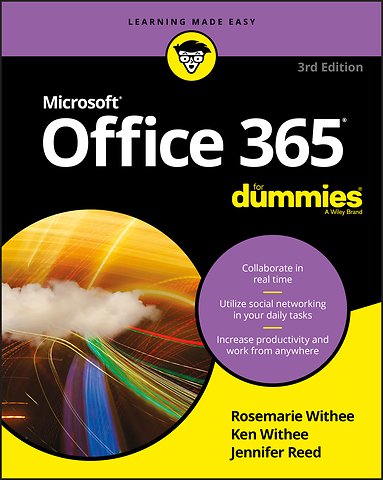
    Boeken IT-management / ICT Microsoft Office 365 For Dummies
    Microsoft Office 365 For Dummies
    Microsoft Office 365 For Dummies
    Rosemarie Withee

    Rosemarie Withee is een technologiedeskundige met verschillende boeken op haar naam, zoals 'Office 365 for Dummies' en 'SharePoint for Dummies'.

    Ze is directeur van Protal Integrators en oprichter van Scrum Now in Seattle, Washington.

    Meer over de auteurs
    Rosemarie Withee, Ken Withee, Jennifer Reed

    Microsoft Office 365 For Dummies

    Paperback Engels 2018 3e druk 9781119513353
    € 29,65
    In winkelwagen
    Levertijd ± 8 werkdagen
    Gratis verzonden

    Samenvatting

    Everything you need to get productive in the Cloud with Office 365

    With 70 million users worldwide, Microsoft Office 365 combines the familiar Office desktop suite with cloud-based versions of Microsoft’s next-generation communications and collaboration services. It offers many benefits including security, reliability, compatibility with other products, over-the-air updates in the cloud that don't require anything from the user, single sign on for access to everything right away, and so much more.

    Office 365 For Dummies offers a basic overview of cloud computing and goes on to cover Microsoft cloud solutions and the Office 365 product in a language you can understand. This includes an introduction to each component which leads into topics around using each feature in each application.

    - Get up to speed on instant messaging
    - Use audio, video, and web conferencing
    - Get seamless access to the Office suite with Office Web apps
    - Access information anywhere, anytime
    - Office 365 is the key to office productivity — and now you can put it to use for you!

    Specificaties

    ISBN13:9781119513353
    Trefwoorden:kantoorapplicaties, Microsoft, Office 365
    Taal:Engels
    Bindwijze:paperback
    Aantal pagina's:320
    Uitgever:John Wiley & Sons
    Druk:3
    Verschijningsdatum:4-12-2018
    Hoofdrubriek:IT-management / ICT
    Serie:Dummies (Engelstalig)
    Thema:
    UF Bedrijfsapplicaties
    UFB Geïntegreerde softwarepakketten
    UFS Samenwerkingssoftware, groepssoftware

    Lezersrecensies

    Wees de eerste die een lezersrecensie schrijft!
    Schrijf een recensie
    Lees ons recensiebeleid
    Uw waardering
    ?
    Log in om uw waardering te geven
    Klik om uw waardering te geven

    Over Rosemarie Withee

    Rosemarie Withee is een technologiedeskundige met verschillende boeken op haar naam, zoals 'Office 365 for Dummies' en 'SharePoint for Dummies'. Ze is directeur van Protal Integrators en oprichter van Scrum Now in Seattle, Washington.

    Andere boeken door Rosemarie Withee

    Meer over Rosemarie Withee

    Over Ken Withee

    Ken Withee is a Microsoft SharePoint and Business Intelligence consultant and a Microsoft Certified Technology Specialist. He is certified in SharePoint, SQL Server, and .NET. Among his many published works are a book on SSRS 2008 and a featured article on Self-Serve Business Intelligence in The Architecture Journal.

    Andere boeken door Ken Withee

    Meer over Ken Withee

    Inhoudsopgave

    Introduction 1
    About This Book 1
    How to Use This Book 2
    Beyond the Book 3
    Let’s Get Started! 3

    Part 1: Keeping Up with the Cloud Computing Environment 5
    Chapter 1: Understanding Cloud Computing and the Current Threat Landscape 7
    Understanding Cloud Computing 9
    Breaking down the cloud deployment models 10
    Knowing the common cloud service models 12
    Determining the Right Office 365 Plan for Your Organization 14
    Choosing between Small Business and Enterprise plans 15
    Office 365 Small Business 16
    Office 365 Enterprise 17
    Taking care of the firstline workforce 18
    Getting to Know the Security Features in Office 365 18
    Stepping through the anatomy of a modern attack 19
    Overview of the built-in security in Office 365 21
    Managing security and privacy in a single dashboard 22
    Updating the anti-spam settings 23

    Chapter 2: Moving to the Office 365 Cloud 25
    Discovering Office 365 Features and Benefits 26
    Generating greater productivity 26
    Accessing from anywhere 26
    Working with what you know 28
    Robust security and reliability 28
    IT control and efficiency 29
    Getting Familiar with Office 365 Products 29
    Microsoft Office 29
    Severing Ties to Your Desk 33
    Using Outlook Online 33
    Grouping conversations in your inbox 33
    Getting organized with Office 365 Groups 34
    Archiving just got personal 35
    Collaborating made easy 35
    Creating communities for the corporate world 36
    Sharing information with customers and partners with extranet sites 37
    Going Virtual with Intuitive Communications 37
    Text/voice/video in a single app and service 38
    From conversations to ad hoc meetings — yes, it’s possible 39
    Online meetings unleashed 39
    Interacting with photos and activity feeds 39
    Keeping up with your teammates on your own time 40

    Part 2: Communicating with Exchange Online 41
    Chapter 3: Unleashing the Power of Exchange Online 43
    Gaining Flexibility and Reliability 44
    Deployment flexibility 44
    Deployment predictability 45
    Flexible provisioning 46
    Continuous availability 46
    Simplified administration 46
    Accessing from Anywhere 47
    From your Outlook email client 48
    From the web 48
    From multiple devices 49
    From any email client 49
    Manage inbox overload 49
    Efficient collaboration 50
    Enhanced voicemail 51
    Protecting Information 51
    Archiving and retention 51
    Information protection and control 52

    Chapter 4: Being Productive, Staying Secure 53
    Incorporating Bots to Get More Done 54
    Your very own AI personal assistant 55
    Time to leave alerts 57
    Integrating Cortana in Office 365 59
    Securing Your Email 60
    Licensing requirements for Office 365 Message Encryption 60
    Enabling Office 365 Message Encryption 61
    Sending an Encrypted Email 62
    Using the Encrypt policy 63
    Using the Do Not Forward policy 64
    Making Outlook Work for You 64
    Filtering out the noise with Focused Inbox 64
    Diagnosing common Outlook problems with SARA 65

    Part 3: Exploring Sharepoint Online 67
    Chapter 5: Collaborating Effectively Anytime, Anywhere 69
    Touring the SharePoint Landscape 70
    Getting to know the SharePoint personas 70
    Landing on the SharePoint Online home page 71
    Be careful what you share! 72
    Knocking Down Collaboration Barriers 72
    Choosing between Team sites and Communication sites 73
    Creating a Team site 73
    Sharing and co-authoring documents 75
    Restoring a previous version of a document 76
    Getting Social at Work 77
    Five rules for Yammer success 77
    Becoming a groupie with Office 365 Groups 78

    Chapter 6: Going Beyond Websites with SharePoint and OneDrive for Business 81
    Managing Digital Content 82
    Document libraries 82
    Viewing PowerPoint presentations 85
    Document Sets 88
    OneDrive for Business 91
    Using Search Functionality 92
    Using SharePoint with Office Online 94
    Excel Online 94
    Word Online 95
    PowerPoint Online 95

    Chapter 7: Integrating the Mobile Experience 97
    Office and SharePoint Integration 98
    Creating a SharePoint document library 98
    Encouraging interaction with ratings 100
    Sharing documents from Word Online 100
    Knowing when to use OneDrive for Business 102
    Office 365 Mobile Apps Keep You Going 104
    Installing the mobile apps 104
    Collaborating on a Word document from an iPhone 105
    The Scoop on External Sharing 109

    Chapter 8: Demystifying SharePoint Online Administration 111
    Appreciating the Concept of a SharePoint Farm 112
    Administering the SharePoint farm and why you don’t want to do it 113
    Multitenancy explained 114
    Delegating administration tasks 115
    Understanding SharePoint Online Administrator Responsibilities 116
    Turning on external sharing 117
    Creating a new site collection 118
    Assigning a new site collection owner to the new site collection 120
    Managing user profiles 120
    Importing a new custom taxonomy into the Term Store 121
    Exercising the Powers Vested on the Site Collection Administrator 123
    Sharing your site externally 123
    Creating a new team subsite and/or new document libraries 123
    About content and content types 124
    Managing the look and feel 126
    Managing the web designer galleries 126
    Managing permissions and groups 128

    Chapter 9: Customizing SharePoint Online 129
    Going Over SharePoint Development 129
    Using a Web Browser as a Development Tool 130
    Developing SharePoint sites 131
    Adding apps (lists and libraries) and pages 134

    Part 4: Diving Into Office Online 141
    Chapter 10: Introducing Office Online 143
    Benefitting from Office Online 144
    Boosting team collaboration, intelligently 144
    Keeping malicious actors at bay 146
    Experiencing Office Online 147
    Getting the most out of Office Online 148
    Getting your voice heard 149

    Chapter 11: Getting into Word Online 151
    Comparing Word Online and Word 151
    Getting the Basics 153
    Using the Word Online interface 153
    Working with documents 156
    Editing Mode and Reading View 157
    Working with Advanced Functions 158
    Styles 159
    Tables 159

    Chapter 12: Getting into Data with Excel Online and Power BI 161
    Comparing Excel Online and Excel 162
    Covering the Basics 163
    Using the Excel Online interface 163
    Working with workbooks 166
    Editing Mode and Reading View 167
    Using Advanced Features 167
    Adding functions 167
    Manipulating data 169
    Coauthoring workbooks in the cloud 169
    Building Reports with Power BI 169
    Pulling data into Power BI 170
    Creating reports in Power BI 173
    Displaying reports in Office 365 174

    Chapter 13: Presenting Like a Pro with PowerPoint Online 175
    Starting with Basic Tasks in PowerPoint Online 176
    Getting started with PowerPoint Online 177
    Creating a blank presentation 178
    Taking Your Presentation to the Next Level with AI 179
    Designing a beautiful presentation with a few clicks 179
    Adding an image and making your file accessible 181

    Chapter 14: Staying on Top of Things with OneNote Online 183
    Exploring Basic Functions 184
    Introduction to Microsoft OneNote 184
    Using the OneNote Online interface 185
    Working with notebooks 187
    Using Advanced Features 188
    Viewing and restoring page versions 188
    Keeping up with your meetings 189
    Making your notebook fun and social 191

    Part 5: Using the Right Tool For the Right Purpose 193
    Chapter 15: Supercharging Your Team with Microsoft Teams 195
    Benefitting from Teams 196
    Touring the user interface 196
    Getting help from the Command bar 199
    Collaborating in the Teams Hub 200
    Creating and managing a Teams hub 200
    Chatting in Teams 202
    Sharing files in Teams 202
    Meeting and Conferencing the Teams Way 204
    Setting up an impromptu meeting 204
    Scheduling a Teams meeting 205

    Chapter 16: Choosing the Right Collaboration Tool 207
    Exploring the New Era of Teamwork 208
    Trends in today’s modern workplace 209
    Collaboration questions to ask yourself 209
    Tools for Teamwork in Office 365 210
    Office 365 Groups 210
    Outlook/email 211
    Teams 211
    Yammer 211
    SharePoint 211
    Picking your tool set 212

    PART 6: PREPARING TO MOVE 213
    Chapter 17: Meeting Office 365 Requirements 215
    Cloud Attraction 216
    Looking at the Pros and Cons of the Cloud 217
    Overall Office 365 Requirements 219
    Geographic requirements 219
    Software requirements 219
    Device requirements 220
    Internet access requirements 220
    Identifying browser requirements 221
    Microsoft Teams requirements 221

    Chapter 18: Planning for Your Office 365 Implementation 223
    Choosing an Office 365 Plan 224
    Laying the Groundwork 227
    Planning phase 228
    Preparing phase 232
    Office 365 Online Documentation 234
    Choosing a Partner 235

    Chapter 19: Implementing Office 365 237
    Getting Started with Office 365 For Home Plans 238
    Getting Started with Office 365 For Business Plans 239
    Getting Users Ready for Office 365 240
    Training 240
    Support 241
    Migrating to Office 365 242
    Activating licensing 242
    Migrating mailbox data (Exchange) 243
    Migrating portal content and functionality (SharePoint) 245
    Throwing the switch 247
    Configuring mobile phones 247

    Chapter 20: Administering Office 365 249
    Going Over Office 365 Management 249
    Managing Exchange 253
    Managing recipients 254
    Managing permissions 256
    More Exchange management 256
    Managing Teams and Skype for Business 257
    Managing Teams 258
    Managing legacy Skype for Business 258
    Managing SharePoint 259
    Managing site collections 260
    User profiles 260
    SharePoint Term Store 261
    Managing apps 262

    Part 7: The Part of Tens 263
    Chapter 21: Ten Signs It’s Time for You to Move to Office 365 265
    Your Team Likes to Collaborate 266
    Your Employees Are Facebook Friends 266
    You Are the IT Department 266
    Your Emails Got (Almost) Obliterated 267
    You Love Paying Only for What You Use 267
    You’re a Tree Hugger (or Wannabe) 268
    You Don’t Say “No” to Opportunities 268
    You Want to Web Conference Like the Boss 269
    You Freaked Out Over a Lost Phone 269
    You Don’t Want to Be the Next Hacking Victim 270

    Chapter 22: Ten Office 365 Value Propositions 271
    Offloaded Responsibility 272
    Reduced Infrastructure 272
    Predictable yet Flexible Costs 273
    Reduced Complexity 273
    Anywhere Access 274
    Synchronized Data 275
    Integrated Software 275
    Mobile Access to Enterprise Data 276
    Increased IT Efficiency 277
    Enter the Self-Service Software Revolution 277

    Chapter 23: Ten Tips for Increasing Productivity with Office 365 279
    Self-Serve from the Service Health Dashboard 280
    Act Like the IT Guy 281
    Use the Scheduling Assistant 282
    Share Your Calendar 283
    Sync Your Files 284
    Kill the Email Tree with Teams 284
    Stay Focused with Focused Inbox 285
    Accessibility Features Make Everyone Productive 285
    Send Info to OneNote — Fast 286
    Automatically Add Subtitles to Your Videos at Work 287

    Glossary 289
    Index 293
    Afgekapt op 60 regels

    Anderen kochten ook

    • Het Complete Boek Office 2024
      Het Complete Boek Office 2024
      Peter Kassenaar
      € 54,99
    • Handboek Microsoft Teams voor eindgebruikers
      Handboek Microsoft Teams voor eindgebruikers
      Tijn Bettonviel
      € 34,99
    • Copilot 365 basisboek
      Copilot 365 basisboek
      Leon Tindemans
      € 29,50
    • Salesforce For Dummies
      Salesforce For Dummies
      Liz Kao
      € 34,49
    • Copilot for Microsoft 365
      Copilot for Microsoft 365
      Jess Stratton
      € 66,99
    • Microsoft 365 Copilot At Work
      Microsoft 365 Copilot At Work
      Sandar Van Laan
      € 72,65

    Managementboek Top 100

    Bekijk de volledige Managementboek Top 100
    € 29,65
    Levertijd ongeveer 8 werkdagen
    Gratis verzonden

    Rubrieken

    • advisering
    • algemeen management
    • coaching en trainen
    • communicatie en media
    • economie
    • financieel management
    • inkoop en logistiek
    • internet en social media
    • it-management / ict
    • juridisch
    • leiderschap
    • marketing
    • mens en maatschappij
    • non-profit
    • ondernemen
    • organisatiekunde
    • personal finance
    • personeelsmanagement
    • persoonlijke effectiviteit
    • projectmanagement
    • psychologie
    • reclame en verkoop
    • strategisch management
    • verandermanagement
    • werk en loopbaan
    Uw cookie-instellingen
    Deze website maakt gebruik van verschillende soorten cookies. Sommige cookies worden geplaatst door diensten van derden die op onze pagina's worden weergegeven. Om deze externe content te kunnen tonen is nodig dat u toestemming geeft voor het zetten van persoonlijke en marketingcookies. U kunt uw toestemming op elk moment wijzigen of intrekken. In onze cookieverklaring vindt u meer informatie.

    Functionele cookies
    Deze zijn noodzakelijk voor de werking van de website, zonder deze cookies kan de website niet naar behoren werken.

    Persoonlijke en marketingcookies
    Wij gebruiken cookies voor statistieken om bij te houden en rapportages te krijgen over hoe bezoekers de website gebruiken. Zo kunnen wij onze website verbeteren. Marketingcookies worden gebruikt om bezoekers te volgen wanneer ze verschillende websites bezoeken. Hun doel is advertenties weergeven die zijn toegesneden op en relevant zijn voor de individuele gebruiker.
    Op werkdagen voor 23:00 besteld, morgen in huis Gratis verzending vanaf €20

    Klantenservice

    Over ons Contact Voorwaarden Bestellen en retourneren Lezen en luisteren Voor auteurs Recensiebeleid Partnerprogramma

    Zakelijk

    Zakelijke diensten Partnerprogramma Cadeaubonnen

    Altijd op de hoogte

    Schrijf u in voor onze nieuwsbrief en blijf up-to-date met relevante interviews en recensies, inspirerende events en de beste acties.
    PRETTIG KENNIS MAKEN
    Thuiswinkel waarborg Algemene voorwaarden Colofon Privacy Cookies Cookie instellingen Toegankelijkheidsverklaring Service & Contact Over ons
    © 2026 Mainpress BV

    Producten

      Auteurs

        Trefwoorden

          Artikelen

            Microsoft Office 365 For Dummies

            Microsoft Office 365 For Dummies
            Rosemarie Withee , Ken Withee , Jennifer Reed
            /
            loader
            Recensiebeleid
            AI-book

            Wat is een AI-book?

            Een AI-book is niet een boek dat geschreven is door AI maar een boek dat verrijkt is met AI. Het maakt de inhoud van een boek interactief via WhatsApp, zodat je ermee kunt chatten. Zie het als een razend slimme assistent die het boek perfect begrijpt en er alles uit onthouden heeft. Jij kunt deze assistent alles vragen. Vraag bijvoorbeeld hoe je iets kunt toepassen op jouw persoonlijke situatie, om een korte samenvatting, of wat de belangrijkste inzichten zijn. AI-books zijn alleen te gebruiken via WhatsApp, je hoeft er geen aparte app voor te installeren.
            Meer informatie over AI-books

            ?

            Geef uw beoordeling

            Microsoft Office 365 For Dummies

            Verwijder uw beoordeling