Op werkdagen voor 23:00 besteld, morgen in huis Gratis verzending vanaf €20
-
Inloggen

Uw winkelwagen

Naar winkelwagen Verder winkelen
Uitdagingen + oplossingen
Alle uitdagingen + oplossingen
  • Direct naar
    • Alle uitdagingen en oplossingen
    • Meest bekeken managementvragen
    • Recent gestelde vragen
    • Stel jouw managementvraag
    • Boeken als cadeau
  • Ontdek oplossingen per thema
    • Boekadviezen en geschenken
    • Digitalisering en technologie
    • Communicatie en onderhandeling
    • Compliance en regelgeving
    • alle thema’s
  • Voorbeelden
    • Boekcadeau voor promotie
    • AI toepassen op werk
    • Versterken interne communicatie
    • Voorkomen corruptie en onethisch gedrag
    • alle vragen
Managementboeken
Alle managementboeken
  • Direct naar
    • Boeken als cadeau
    • Managementboek TOP 100
    • AI-books
    • Managementuitdagingen
    • Auteur in de spotlight
    • Online Magazine
    • Binnenkort verwacht
    • Aanbiedingen
    • Trending trefwoorden
  • Rubrieken
    • Advisering
    • Algemeen management
    • Coaching en trainen
    • Communicatie en media
    • Economie
    • Financieel management
    • Inkoop en logistiek
    • Internet en social media
    • IT-management / ICT
    • Juridisch
    • Leiderschap
    • Marketing
    • Mens en maatschappij
    • Non-profit
    • Ondernemen
    • Organisatiekunde
    • Personal finance
    • Personeelsmanagement
    • Persoonlijke effectiviteit
    • Projectmanagement
    • Psychologie
    • Reclame en verkoop
    • Strategisch management
    • Verandermanagement
    • Werk en loopbaan
    • alle rubrieken
Overige boeken
Alle overige boeken
  • Direct naar
    • Bestseller 60
    • Fictie TOP 20
    • Non-fictie TOP 20
    • Spanning TOP 20
    • Jeugd TOP 10
    • Culinair TOP 10
    • Aanbiedingen
    • Boeken als cadeau
  • Rubrieken
    • Cadeauboeken
    • Computer en informatica
    • Economie
    • Filosofie
    • Flora en fauna
    • Geneeskunde
    • Geschiedenis
    • Gezondheid
    • Informatief / professioneel
    • Jeugd
    • Juridisch
    • Koken en eten
    • Kunst en cultuur
    • Literatuur en romans
    • Mens en maatschappij
    • Naslagwerken
    • Paramedisch
    • Psychologie
    • Reizen
    • Religie
    • Schoolboeken
    • Spiritualiteit
    • Sport, hobby, lifestyle
    • Thrillers en spanning
    • Wetenschap en techniek
    • Woordenboeken en taal
Interactief leren
Alle seminars & trainingen
  • Direct naar
    • Live events
    • Online training
    • AI-books
  • Online Magazine
    • Previews
    • Recensies
    • Interviews
    • Podcasts
    • Videos
  • Volg ons op
    • Spotify
    • YouTube
    • Instagram
    • Linkedin
Attenderingen
Aanbevelingen instellen
  • Algemeen
    • Recht op u af
    • Juridisch
    • Expertselectie juridisch
    • Series
    • Herdrukken
    • Wetenschappelijk
  • Aanbevolen per ministerie
    • Algemene Zaken
    • Binnenlandse Zaken en Koninkrijksrelaties
    • Buitenlandse Zaken
    • Defensie
    • Economische Zaken
    • Financiën
    • Infrastructuur en Waterstaat
    • Justitie en Veiligheid
    • Landbouw, Visserij, Voedselzekerheid en Natuur
    • Onderwijs, Cultuur en Wetenschap
    • Nationale Politie
    • Sociale Zaken en Werkgelegenheid
    • Volksgezondheid, Welzijn en Sport
Abonnementen
Abonnementencatalogus
  • Algemeen
    • Uw abonnementen
    • Verlengen / opzeggen
    • Openstaande claims
    • Bibliografische wijzigingen
    • Abonnementshouders
    • Afleveradressen
    • Referenties
    • Notities
  • Aanbevolen per ministerie
    • Algemene Zaken
    • Binnenlandse Zaken en Koninkrijksrelaties
    • Buitenlandse Zaken
    • Defensie
    • Economische Zaken
    • Financiën
    • Infrastructuur en Waterstaat
    • Justitie en Veiligheid
    • Landbouw, Visserij, Voedselzekerheid en Natuur
    • Onderwijs, Cultuur en Wetenschap
    • Nationale Politie
    • Sociale Zaken en Werkgelegenheid
    • Volksgezondheid, Welzijn en Sport
Boekseries
Boekseriecatalogus
  • Algemeen
    • Uw serieabonnementen
    • Geadresseerden
    • Abonnementshouders
    • Afleveradressen
    • Referenties
    • Notities
  • Aanbevolen per ministerie
    • Algemene Zaken
    • Binnenlandse Zaken en Koninkrijksrelaties
    • Buitenlandse Zaken
    • Defensie
    • Economische Zaken
    • Financiën
    • Infrastructuur en Waterstaat
    • Justitie en Veiligheid
    • Landbouw, Visserij, Voedselzekerheid en Natuur
    • Onderwijs, Cultuur en Wetenschap
    • Nationale Politie
    • Sociale Zaken en Werkgelegenheid
    • Volksgezondheid, Welzijn en Sport
Nu lezen
Online Magazine
  • Direct naar
    • Recensies
    • Interviews
    • Previews
    • Opinie
    • Actueel
    • Podcasts
    • Videos
  • Lees over
    • Algemeen management
    • Coachen en trainen
    • Leiderschap
    • Marketing
    • Organisatiekunde
    • Strategisch management
    • Verandermanagement
    • meer onderwerpen
  • Recente artikelen
Meer
  • Meer
    010-4731397
    Klantenservice
    Mijn account
    Mijn bestellingen
    010-4731397
    Boeken IT-management / ICT LPIC-1 Linux Professional Institute Certification Study Guide
    LPIC-1 Linux Professional Institute Certification Study Guide
    LPIC-1 Linux Professional Institute Certification Study Guide
    Christine Bresnahan

    Christine Bresnahan has worked with computers for more than 25 years as an IT system administrator.

    Meer over de auteurs
    Christine Bresnahan, Richard Blum

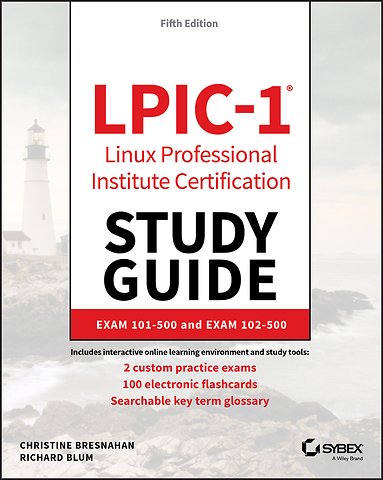
    LPIC-1 Linux Professional Institute Certification Study Guide

    Exam 101-500 and Exam 102-500

    Paperback Engels 2019 5e druk 9781119582120
    € 72,10
    In winkelwagen
    Levertijd ± 8 werkdagen
    Gratis verzonden

    Samenvatting

    The bestselling study guide for the popular Linux Professional Institute Certification Level 1 (LPIC-1).

    The updated fifth edition of LPIC-1: Linux Professional Institute Certification Study Guide is a comprehensive, one-volume resource that covers 100% of all exam objectives. Building on the proven Sybex Study Guide approach, this essential resource offers a comprehensive suite of study and learning tools such as assessment tests, hands-on exercises, chapter review questions, and practical, real-world examples. This book, completely updated to reflect the latest 101-500 and 102-500 exams, contains clear, concise, and user-friendly information on all of the Linux administration topics you will encounter on test day. Key exam topics include system architecture, Linux installation and package management, GNU and UNIX commands, user interfaces and desktops, essential system services, network and server security, and many more.

    Linux Servers currently have a 20% market share which continues to grow. The Linux OS market saw a 75% increase from last year and is the third leading OS, behind Windows and MacOS. There has never been a better time to expand your skills, broaden your knowledge, and earn certification from the Linux Professional Institute. A must-have guide for anyone preparing for the 101-500 and 102-500 exams, this study guide enables you to:

    - Assess your performance on practice exams to determine what areas need extra study
    - Understand and retain vital exam topics such as administrative tasks, network configuration, booting Linux, working with filesystems, writing scripts, and using databases
    - Gain insights and tips from two of the industry’s most highly respected instructors, consultants, and authors
    - Access Sybex interactive tools that include electronic flashcards, an online test bank, customizable practice exams, bonus chapter review questions, and a searchable PDF glossary of key terms

    LPIC-1: Linux Professional Institute Certification Study Guide is ideal for network and system administrators studying for the LPIC-1 exams, either for the first time or for the purpose of renewing their certifications.

    Specificaties

    ISBN13:9781119582120
    Trefwoorden:professional, certificering, systeembeheer, Linux, Certificering LPIC-1, Besturingssystemen
    Taal:Engels
    Bindwijze:paperback
    Aantal pagina's:688
    Uitgever:Sybex
    Druk:5
    Verschijningsdatum:20-10-2019
    Hoofdrubriek:IT-management / ICT
    Thema:
    ULJL Linux
    UQ Computercertificatie
    UT Computernetwerken en communicatiesystemen

    Lezersrecensies

    Wees de eerste die een lezersrecensie schrijft!
    Schrijf een recensie
    Lees ons recensiebeleid
    Uw waardering
    ?
    Log in om uw waardering te geven
    Klik om uw waardering te geven

    Over Christine Bresnahan

    Christine Bresnahan has worked with computers for more than 25 years as an IT system administrator. She is an Adjunct Professor at Ivy Tech Community College in Indianapolis, Indiana, where she teaches Linux system administration, Linux security, and Windows security.

    Andere boeken door Christine Bresnahan

    Meer over Christine Bresnahan

    Over Richard Blum

    Richard Blum has worked in the IT industry for more than 22 years as both a systems and network administrator. He has administered UNIX, Linux, Novell, and Microsoft servers, as well as automated network monitoring with Linux shell scripts and written scripts in most of the common Linux shell environments. Richard is the author of several books, including 'Professional Linux Programming' (Wrox).

    Andere boeken door Richard Blum

    Meer over Richard Blum

    Inhoudsopgave

    Introduction xxi
    Assessment Test xxxix

    Part I Exam 101-500 1
    Chapter 1 Exploring Linux Command-Line Tools 3
    Understanding Command-Line Basics 4
    Discussing Distributions 4
    Reaching a Shell 5
    Exploring Your Linux Shell Options 5
    Using a Shell 7
    Using Environment Variables 11
    Getting Help 17
    Editing Text Files 20
    Looking at Text Editors 20
    Understanding vim Modes 24
    Exploring Basic Text-Editing Procedures 24
    Saving Changes 27
    Processing Text Using Filters 28
    File-Combining Commands 28
    File-Transforming Commands 31
    File-Formatting Commands 33
    File-Viewing Commands 36
    File-Summarizing Commands 40
    Using Regular Expressions 45
    Using grep 45
    Understanding Basic Regular Expressions 47
    Understanding Extended Regular Expressions 50
    Using Streams, Redirection, and Pipes 50
    Redirecting Input and Output 51
    Piping Data between Programs 55
    Using sed 56
    Generating Command Lines 60
    Summary 61
    Exam Essentials 61
    Review Questions 62

    Chapter 2 Managing Software and Processes 67
    Looking at Package Concepts 68
    Using RPM 69
    RPM Distributions and Conventions 69
    The rpm Command Set 71
    Extracting Data from RPMs 77
    Using YUM 78
    Using ZYpp 83
    Using Debian Packages 86
    Debian Package File Conventions 87
    The dpkg Command Set 87
    Looking at the APT Suite 92
    Using apt-cache 93
    Using apt-get 94
    Reconfiguring Packages 97
    Managing Shared Libraries 98
    Library Principles 98
    Locating Library Files 99
    Loading Dynamically 100
    Library Management Commands 100
    Managing Processes 102
    Examining Process Lists 102
    Employing Multiple Screens 109
    Understanding Foreground and Background Processes 116
    Managing Process Priorities 120
    Sending Signals to Processes 121
    Summary 126
    Exam Essentials 127
    Review Questions 129

    Chapter 3 Configuring Hardware 133
    Configuring the Firmware and Core Hardware 134
    Understanding the Role of Firmware 134
    Device Interfaces 136
    The /dev Directory 138
    The /proc Directory 139
    The /sys Directory 143
    Working with Devices 144
    Hardware Modules 148
    Storage Basics 154
    Types of Drives 154
    Drive Partitions 155
    Automatic Drive Detection 155
    Storage Alternatives 156
    Multipath 156
    Logical Volume Manager 157
    Using RAID Technology 158
    Partitioning Tools 158
    Working with fdisk 158
    Working with gdisk 161
    The GNU parted Command 162
    Graphical Tools 163
    Understanding Filesystems 164
    The Virtual Directory 164
    Maneuvering Around the Filesystem 166
    Formatting Filesystems 167
    Common Filesystem Types 167
    Creating Filesystems 169
    Mounting Filesystems 170
    Manually Mounting Devices 170
    Automatically Mounting Devices 172
    Managing Filesystems 173
    Retrieving Filesystem Stats 173
    Filesystem Tools 173
    Summary 174
    Exam Essentials 175
    Review Questions 177

    Chapter 4 Managing Files 181
    Using File Management Commands 182
    Naming and Listing Files 182
    Exploring Wildcard Expansion Rules 186
    Understanding the File Commands 189
    Compressing File Commands 199
    Archiving File Commands 202
    Managing Links 213
    Managing File Ownership 218
    Assessing File Ownership 219
    Changing a File’s Owner 219
    Changing a File’s Group 220
    Controlling Access to Files 221
    Understanding Permissions 221
    Changing a File’s Mode 223
    Setting the Default Mode 226
    Changing Special Access Modes 228
    Locating Files 229
    Getting to Know the FHS 229
    Employing Tools to Locate Files 231
    Summary 239
    Exam Essentials 239
    Review Questions 241

    Chapter 5 Booting, Initializing, and Virtualizing Linux 245
    Understanding the Boot Process 246
    The Boot Process 246
    Extracting Information about the Boot Process 247
    Looking at Firmware 249
    The BIOS Startup 249
    The UEFI Startup 250
    Looking at Boot Loaders 251
    Boot Loader Principles 251
    Using GRUB Legacy as the Boot Loader 251
    Using GRUB 2 as the Boot Loader 255
    Adding Kernel Boot Parameters 259
    Using Alternative Boot Loaders 260
    The Initialization Process 261
    Using the systemd Initialization Process 262
    Exploring Unit Files 263
    Focusing on Service Unit Files 265
    Focusing on Target Unit Files 268
    Looking at systemctl 270
    Examining Special systemd Commands 273
    Using the SysV Initialization Process 276
    Understanding Runlevels 277
    Investigating SysVinit Commands 280
    Stopping the System 283
    Notifying the Users 284
    Virtualizing Linux 286
    Looking at Virtual Machines 287
    Understanding Containers 291
    Looking at Infrastructure as a Service 293
    Summary 295
    Exam Essentials 295
    Review Questions 298

    Part II Exam 102-500 303
    Chapter 6 Configuring the GUI, Localization, and Printing 305
    Understanding the GUI 306
    Understanding the X11 Architecture 307
    Examining X.Org 308
    Figuring Out Wayland 309
    Managing the GUI 311
    Standard GUI Features 311
    The X GUI Login System 313
    Common Linux Desktop Environments 314
    Providing Accessibility 323
    Using X11 for Remote Access 325
    Remote X11 Connections 326
    Tunneling your X11 Connection 326
    Using Remote Desktop Software 328
    Viewing VNC 328
    Grasping Xrdp 330
    Exploring NX 332
    Studying SPICE 332
    Understanding Localization 333
    Character Sets 333
    Environment Variables 334
    Setting Your Locale 335
    Installation Locale Decisions 335
    Changing Your Locale 336
    Looking at Time 338
    Working with Time Zones 338
    Setting the Time and Date 339
    Configuring Printing 343
    Summary 345
    Exam Essentials 346
    Review Questions 348

    Chapter 7 Administering the System 353
    Managing Users and Groups 354
    Understanding Users and Groups 354
    Configuring User Accounts 355
    Configuring Groups 371
    Managing Email 375
    Understanding Email 375
    Choosing Email Software 376
    Working with Email 377
    Using Log and Journal Files 384
    Examining the syslog Protocol 385
    Viewing the History of Linux Logging 387
    Logging Basics Using rsyslogd 387
    Journaling with systemd-journald 394
    Maintaining the System Time 403
    Understanding Linux Time Concepts 403
    Viewing and Setting Time 404
    Understanding the Network Time Protocol 408
    Using the NTP Daemon 411
    Using the chrony Daemon 413
    Summary 416
    Exam Essentials 416
    Review Questions 419

    Chapter 8 Configuring Basic Networking 423
    Networking Basics 424
    The Physical Layer 424
    The Network Layer 426
    The Transport Layer 430
    The Application Layer 431
    Configuring Network Features 433
    Network Configuration Files 433
    Graphical Tools 436
    Command-Line Tools 438
    Getting Network Settings Automatically 445
    Bonding Network Cards 445
    Basic Network Troubleshooting 447
    Sending Test Packets 447
    Tracing Routes 448
    Finding Host Information 449
    Advanced Network Troubleshooting 452
    The netstat Command 452
    Examining Sockets 455
    The netcat Utility 456
    Summary 457
    Exam Essentials 458
    Review Questions 460

    Chapter 9 Writing Scripts 465
    Shell Variables 466
    Global Environment Variables 466
    Local Environment Variables 468
    Setting Local Environment Variables 470
    Setting Global Environment Variables 472
    Locating System Environment Variables 472
    Using Command Aliases 474
    The Basics of Shell Scripting 475
    Running Multiple Commands 475
    Redirecting Output 476
    Piping Data 477
    The Shell Script Format 478
    Running the Shell Script 479
    Advanced Shell Scripting 481
    Displaying Messages 481
    Using Variables in Scripts 482
    Command-Line Arguments 484
    Getting User Input 484
    The Exit Status 488
    Writing Script Programs 489
    Command Substitution 489
    Performing Math 490
    Logic Statements 492
    Loops 496
    Functions 498
    Running Scripts in Background Mode 500
    Running in the Background 501
    Running Multiple Background Jobs 502
    Running Scripts Without a Console 503
    Sending Signals 504
    Interrupting a Process 504
    Pausing a Process 504
    Job Control 506
    Viewing Jobs 506
    Restarting Stopped Jobs 508
    Running Like Clockwork 509
    Scheduling a Job Using the at Command 509
    Scheduling Regular Scripts 513
    Summary 515
    Exam Essentials 516
    Review Questions 518

    Chapter 10 Securing Your System 523
    Administering Network Security 524
    Disabling Unused Services 524
    Using Super Server Restrictions 534
    Restricting via TCP Wrappers 538
    Administering Local Security 539
    Securing Passwords 539
    Limiting root Access 543
    Auditing User Access 547
    Setting Login, Process, and Memory Limits 549
    Locating SUID/SGID Files 551
    Exploring Cryptography Concepts 553
    Discovering Key Concepts 553
    Securing Data 554
    Signing Transmissions 555
    Looking at SSH 555
    Exploring Basic SSH Concepts 555
    Configuring SSH 558
    Generating SSH Keys 560
    Authenticating with SSH Keys 561
    Authenticating with the Authentication Agent 564
    Tunneling 565
    Using SSH Securely 567Using GPG 567
    Generating Keys 568
    Importing Keys 569
    Encrypting and Decrypting Data 570
    Signing Messages and Verifying Signatures 571
    Revoking a Key 573
    Summary 574
    Exam Essentials 575
    Review Questions 577

    Appendix Answers to Review Questions 583
    Chapter 1: Exploring Linux Command-Line Tools 584
    Chapter 2: Managing Software and Processes 587Chapter 3: Configuring Hardware 590
    Chapter 4: Managing Files 593
    Chapter 5: Booting, Initializing, and Virtualizing Linux 597
    Chapter 6: Configuring the GUI, Localization, and Printing 601
    Chapter 7: Administering the System 605
    Chapter 8: Configuring Basic Networking 608
    Chapter 9: Writing Scripts 611
    Chapter 10: Securing Your System 615

    Index 619
    Afgekapt op 60 regels

    Managementboek Top 100

    Bekijk de volledige Managementboek Top 100
    € 72,10
    Levertijd ongeveer 8 werkdagen
    Gratis verzonden

    Rubrieken

    • advisering
    • algemeen management
    • coaching en trainen
    • communicatie en media
    • economie
    • financieel management
    • inkoop en logistiek
    • internet en social media
    • it-management / ict
    • juridisch
    • leiderschap
    • marketing
    • mens en maatschappij
    • non-profit
    • ondernemen
    • organisatiekunde
    • personal finance
    • personeelsmanagement
    • persoonlijke effectiviteit
    • projectmanagement
    • psychologie
    • reclame en verkoop
    • strategisch management
    • verandermanagement
    • werk en loopbaan
    Uw cookie-instellingen
    Deze website maakt gebruik van verschillende soorten cookies. Sommige cookies worden geplaatst door diensten van derden die op onze pagina's worden weergegeven. Om deze externe content te kunnen tonen is nodig dat u toestemming geeft voor het zetten van persoonlijke en marketingcookies. U kunt uw toestemming op elk moment wijzigen of intrekken. In onze cookieverklaring vindt u meer informatie.

    Functionele cookies
    Deze zijn noodzakelijk voor de werking van de website, zonder deze cookies kan de website niet naar behoren werken.

    Persoonlijke en marketingcookies
    Wij gebruiken cookies voor statistieken om bij te houden en rapportages te krijgen over hoe bezoekers de website gebruiken. Zo kunnen wij onze website verbeteren. Marketingcookies worden gebruikt om bezoekers te volgen wanneer ze verschillende websites bezoeken. Hun doel is advertenties weergeven die zijn toegesneden op en relevant zijn voor de individuele gebruiker.
    Op werkdagen voor 23:00 besteld, morgen in huis Gratis verzending vanaf €20

    Klantenservice

    Over ons Contact Voorwaarden Bestellen en retourneren Lezen en luisteren Voor auteurs Recensiebeleid Partnerprogramma

    Zakelijk

    Zakelijke diensten Partnerprogramma Cadeaubonnen

    Altijd op de hoogte

    Schrijf u in voor onze nieuwsbrief en blijf up-to-date met relevante interviews en recensies, inspirerende events en de beste acties.
    PRETTIG KENNIS MAKEN
    Thuiswinkel waarborg Algemene voorwaarden Colofon Privacy Cookies Cookie instellingen Toegankelijkheidsverklaring Service & Contact Over ons
    © 2026 Mainpress BV

    Producten

      Auteurs

        Trefwoorden

          Artikelen

            LPIC-1 Linux Professional Institute Certification Study Guide

            LPIC-1 Linux Professional Institute Certification Study Guide
            Christine Bresnahan , Richard Blum
            /
            loader
            Recensiebeleid
            AI-book

            Wat is een AI-book?

            Een AI-book is niet een boek dat geschreven is door AI maar een boek dat verrijkt is met AI. Het maakt de inhoud van een boek interactief via WhatsApp, zodat je ermee kunt chatten. Zie het als een razend slimme assistent die het boek perfect begrijpt en er alles uit onthouden heeft. Jij kunt deze assistent alles vragen. Vraag bijvoorbeeld hoe je iets kunt toepassen op jouw persoonlijke situatie, om een korte samenvatting, of wat de belangrijkste inzichten zijn. AI-books zijn alleen te gebruiken via WhatsApp, je hoeft er geen aparte app voor te installeren.
            Meer informatie over AI-books

            ?

            Geef uw beoordeling

            LPIC-1 Linux Professional Institute Certification Study Guide

            Verwijder uw beoordeling