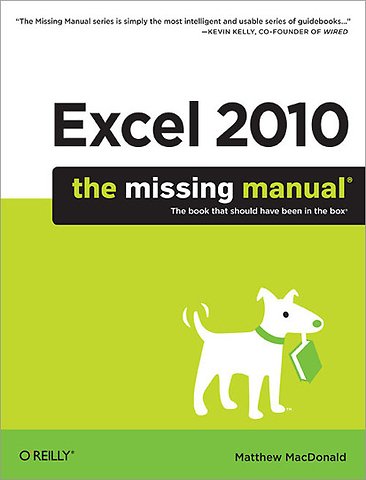
Excel 2010: The Missing Manual

Paperback Engels 2010 1e druk 9781449382353
€ 46,85
Levertijd ± 16 werkdagen
Gratis verzonden

Samenvatting

Excel, the world's most popular spreadsheet program, has the muscle to analyze heaps of data. Beyond basic number-crunching, Excel 2010 has many impressive features that are hard to find, much less master - especially from online help pages. This 'Missing Manual' clearly explains how everything works with a unique and witty style to help you learn quickly.

- Navigate with ease. Master Excel's tabbed toolbar and its new backstage view
- Perform a variety of calculations. Write formulas for rounding numbers, calculating mortgage payments, and more
- Organize your data. Search, sort, and filter huge amounts of information
- Illustrate trends. Bring your data to life with charts and graphics - including miniature charts called Sparklines
- Examine your data. Summarize information and find hidden patterns with pivot tables and slicers
- Share your spreadsheets. Use the Excel Web App to collaborate with colleagues online
- Rescue lost data. Restore old versions of data and find spreadsheets you forgot to save

Specificaties

ISBN13:9781449382353
Taal:Engels
Bindwijze:paperback
Aantal pagina's:871
Uitgever:O'Reilly
Druk:1
Hoofdrubriek:IT-management / ICT

Lezersrecensies

Wees de eerste die een lezersrecensie schrijft!

Over Matthew MacDonald

Matthew MacDonald is a developer, author, and educator in all things Visual Basic and .NET. He's worked with Visual Basic and ASP since their initial versions, and written over a dozen books on the subject, including The Book of VB .NET (No Starch Press) and Visual Basic 2005: A Developer's Notebook (O'Reilly). He has also written Excel 2007:The Missing Manual, Excel 2007 for Starters: The Missing Manual, Access 2007:The Missing Manual, and Access 2007 for Starters: The Missing Manual, all from O'Reilly.

Andere boeken door Matthew MacDonald

Inhoudsopgave

The Missing Credits
Introduction

Part 1: Worksheet Basics
1. Creating Your First Spreadsheet
-Creating a Basic Worksheet
-Moving Around the Grid
-A Tour of the Excel Window
-Saving Files
-Opening Files

2. Adding Information to Worksheets
-Adding Different Types of Data
-Handy Timesavers
-Dealing with Change: Undo, Redo, and AutoRecover
-Spell Check
-Adding Hyperlinks

3. Moving Data
-Selecting Cells
-Making Continuous Range Selections
-Making Noncontiguous Selections
-Automatically Selecting Your Data
-Making Selections with the Keyboard
-Moving Cells Around
-A Simple Cut-and-Paste or Copy-and-Paste
-A Quicker Cut-and-Paste or Copy-and-Paste
-Fancy Pasting Tricks
-Paste Special
-Copying Multiple Items with the Clipboard
-Adding and Moving Columns or Rows
-Inserting Columns and Rows
-Inserting Rows
-Inserting Copied or Cut Cells
-Deleting Columns and Rows

4. Managing Worksheets
-Worksheets and Workbooks
-Find and Replace

5. Formatting Cells
-Formatting Cell Values
-Formatting Cell Appearance

6. Smart Formatting Tricks
-The Format Painter
-Styles and Themes
-Conditional Formatting

7. Viewing and Printing Worksheets
-Controlling Your View
-Printing
-Controlling Pagination

Part 2: Formulas and Functions
8. Building Basic Formulas
-Creating a Basic Formula
-Functions
-Formula Errors
-Logical Operators
-Formula Shortcuts
-Copying Formulas
Afgekapt op 62 regels

Managementboek Top 100

€ 46,85
Levertijd ongeveer 16 werkdagen
Gratis verzonden

Rubrieken

Producten

    Auteurs

      Trefwoorden

        Artikelen

          Excel 2010: The Missing Manual