David Pogue
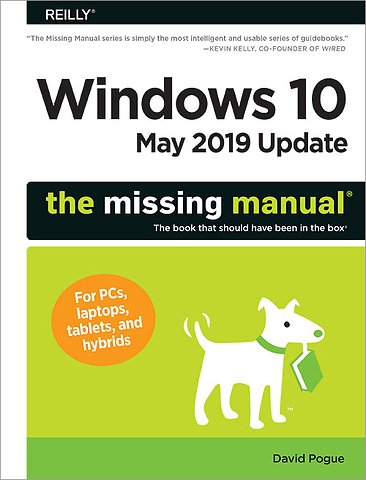
Windows 10 May 2019 Update: The Missing Manual
Paperback Engels 2019 1e druk 9781492057291Niet leverbaar.
Samenvatting
The Windows 10 May 2019 Update adds a host of new and improved features to Microsoft’s flagship operating system—and this jargon-free guide helps you get the most out of every component.
This in-depth Missing Manual covers the entire system and introduces you to the latest features in the Windows Professional, Enterprise, Education, and Home editions. You’ll learn how to take advantage of improvements to the Game Bar, Edge browser, Windows Online, smartphone features, and a lot more.
Written by David Pogue—tech critic for Yahoo Finance and former columnist for The New York Times—this updated edition illuminates its subject with technical insight, plenty of wit, and hardnosed objectivity.
Specificaties
ISBN13:9781492057291
Trefwoorden:Microsoft, systeembeheer, Besturingssystemen, Microsoft Windows 10
Taal:Engels
Bindwijze:paperback
Aantal pagina's:625
Uitgever:O'Reilly
Druk:1
Verschijningsdatum:18-6-2019
Hoofdrubriek:IT-management / ICT
Lezersrecensies
Wees de eerste die een lezersrecensie schrijft!
Inhoudsopgave
About This Book
About the Outline
System Requirements for Your Brain
About → These → Arrows
About MissingManuals.com
I. The Windows Desktop
1. Desktop & Start Menu
The Lock Screen
The Sign-In Screen
The Desktop
Meet the Start Menu
Start Menu: The Places List
[Your Round Icon]
Settings ()
Power ()
How to Customize the Places List
Start Menu: The Apps List
Recently Added
Most Used
All Apps
How to Customize the Apps List
The App List Shortcut Menu
Start Menu: The Tiles
How to Customize the Tiles Menu
Shutting Down
The Sleep/Shut Down/Restart Commands
Three Triggers for Sleep/Shut Down—and How to Change Them
Navigating the Start Menu by Keyboard
Use the Arrow Keys
Use the Search Box
The Secret Power Users’ Menu
2. File Explorer, Taskbar & Action Center
Universal Window Controls
Window Management
Sizing Windows
Moving a Window
Closing a Window
Hiding All Windows but One
Background Windows
Windows Snap—Now with Four Panes!
The Full-Height Window Trick
The Ribbon
File Tab
Home Tab
Share Tab
View Tab
Library Tools/Manage Tab
Music Tools/Play Tab
Picture Tools/Manage Tab
Tabucopia
The File Explorer Address Bar
Components of the Address Bar
What to Type into the Address Bar
Optional Window Panes
Preview Pane
Details Pane
Navigation Pane
Tags, Metadata, and Properties
Properties
Window Views
Immortalizing Your Tweaks
Sorting, Grouping, and Filtering
Sorting Files
Grouping
Filtering
Searching in a File Explorer Window
Folder Options
Taskbar 2.0
Taskbar as App Switcher
Handy Window Miniatures
Full-Size Peeking
Button Groups
The Taskbar as App Launcher
Jump Lists
Pinning to Jump Lists
Jump List Caveats
Jump List Settings
The System Tray (Notification Area)
Keyboard Control
Reinstating the Hidden Icons
Getting the Taskbar Out of Your Hair
Auto-Hiding the Taskbar
Changing the Taskbar’s Size
Moving the Taskbar to the Sides of the Screen
Taskbar Toolbars
Notifications
Customizing Notifications
Focus Assist: The Silence of the Toast
The Action Center
The Notifications List
The Quick Action Tiles
3. Organizing & Finding Your Files
The Power of Search
The Taskbar Search Box
Filtering the Results
Quick Actions
The Search Index
Where Windows Looks
Adding New Places to the Index
File Explorer Window Searches
Search Options on the Ribbon
Limit by Size, Date, Rating, Tag, Author…
Special Search Codes
File Explorer Results Menu Tips
Customizing Search
Windows Search Settings
Folder Options
Indexing Options
The Folders of Windows 10
What’s in the Local Disk (C:) Window
Your Personal Folder
Selecting Icons
By Tapping or Clicking
By Typing
Eliminating Double-Clicks
Checkbox Selection
Life with Icons
Renaming Your Icons
Icon Properties
Changing Your Icon Pictures
Shortcut Icons
Creating and Deleting Shortcuts
Unveiling a Shortcut’s True Identity
Shortcut Keyboard Triggers
Copying and Moving Folders and Files
Copying by Dragging Icons
Copying or Moving Files with the Ribbon
Copying with Copy and Paste
The Recycle Bin
Making the Recycle Bin Less Naggy
Restoring Deleted Files and Folders
Emptying the Recycle Bin
OneDrive
Putting Files onto OneDrive
Offline Files
OneDrive.com
Fetch: Remote Access to Your Whole PC Back Home
Sharing Files from OneDrive
Compressing Files and Folders
NTFS Compression
Zipped Folders
Burning CDs and DVDs from the Desktop
ISO Disk Images
4. Redesigning the Desktop
Background, Colors, Themes, and Fonts
Background (Wallpaper)
Colors
Lock Screen
Themes
Fonts
Screen Savers
Choosing a Screen Saver
Turning Off the New Look
Turning Off Window Snapping and Shaking
Turning Off the Tall Taskbar
Turning Off All Those Glitzy Animations
Turn Off the Tiles in the Start Menu
Monitor Settings
Brightness
Night Light
Windows HD Color
Three Ways to Enlarge the Screen
Orientation
Colors
Multiple Monitors
Customizing Your Displays
Life with Multiple Screens
Virtual Screens
Creating a Desktop
Switching Virtual Screens
Deleting a Desktop
Projecting to Your PC
5. Cortana, Your Voice Assistant
Setting Up Cortana
Turn on “Hey Cortana”
Tell Cortana When to Be Available
Establish Privacy Control
How to Use Cortana
Typing to Cortana
What to Say to Cortana
Shut Down, Restart, or Sign Out
Open Apps
Open Settings Panels
Change Your Settings
Reminders
Lists
Calendar
Alarms
Clock
Sports
Weather
Stocks
Movies
Flights
Packages
Headlines
Email
Maps
Music
Math and Conversions
Definitions
Calling
Texting
Facts and Figures
Search the Web
When Things Go Wrong
Skills: Fitbit, Domino’s, Nest…
Cortana’s Personality
Conversation starters
Pop culture references
The tech industry
Critters
Cortana and you
About Cortana
Halo references
The Notebook
Organizer
Manage Skills
II. The Programs of Windows 10
6. Programs & Documents
Opening Programs
The Two Kinds of Apps
The App Switcher: Alt+Tab
Task View and Timeline: +Tab
Task View
The Timeline
Exiting Programs
When Programs Die: The Task Manager
Heat Map
The Other Tabs
Saving Documents
The Save As Dialog Box
Saving into Your Documents Folder
Saving into Other Folders
Navigating the List by Keyboard
The File Format Drop-Down Menu
Closing Documents
The Open Dialog Box
Moving Data Between Documents
Cut, Copy, and Paste
The Multi-Clipboard
The Synced Clipboard (Cloud Clipboard)
Drag and Drop
Export/Import
Speech Recognition and Dictation
Filename Extensions and File Associations
Displaying Filename Extensions
Hooking Up an Unknown File Type
Hooking Up a File Extension to a Different Program
Choosing Your Default Apps
Installing New Apps
Desktop Apps
Microsoft Store Apps
Uninstalling Software
Program Compatibility Mode
Pick Up Where You Left Off
Continue on PC
Windows Sandbox
7. Settings & Control Panel
The Settings App
Direct Access to Settings Pages
System
Display
Sound
Notifications & Actions
Focus Assist
Power & Sleep
Battery
Storage
Tablet Mode
Multitasking
Projecting to This PC
Shared Experiences
Clipboard
Remote Desktop
About
Devices
Bluetooth & Other Devices
Printers & Scanners
Mouse
Touchpad
Typing
Pen & Windows Ink
AutoPlay
USB
Phone
Network & Internet
Status
Wi-Fi
Ethernet
Dial-Up
VPN
Airplane Mode
Mobile Hotspot
Data Usage
Proxy
Personalization
Apps
Apps & Features
Default Apps
Offline Maps
Apps for Websites
Video Playback
Startup
Accounts
Time & Language
Date and Time
Region and Language
Speech
Gaming
Ease of Access
Display
Cursor & Pointer Size
Magnifier
Color Filters
High Contrast
Narrator
Audio
Closed Captions
Speech
Keyboard
Mouse
Eye Control
Search
Permissions & History
Searching Windows
Cortana
Privacy
Update & Security
Windows Update, Delivery Optimization
Windows Security
Backup
Troubleshoot
Recovery
Activation
Find My Device
For Developers
Windows Insider Program
The Control Panel
Many Roads to the Control Panel
Control Panel Views
The Control Panel, Applet by Applet
Administrative Tools
AutoPlay
Backup and Restore (Windows 7)
BitLocker Drive Encryption
Color Management
Credential Manager
Date and Time
Default Programs
Device Manager
Devices and Printers
Ease of Access Center
File Explorer Options
File History
Fonts
Indexing Options
Infrared
Internet Options
Keyboard
Mouse
Network and Sharing Center
Pen and Touch
Phone and Modem
Power Options
Programs and Features
Recovery
Region
RemoteApp and Desktop Connections
Security and Maintenance
Sound
Speech Recognition
Storage Spaces
Sync Center
System
Tablet PC Settings
Taskbar and Navigation
Troubleshooting
User Accounts
Windows Defender Firewall
Windows Mobility Center
Windows To Go
Work Folders
8. The Windows Starter Apps
The New, Unified Design of Apps
3D Viewer
Alarms & Clock
Alarm Tab
World Clock
Timer
Stopwatch
Calculator
Calendar
Working with Views
Making an Appointment: Quick Way
Making an Appointment: Detailed Way
Inspecting an Event
Editing Events
Rescheduling Events
Deleting Events
What’s in the Left-Side Panel
Settings
Camera
The Camera Roll
Connect
Feedback Hub
Game Bar
Broadcasting Your Games
Get Help
Groove Music
Search
My Music
Recent Plays
Now Playing
Playlists
[Your Name]
Settings ()
Mail
Maps
Meet Maps
Map Views
Streetside
Searching the Maps
Directions
Favorites
3D Cities
Offline Maps
Microsoft Solitaire Collection
Microsoft Store
Microsoft Wi-Fi
Mixed Reality Portal
Mobile Plans
Movies & TV
Office
OneDrive
OneNote
Paint 3D
Artistic Tools
Other Tools
People
Importing Addresses from Online Accounts
Creating Address Cards Manually
Editing an Address
Linking Contacts
Pinning a Contact
The People Panel (My People)
Photos
The Five Tabs of Photos
Playing with Photos
A Very Smart Search Box
Slurping in Photos from a Camera
Video Slideshows
“Edit & Create”→ Edit
“Edit & Create”→ Draw
“Edit & Create”→ Add 3D Effects
“Edit & Create”→ Animated Text
Slapping a Photo onto the Lock Screen or Desktop
Selecting Photos (to Share or Delete)
Settings
Skype
Snip & Sketch
Capturing the Screenshot
Editing the Screenshot
Settings
Sticky Notes
Creating Notes
Deleting Notes
Tips
Video Editor
Voice Recorder
Weather
Windows Accessories
Character Map
Internet Explorer
Math Input Panel
Notepad
Paint
Print 3D
Quick Assist
Remote Desktop Connection
Snipping Tool
Steps Recorder
Windows Fax and Scan
Windows Media Player
WordPad
XPS Viewer
Windows Administrative Tools
Windows Ease of Access
Magnifier
Narrator
On-Screen Keyboard
Windows Speech Recognition
Windows PowerShell
Windows Security
Windows System
Command Prompt
Control Panel
File Explorer
Run
Task Manager
This PC
Windows Administrative Tools
Xbox
The Guided Tour
Game Streaming
Screenshots and Game DVR
Your Phone
III. Windows Online
9. The Edge Browser
The Start Page
The Address/Search Bar
Searching the Web
Adding Google
Entering an Address
Scrolling Edge
Tabbed Browsing
Tabs: The Missing Manual
Tab Previews
Set-Aside Tabs
Favorites (Bookmarks)
The Favorites Bar
History List
Mark Up Your Web Pages
Save a Web Note
Send to Your Fans
Close
Cortana Meets Edge
Edge as PDF (and Ebook) Reader
Tips for Better Surfing
Bigger Text, Smaller Text
Online Photos
The Reading List
Memorized Passwords, Forms, and Credit Cards
Sharing Pages
Reading View
The Download Manager
Stop Autoplay
Printing Pages
The Keyboard Shortcut Master List
10. Mail
Setting Up
The Amazing Expand-O-Window
Checking Email
Focused Mail
What to Do with a Message
Filing or Deleting Batches of Messages
Message Folders
Moving Messages
Searching
Writing Messages
Settings Fun
Manage Accounts
Manage Subscriptions
Personalization
Automatic Replies
Focused Inbox
Message List
Reading Pane
Default Font
Signature
Notifications
Everything Else
11. Security & Privacy
Windows Security (the App)
Virus & Threat Protection
Account Protection
Firewall & Network Protection
App & Browser Control
Device Security
Device Performance & Health
Family Options
Five Degrees of Web Protection
Privacy and Cookies
History: Erasing Your Tracks
The Pop-Up Blocker
InPrivate Browsing
Do Not Track
Hotspot Security
Protect Your Home Wireless Network
Family Features (Parental Controls)
Setting Up Family Features
Privacy from Windows
General
Speech, Inking, & Typing
Diagnostics & Feedback
Activity History
Privacy from Your Apps
Location
Camera, Microphone, Contacts, Calendar…
IV. Hardware and Peripherals
12. Tablets, Laptops & Hybrids
Battery Saver
Battery Detective Work
Trackpad Settings
Getting Online
Connecting to a Wi-Fi Hotspot
When You Can’t Get On
Memorized Hotspots
Commercial Hotspots
The Mobile Hotspot
Sharing a Cellular Connection
Sharing an Ethernet Connection
Sharing a Wi-Fi Connection
Find My Device
For Hybrid PCs Only: Tablet Mode (Continuum)
Manual Tablet Mode
Auto-Tablet Mode
The Onscreen Keyboard
Keyboard Settings
Handwriting Recognition
Fixing Mistakes
Training Windows to Know Your Handwriting
Windows Ink Workspace
Controlling Your PC, Long Distance
Quick Assist
Virtual Private Networking
Three Obscure Mobility Features
13. Printing, Fonts & PDFs
Installing a Printer
USB Printers
Network Printers
Printing
Printing from Microsoft Store Apps
Printing from Desktop Programs
Printing from the Desktop
Controlling Printouts
Printer Troubleshooting
Fancy Printer Tricks
Fonts
Managing Your Fonts
The Fonts Folder
PDF Files
Opening PDF Files
Creating PDF Files
Faxing
Scanning
14. Hardware & Drivers
External Gadgets
USB Ports
USB-C
Other Jacks
Connecting New Gadgets
Troubleshooting Newly Installed Gear
Bluetooth Gadgets
Driver Signing
The Device Manager
The Curse of the Yellow ! Badge
Updating Drivers
Roll Back Driver
V. PC Health
15. Maintenance, Speed & Troubleshooting
The Action Center
Windows Update
What to Do if a Minor Update Glitches Your Computer
Prevent an Update from Reinstalling Itself
Installing Updates
Uninstalling a Major Windows Version
Troubleshooting Tools
Windows Troubleshooters
The Diary of Windows Crashes
Reliability Monitor
Startup Items Revealed
Resetting (Erasing) Your Computer
Reinstall Windows, Leave Your Files
Erase Your PC Down to Windows Itself
Windows Recovery Environment
Two Obscure Speed Boosts
16. Backups & File History
System Images
Make the Image
Restore the Image
System Restore
Turning on System Restore
Manual Restore Points
Performing a System Restore
Turning System Restore Off
File History
Set Up File History
File History Options
Recovering Files
The USB Recovery Drive
Using Your Recovery Drive
17. The Disk Chapter
Storage Sense: More Gigs, Yours Free
What’s Eating Up Your Disk
Hard Drive Checkups
Disk Management
Change a Drive Letter
Partition a New Drive
Encrypting Files and Folders
Using EFS
EFS Rules
Six Disk Utilities You’ll Rarely Need
VI. The Windows Network
18. Accounts (and Signing In)
Local Accounts vs. Microsoft Accounts
Accounts Central
The Types of Accounts
Adding an Account
Adding a Family Member
Adding Someone Else
Editing an Account
Changing the Account Type
Changing Picture, Password, or Microsoft Account
Settings You Change Online
Seven Ways to Sign In
Creating a Picture Password
The Four-Digit Passcode (PIN)
Face Recognition
Fingerprint, Iris
Eliminating the Password Requirement
After You’ve Signed In
You Get the Accounts Screen
You Zoom Straight to the Desktop
You Get the “Press Ctrl+Alt+Delete to Begin” Message
The Forgotten Password Disk
Deleting or Suspending Accounts
The Guest Account
Fast User Switching
Authenticate Yourself: User Account Control
Kiosk Mode (Assigned Access)
Kiosk Mode Setup
Running Kiosk Mode
Advanced Features Worth Mentioning (Maybe)
19. Sharing Files on the Network
File Sharing 1: Nearby Sharing
Nearby Sharing Setup
Sending a File with Nearby Sharing
File Sharing 2: “Share a Folder”
Advanced Folder Sharing—and Disk Sharing
Notes on File Sharing
Hiding Folders
Accessing Shared Folders
Sharing Between Macs and PCs
Share PC Folders, Open on the Mac
Share Mac Folders, Open on the PC
For Further Study
VII. Appendixes
A. Installing & Upgrading to Windows 10
B. Master List of Keyboard Shortcuts & Gestures
Index
Window Views
Immortalizing Your Tweaks
Sorting, Grouping, and Filtering
Sorting Files
Grouping
Filtering
Searching in a File Explorer Window
Folder Options
Taskbar 2.0
Taskbar as App Switcher
Handy Window Miniatures
Full-Size Peeking
Button Groups
The Taskbar as App Launcher
Jump Lists
Pinning to Jump Lists
Jump List Caveats
Jump List Settings
The System Tray (Notification Area)
Keyboard Control
Reinstating the Hidden Icons
Getting the Taskbar Out of Your Hair
Auto-Hiding the Taskbar
Changing the Taskbar’s Size
Moving the Taskbar to the Sides of the Screen
Taskbar Toolbars
Notifications
Customizing Notifications
Focus Assist: The Silence of the Toast
The Action Center
The Notifications List
The Quick Action Tiles
3. Organizing & Finding Your Files
The Power of Search
The Taskbar Search Box
Filtering the Results
Quick Actions
The Search Index
Where Windows Looks
Adding New Places to the Index
File Explorer Window Searches
Search Options on the Ribbon
Limit by Size, Date, Rating, Tag, Author…
Special Search Codes
File Explorer Results Menu Tips
Customizing Search
Windows Search Settings
Folder Options
Indexing Options
The Folders of Windows 10
What’s in the Local Disk (C:) Window
Your Personal Folder
Selecting Icons
By Tapping or Clicking
By Typing
Eliminating Double-Clicks
Checkbox Selection
Life with Icons
Renaming Your Icons
Icon Properties
Changing Your Icon Pictures
Shortcut Icons
Creating and Deleting Shortcuts
Unveiling a Shortcut’s True Identity
Shortcut Keyboard Triggers
Copying and Moving Folders and Files
Copying by Dragging Icons
Copying or Moving Files with the Ribbon
Copying with Copy and Paste
The Recycle Bin
Making the Recycle Bin Less Naggy
Restoring Deleted Files and Folders
Emptying the Recycle Bin
OneDrive
Putting Files onto OneDrive
Offline Files
OneDrive.com
Fetch: Remote Access to Your Whole PC Back Home
Sharing Files from OneDrive
Compressing Files and Folders
NTFS Compression
Zipped Folders
Burning CDs and DVDs from the Desktop
ISO Disk Images
4. Redesigning the Desktop
Background, Colors, Themes, and Fonts
Background (Wallpaper)
Colors
Lock Screen
Themes
Fonts
Screen Savers
Choosing a Screen Saver
Turning Off the New Look
Turning Off Window Snapping and Shaking
Turning Off the Tall Taskbar
Turning Off All Those Glitzy Animations
Turn Off the Tiles in the Start Menu
Monitor Settings
Brightness
Night Light
Windows HD Color
Three Ways to Enlarge the Screen
Orientation
Colors
Multiple Monitors
Customizing Your Displays
Life with Multiple Screens
Virtual Screens
Creating a Desktop
Switching Virtual Screens
Deleting a Desktop
Projecting to Your PC
5. Cortana, Your Voice Assistant
Setting Up Cortana
Turn on “Hey Cortana”
Tell Cortana When to Be Available
Establish Privacy Control
How to Use Cortana
Typing to Cortana
What to Say to Cortana
Shut Down, Restart, or Sign Out
Open Apps
Open Settings Panels
Change Your Settings
Reminders
Lists
Calendar
Alarms
Clock
Sports
Weather
Stocks
Movies
Flights
Packages
Headlines
Maps
Music
Math and Conversions
Definitions
Calling
Texting
Facts and Figures
Search the Web
When Things Go Wrong
Skills: Fitbit, Domino’s, Nest…
Cortana’s Personality
Conversation starters
Pop culture references
The tech industry
Critters
Cortana and you
About Cortana
Halo references
The Notebook
Organizer
Manage Skills
II. The Programs of Windows 10
6. Programs & Documents
Opening Programs
The Two Kinds of Apps
The App Switcher: Alt+Tab
Task View and Timeline: +Tab
Task View
The Timeline
Exiting Programs
When Programs Die: The Task Manager
Heat Map
The Other Tabs
Saving Documents
The Save As Dialog Box
Saving into Your Documents Folder
Saving into Other Folders
Navigating the List by Keyboard
The File Format Drop-Down Menu
Closing Documents
The Open Dialog Box
Moving Data Between Documents
Cut, Copy, and Paste
The Multi-Clipboard
The Synced Clipboard (Cloud Clipboard)
Drag and Drop
Export/Import
Speech Recognition and Dictation
Filename Extensions and File Associations
Displaying Filename Extensions
Hooking Up an Unknown File Type
Hooking Up a File Extension to a Different Program
Choosing Your Default Apps
Installing New Apps
Desktop Apps
Microsoft Store Apps
Uninstalling Software
Program Compatibility Mode
Pick Up Where You Left Off
Continue on PC
Windows Sandbox
7. Settings & Control Panel
The Settings App
Direct Access to Settings Pages
System
Display
Sound
Notifications & Actions
Focus Assist
Power & Sleep
Battery
Storage
Tablet Mode
Multitasking
Projecting to This PC
Shared Experiences
Clipboard
Remote Desktop
About
Devices
Bluetooth & Other Devices
Printers & Scanners
Mouse
Touchpad
Typing
Pen & Windows Ink
AutoPlay
USB
Phone
Network & Internet
Status
Wi-Fi
Ethernet
Dial-Up
VPN
Airplane Mode
Mobile Hotspot
Data Usage
Proxy
Personalization
Apps
Apps & Features
Default Apps
Offline Maps
Apps for Websites
Video Playback
Startup
Accounts
Time & Language
Date and Time
Region and Language
Speech
Gaming
Ease of Access
Display
Cursor & Pointer Size
Magnifier
Color Filters
High Contrast
Narrator
Audio
Closed Captions
Speech
Keyboard
Mouse
Eye Control
Search
Permissions & History
Searching Windows
Cortana
Privacy
Update & Security
Windows Update, Delivery Optimization
Windows Security
Backup
Troubleshoot
Recovery
Activation
Find My Device
For Developers
Windows Insider Program
The Control Panel
Many Roads to the Control Panel
Control Panel Views
The Control Panel, Applet by Applet
Administrative Tools
AutoPlay
Backup and Restore (Windows 7)
BitLocker Drive Encryption
Color Management
Credential Manager
Date and Time
Default Programs
Device Manager
Devices and Printers
Ease of Access Center
File Explorer Options
File History
Fonts
Indexing Options
Infrared
Internet Options
Keyboard
Mouse
Network and Sharing Center
Pen and Touch
Phone and Modem
Power Options
Programs and Features
Recovery
Region
RemoteApp and Desktop Connections
Security and Maintenance
Sound
Speech Recognition
Storage Spaces
Sync Center
System
Tablet PC Settings
Taskbar and Navigation
Troubleshooting
User Accounts
Windows Defender Firewall
Windows Mobility Center
Windows To Go
Work Folders
8. The Windows Starter Apps
The New, Unified Design of Apps
3D Viewer
Alarms & Clock
Alarm Tab
World Clock
Timer
Stopwatch
Calculator
Calendar
Working with Views
Making an Appointment: Quick Way
Making an Appointment: Detailed Way
Inspecting an Event
Editing Events
Rescheduling Events
Deleting Events
What’s in the Left-Side Panel
Settings
Camera
The Camera Roll
Connect
Feedback Hub
Game Bar
Broadcasting Your Games
Get Help
Groove Music
Search
My Music
Recent Plays
Now Playing
Playlists
[Your Name]
Settings ()
Maps
Meet Maps
Map Views
Streetside
Searching the Maps
Directions
Favorites
3D Cities
Offline Maps
Microsoft Solitaire Collection
Microsoft Store
Microsoft Wi-Fi
Mixed Reality Portal
Mobile Plans
Movies & TV
Office
OneDrive
OneNote
Paint 3D
Artistic Tools
Other Tools
People
Importing Addresses from Online Accounts
Creating Address Cards Manually
Editing an Address
Linking Contacts
Pinning a Contact
The People Panel (My People)
Photos
The Five Tabs of Photos
Playing with Photos
A Very Smart Search Box
Slurping in Photos from a Camera
Video Slideshows
“Edit & Create”→ Edit
“Edit & Create”→ Draw
“Edit & Create”→ Add 3D Effects
“Edit & Create”→ Animated Text
Slapping a Photo onto the Lock Screen or Desktop
Selecting Photos (to Share or Delete)
Settings
Skype
Snip & Sketch
Capturing the Screenshot
Editing the Screenshot
Settings
Sticky Notes
Creating Notes
Deleting Notes
Tips
Video Editor
Voice Recorder
Weather
Windows Accessories
Character Map
Internet Explorer
Math Input Panel
Notepad
Paint
Print 3D
Quick Assist
Remote Desktop Connection
Snipping Tool
Steps Recorder
Windows Fax and Scan
Windows Media Player
WordPad
XPS Viewer
Windows Administrative Tools
Windows Ease of Access
Magnifier
Narrator
On-Screen Keyboard
Windows Speech Recognition
Windows PowerShell
Windows Security
Windows System
Command Prompt
Control Panel
File Explorer
Run
Task Manager
This PC
Windows Administrative Tools
Xbox
The Guided Tour
Game Streaming
Screenshots and Game DVR
Your Phone
III. Windows Online
9. The Edge Browser
The Start Page
The Address/Search Bar
Searching the Web
Adding Google
Entering an Address
Scrolling Edge
Tabbed Browsing
Tabs: The Missing Manual
Tab Previews
Set-Aside Tabs
Favorites (Bookmarks)
The Favorites Bar
History List
Mark Up Your Web Pages
Save a Web Note
Send to Your Fans
Close
Cortana Meets Edge
Edge as PDF (and Ebook) Reader
Tips for Better Surfing
Bigger Text, Smaller Text
Online Photos
The Reading List
Memorized Passwords, Forms, and Credit Cards
Sharing Pages
Reading View
The Download Manager
Stop Autoplay
Printing Pages
The Keyboard Shortcut Master List
10. Mail
Setting Up
The Amazing Expand-O-Window
Checking Email
Focused Mail
What to Do with a Message
Filing or Deleting Batches of Messages
Message Folders
Moving Messages
Searching
Writing Messages
Settings Fun
Manage Accounts
Manage Subscriptions
Personalization
Automatic Replies
Focused Inbox
Message List
Reading Pane
Default Font
Signature
Notifications
Everything Else
11. Security & Privacy
Windows Security (the App)
Virus & Threat Protection
Account Protection
Firewall & Network Protection
App & Browser Control
Device Security
Device Performance & Health
Family Options
Five Degrees of Web Protection
Privacy and Cookies
History: Erasing Your Tracks
The Pop-Up Blocker
InPrivate Browsing
Do Not Track
Hotspot Security
Protect Your Home Wireless Network
Family Features (Parental Controls)
Setting Up Family Features
Privacy from Windows
General
Speech, Inking, & Typing
Diagnostics & Feedback
Activity History
Privacy from Your Apps
Location
Camera, Microphone, Contacts, Calendar…
IV. Hardware and Peripherals
12. Tablets, Laptops & Hybrids
Battery Saver
Battery Detective Work
Trackpad Settings
Getting Online
Connecting to a Wi-Fi Hotspot
When You Can’t Get On
Memorized Hotspots
Commercial Hotspots
The Mobile Hotspot
Sharing a Cellular Connection
Sharing an Ethernet Connection
Sharing a Wi-Fi Connection
Find My Device
For Hybrid PCs Only: Tablet Mode (Continuum)
Manual Tablet Mode
Auto-Tablet Mode
The Onscreen Keyboard
Keyboard Settings
Handwriting Recognition
Fixing Mistakes
Training Windows to Know Your Handwriting
Windows Ink Workspace
Controlling Your PC, Long Distance
Quick Assist
Virtual Private Networking
Three Obscure Mobility Features
13. Printing, Fonts & PDFs
Installing a Printer
USB Printers
Network Printers
Printing
Printing from Microsoft Store Apps
Printing from Desktop Programs
Printing from the Desktop
Controlling Printouts
Printer Troubleshooting
Fancy Printer Tricks
Fonts
Managing Your Fonts
The Fonts Folder
PDF Files
Opening PDF Files
Creating PDF Files
Faxing
Scanning
14. Hardware & Drivers
External Gadgets
USB Ports
USB-C
Other Jacks
Connecting New Gadgets
Troubleshooting Newly Installed Gear
Bluetooth Gadgets
Driver Signing
The Device Manager
The Curse of the Yellow ! Badge
Updating Drivers
Roll Back Driver
V. PC Health
15. Maintenance, Speed & Troubleshooting
The Action Center
Windows Update
What to Do if a Minor Update Glitches Your Computer
Prevent an Update from Reinstalling Itself
Installing Updates
Uninstalling a Major Windows Version
Troubleshooting Tools
Windows Troubleshooters
The Diary of Windows Crashes
Reliability Monitor
Startup Items Revealed
Resetting (Erasing) Your Computer
Reinstall Windows, Leave Your Files
Erase Your PC Down to Windows Itself
Windows Recovery Environment
Two Obscure Speed Boosts
16. Backups & File History
System Images
Make the Image
Restore the Image
System Restore
Turning on System Restore
Manual Restore Points
Performing a System Restore
Turning System Restore Off
File History
Set Up File History
File History Options
Recovering Files
The USB Recovery Drive
Using Your Recovery Drive
17. The Disk Chapter
Storage Sense: More Gigs, Yours Free
What’s Eating Up Your Disk
Hard Drive Checkups
Disk Management
Change a Drive Letter
Partition a New Drive
Encrypting Files and Folders
Using EFS
EFS Rules
Six Disk Utilities You’ll Rarely Need
VI. The Windows Network
18. Accounts (and Signing In)
Local Accounts vs. Microsoft Accounts
Accounts Central
The Types of Accounts
Adding an Account
Adding a Family Member
Adding Someone Else
Editing an Account
Changing the Account Type
Changing Picture, Password, or Microsoft Account
Settings You Change Online
Seven Ways to Sign In
Creating a Picture Password
The Four-Digit Passcode (PIN)
Face Recognition
Fingerprint, Iris
Eliminating the Password Requirement
After You’ve Signed In
You Get the Accounts Screen
You Zoom Straight to the Desktop
You Get the “Press Ctrl+Alt+Delete to Begin” Message
The Forgotten Password Disk
Deleting or Suspending Accounts
The Guest Account
Fast User Switching
Authenticate Yourself: User Account Control
Kiosk Mode (Assigned Access)
Kiosk Mode Setup
Running Kiosk Mode
Advanced Features Worth Mentioning (Maybe)
19. Sharing Files on the Network
File Sharing 1: Nearby Sharing
Nearby Sharing Setup
Sending a File with Nearby Sharing
File Sharing 2: “Share a Folder”
Advanced Folder Sharing—and Disk Sharing
Notes on File Sharing
Hiding Folders
Accessing Shared Folders
Sharing Between Macs and PCs
Share PC Folders, Open on the Mac
Share Mac Folders, Open on the PC
For Further Study
VII. Appendixes
A. Installing & Upgrading to Windows 10
B. Master List of Keyboard Shortcuts & Gestures
Index
Afgekapt op 60 regels
Rubrieken
- advisering
- algemeen management
- coaching en trainen
- communicatie en media
- economie
- financieel management
- inkoop en logistiek
- internet en social media
- it-management / ict
- juridisch
- leiderschap
- marketing
- mens en maatschappij
- non-profit
- ondernemen
- organisatiekunde
- personal finance
- personeelsmanagement
- persoonlijke effectiviteit
- projectmanagement
- psychologie
- reclame en verkoop
- strategisch management
- verandermanagement
- werk en loopbaan