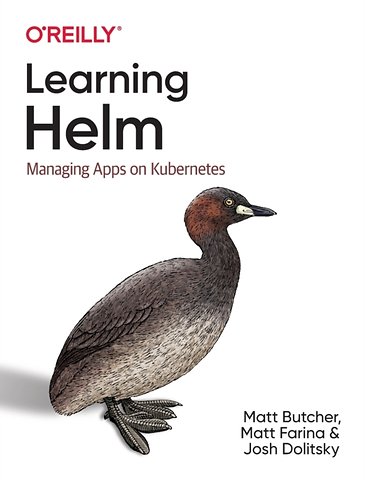
Learning Helm
Managing Apps on Kubernetes
Paperback Engels 2021 1e druk 9781492083658Samenvatting
Get up to speed with Helm, the preeminent package manager for the Kubernetes container orchestration system. This practical guide shows you how to efficiently create, install, and manage the applications running inside your containers. Helm maintainers Matt Butcher, Matt Farina, and Josh Dolitsky explain how this package manager fits into the Kubernetes ecosystem and provide an inside look at Helm's design and best practices.
More than 70% of the organizations that work with Kubernetes use Helm today. While the Helm community provides thousands of packages, or charts, to help you get started, this book walks developers and DevOps engineers through the process of creating custom charts to package applications. If you have a working understanding of Kubernetes, you're ready to go.
- Explore primary features including frequently used Helm commands
- Learn how to build and deploy Helm charts from scratch
- Use Helm to manage complexity and achieve repeatable deployments
- Package an application and its dependencies for easy installation
- Manage the entire lifecycle of applications on Kubernetes
- Explore ways to extend Helm to add features and functionality
- Learn features for testing, handling dependencies, and providing security
Specificaties
Lezersrecensies
Inhoudsopgave
Who Should Read This Book
Why We Wrote This Book
Navigating This Book
Conventions Used in This Book
Using Code Examples
O’Reilly Online Learning
How to Contact Us
Acknowledgments
1. Introducing Helm
The Cloud Native Ecosystem
Containers and Microservices
Schedules and Kubernetes
Helm’s Goals
From Zero to Kubernetes
Package Management
Security, Reusability, and Configurability
Helm’s Architecture
Kubernetes Resources
Charts
Resources, Installations, and Releases
A Brief Note About Helm 2
Conclusion
2. Using Helm
Installing and Configuring the Helm Client
Installing a Prebuilt Binary
Guidance on Building from Source
Working with Kubernetes Clusters
Getting Started with Helm
Adding a Chart Repository
Searching a Chart Repository
Installing a Package
Configuration at Installation Time
Listing Your Installations
Upgrading an Installation
Configuration Values and Upgrades
Uninstalling an Installation
How Helm Stores Release Information
Conclusion
3. Beyond the Basics with Helm
Templating and Dry Runs
The --dry-run Flag
The helm template Command
Learning About a Release
Release Records
Listing Releases
Find Details of a Release with helm get
History and Rollbacks
Keeping History and Rolling Back
A Deep Dive into Installs and Upgrades
The --generate-name and --name-template Flags
The --create-namespace Flag
Using helm upgrade --install
The --wait and --atomic Flags
Upgrading with --force and --cleanup-on-fail
Conclusion
The Chart Creation Command
The Chart.yaml File
Modifying Templates
The Deployment
Using the Values File
Container Images
Exposing Services
Resource Limits
Packaging the Chart
Linting Charts
Conclusion
5. Developing Templates
The Template Syntax
Actions
Information Helm Passes to Templates
Pipelines
Template Functions
Methods
Querying Kubernetes Resources In Charts
if/else/with
Variables
Loops
Named Templates
Structuring Your Templates for Maintainability
Debugging Templates
Dry Run
Getting Installed Manifests
Linting Charts
Conclusion
6. Advanced Chart Features
Chart Dependencies
Conditional Flags for Enabling Dependencies
Importing Values from Child to Parent Charts
Library Charts
Schematizing Values Files
Hooks
Adding Tests to Charts
Helm Test
Chart Testing Tool
Security Considerations
Custom Resource Definitions
Conclusion
7. Chart Repositories
The Repository Index
An Example of a Chart Repository Index
Generating an Index
Adding to an Existing Index
Setting Up a Chart Repository
A Simple Chart Repository with Python
Securing a Chart Repository
Real-World Example: Using GitHub Pages
Using Chart Repositories
Adding a Repository
Downloading Charts
Listing Repositories
Updating Repositories
Removing a Repository
Experimental OCI Support
Enabling OCI Support
Running a Local Registry
Logging In to a Registry
Logging Out of a Registry
Storing a Chart in the Cache
Listing Charts in the Cache
Exporting a Chart from the Cache
Pushing a Chart to the Registry
Pulling a Chart from the Registry
Removing a Chart from the Cache
Related Projects
ChartMuseum
Harbor
Chart Releaser
S3 Plugin
GCS Plugin
Git Plugin
8. Helm Plugins and Starters
Plugins
Installing Third-Party Plugins
Custom Subcommands
Building a Plugin
plugin.yaml
Hooks
Downloader Plugins
Execution Environment
Shell Completion
Starters
Converting a Chart to a Starter
Making Starters Available to Helm
Using Starters
Extending Helm Further
A. Chart API Versions
API Version 2
The Chart.yaml File
The Chart.lock File
API Version 1 (legacy)
The Chart.yaml File
The requirements.yaml File (Legacy)
The requirements.lock File (Legacy)
B. Chart Repository API
index.yaml
The index.yaml Format
When Is index.yaml Downloaded?
When Is the Cached Version of index.yaml Used?
.tgz Files
When Are .tgz Files Downloaded?
.prov Files
When Are .prov Files Downloaded?
Index
Rubrieken
- advisering
- algemeen management
- coaching en trainen
- communicatie en media
- economie
- financieel management
- inkoop en logistiek
- internet en social media
- it-management / ict
- juridisch
- leiderschap
- marketing
- mens en maatschappij
- non-profit
- ondernemen
- organisatiekunde
- personal finance
- personeelsmanagement
- persoonlijke effectiviteit
- projectmanagement
- psychologie
- reclame en verkoop
- strategisch management
- verandermanagement
- werk en loopbaan