,

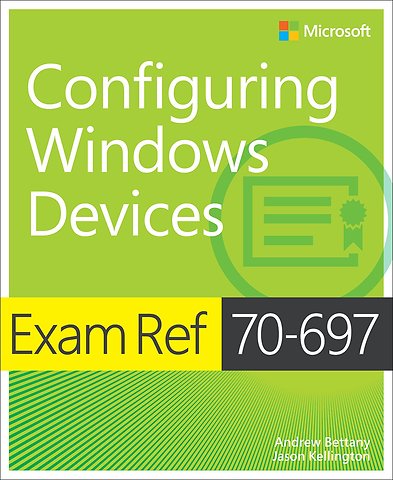
Exam Ref 70-697: Configuring Windows Devices

Paperback Engels 2015 1e druk 9781509303014
€ 44,15
Levertijd ± 9 werkdagen
Gratis verzonden

Samenvatting

Microsoft exams validate on-the-job experience and product knowledge. IT Pros interested in taking Exam 70-697 are likely interested in enhancing their skills for the latest version of Windows. This exam replaces two Windows 8 exams: 70-687 and 70-688. Passing this exam counts toward the MCSA certification. The exam will validate knowledge and skills for building solid indentities, data loss protection, mobile device managment policy, virtualization with HyperV, amd appliation management using the Company Portal or the Windows Store. Knowledge of Windows 10 security and integrated Azure features will also be included.

The Exam Ref is the official study guide for Microsoft certification exams. Featuring concise, objective-by-objective reviews and strategic case scenarios and Thought Experiments, exam candidates get professional-level preparation for the exam. The Exam Ref helps candidates maximize their performance on the exam and sharpen their job-role skills. It organizes material by the exam's objective domains.

Specificaties

ISBN13:9781509303014
Taal:Engels
Bindwijze:paperback
Aantal pagina's:401
Druk:1
Verschijningsdatum:25-11-2019

Lezersrecensies

Wees de eerste die een lezersrecensie schrijft!

Over Andrew Bettany

Andrew Bettany is a Microsoft MVP and consults on Microsoft 365, Azure, and Windows client. He has authored Windows exam prep guides, official Microsoft training, and video training for LinkedIn Learning and Pluralsight. He co-created the IT Masterclasses series of short, intensive technical courses. His most recent project involved delivering Microsoft Fundamentals skills training to over 250,000 students worldwide.

Andere boeken door Andrew Bettany

Inhoudsopgave

Introduction xv
-Microsoft certifications xvi
-Acknowledgments xvi
-Free ebooks from Microsoft Press xvi
-Microsoft Virtual Academy xvii
-Errata, updates, & book support xvii
-We want to hear from you xvii
-Stay in touch xvii
-Preparing for the exam xix

1. Manage identity 1
-Objective 1.1: Support Windows Store and cloud apps 1
-Integrate Microsoft account and personalization settings 1
-Install and manage software 5
-Sideload apps into offline and online images 9
-Sideload apps by using Microsoft Intune 12
-Deep link apps using Microsoft Intune 15
-Objective summary 16
-Objective review 17
-Objective 1.2: Support authentication and authorization 18
-Support user authentication 19
-Support workgroup, homegroup, and domain membership 23
-Configure local accounts and Microsoft accounts 29
-Configure Workplace Join 30
-Configure Windows Hello 30
-Objective summary 31
-Objective review 32
-Answers 34
-Objective 1.1: Thought experiment 34
-Objective 1.1: Review 34
-bjective 1.2: Thought experiment 35
-Objective 1.2: Review 36

2. Plan desktop and device deployment 39
-Objective 2.1: Migrate and configure user data 39
-Configure user profiles 40
-Configure folder location 42
-Migrate user profiles 43
-Objective summary 46
-Objective review 46
-Objective 2.2: Configure Hyper-V 47
-Create and configure virtual machines 47
-Create and manage checkpoints 51
-Create and configure virtual switches 52
-Create and configure virtual disks 53
-Move virtual machine storage 54
-Objective summary 56
-Objective review 56
-Objective 2.3: Configure mobility options 57
-Configure offline file policies 58
-Configure sync options 59
-Configure power policies 60
-Configure Windows To Go 63
-Configure Wi-Fi Direct 65
-Objective summary 66
-Objective review 67
-Objective 2.4: Configure security for mobile devices 68
-Configure BitLocker 68
-Configure startup key storage 72
-Objective summary 73
Afgekapt op 60 regels

Managementboek Top 100

€ 44,15
Levertijd ongeveer 9 werkdagen
Gratis verzonden

Rubrieken

Producten

    Auteurs

      Trefwoorden

        Artikelen

          Exam Ref 70-697: Configuring Windows Devices