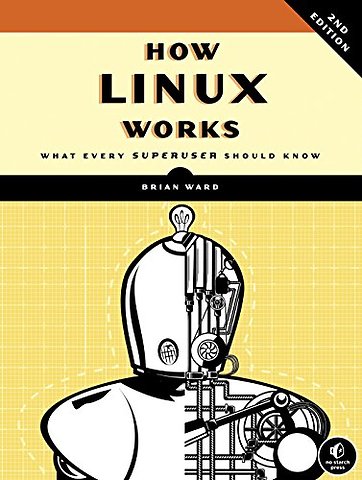
How Linux Works
What Every Superuser Should Know
Paperback Engels 2014 2e druk 9781593275679Samenvatting
Unlike some operating systems, Linux doesn't try to hide the important bits from you it gives you full control of your computer. But to truly master Linux, you need to understand its internals, like how the system boots, how networking works, and what the kernel actually does.
In this completely revised second edition of the perennial best seller How Linux Works, author Brian Ward makes the concepts behind Linux internals accessible to anyone curious about the inner workings of the operating system. Inside, you'll find the kind of knowledge that normally comes from years of experience doing things the hard way. You'll learn:
- How Linux boots, from boot loaders to init implementations (systemd, Upstart, and System V)
- How the kernel manages devices, device drivers, and processes
- How networking, interfaces, firewalls, and servers work
- How development tools work and relate to shared libraries
- How to write effective shell scripts
You'll also explore the kernel and examine key system tasks inside user space, including system calls, input and output, and filesystems. With its combination of background, theory, real-world examples, and patient explanations, How Linux Works will teach you what you need to know to solve pesky problems and take control of your operating system.
Specificaties
Lezersrecensies
Inhoudsopgave
1.1 Levels and Layers of Abstraction in a Linux System
1.2 Hardware: Understanding Main Memory
1.3 The Kernel
1.4 User Space
1.5 Users
1.6 Looking Forward
2. Basic Commands and Directory Hierarchy
2.1 The Bourne Shell: /bin/sh
2.2 Using the Shell
2.3 Basic Commands
2.4 Navigating Directories
2.5 Intermediate Commands
2.6 Changing Your Password and Shell
2.7 Dot Files
2.8 Environment and Shell Variables
2.9 The Command Path
2.10 Special Characters
2.11 Command-Line Editing
2.12 Text Editors
2.13 Getting Online Help
2.14 Shell Input and Output
2.15 Understanding Error Messages
2.16 Listing and Manipulating Processes
2.17 File Modes and Permissions
2.18 Archiving and Compressing Files
2.19 Linux Directory Hierarchy Essentials
2.20 Running Commands as the Superuser
2.21 Looking Forward
3. Devices
3.1 Device Files
3.2 The sysfs Device Path
3.3 dd and Devices
3.4 Device Name Summary
3.5 udev
3.6 In-Depth: SCSI and the Linux Kernel
4. Disks and Filesystems
4.1 Partitioning Disk Devices
4.2 Filesystems
4.3 swap space
4.4 Looking Forward: Disks and User Space
4.5 Inside a Traditional Filesystem
5. How the Linux Kernel Boots
5.1 Startup Messages
5.2 Kernel Initialization and Boot Options
5.3 Kernel Parameters
5.4 Boot Loaders
5.5 GRUB Introduction
5.6 UEFI Secure Boot Problems
5.7 Chainloading Other Operating Systems
5.8 Boot Loader Details
6. How User Space Starts
6.1 Introduction to init
6.2 System V Runlevels
6.3 Identifying Your init
6.5 Upstart
6.6 System V init
6.7 Shutting Down Your System
6.8 The Initial RAM Filesystem
6.9 Emergency Booting and Single-User Mode
7. System Configuration: Logging, System Time, Batch Jobs, and Users
7.1 The Structure of /etc
7.2 System Logging
7.3 User Management Files
7.4 getty and login
7.5 Setting the Time
7.6 Scheduling Recurring Tasks with cron
7.7 Scheduling One-Time Tasks with at
7.8 Understanding User IDs and User Switching
7.9 User Identification and Authentication
7.10 PAM
7.11 Looking Forward
8. A Closer Look at Processes and Resource Utilization
8.1 Tracking Processes
8.2 Finding Open Files with lsof
8.3 Tracing Program Execution and System Calls
8.4 Threads
8.5 Introduction to Resource Monitoring
8.6 Measuring CPU Time
8.7 Adjusting Process Priorities
8.8 Load Averages
8.9 Memory
8.10 Monitoring CPU and Memory Performance with vmstat
8.11 I/O Monitoring
8.12 Per-Process Monitoring with pidstat
8.13 Further Topics
9. Understanding your Network and its Configuration
9.1 Network Basics
9.2 Network Layers
9.3 The Internet Layer
9.4 Routes and the Kernel Routing Table
9.5 Basic ICMP and DNS Tools
9.6 The Physical Layer and Ethernet
9.7 Understanding Kernel Network Interfaces
9.8 Introduction to Network Interface Configuration
9.9 Boot-Activated Network Configuration
9.10 Problems with Manual and Boot-Activated Network Configuration
9.11 Network Configuration Managers
9.12 Resolving Hostnames
9.13 Localhost
9.14 The Transport Layer: TCP, UDP, and Services
9.15 Revisiting a Simple Local Network
9.16 Understanding DHCP
9.17 Configuring Linux as a Router
9.18 Private Networks
9.19 Network Address Translation (IP Masquerading)
9.20 Routers and Linux
9.21 Firewalls
9.22 Ethernet, IP, and ARP
9.23 Wireless Ethernet
9.24 Summary
10. Network Applications and Services
10.1 The Basics of Services
10.2 Network Servers
10.3 Secure Shell (SSH)
10.4 The inetd and xinetd Daemons
10.5 Diagnostic Tools
10.6 Remote Procedure Call (RPC)
10.7 Network Security
10.8 Looking Forward
10.9 Sockets: How Processes Communicate with the Network
10.10 Unix Domain Sockets
11. Introduction to Shell Scripts
11.1 Shell Script Basics
11.2 Quoting and Literals
11.3 Special Variables
11.4 Exit Codes
11.5 Conditionals
11.6 Loops
11.7 Command Substitution
11.8 Temporary File Management
11.9 Here Documents
11.10 Important Shell Script Utilities
11.11 Subshells
11.12 Including Other Files in Scripts
11.13 Reading User Input
11.14 When (Not) to Use Shell Scripts
12. Moving Files Across the Network
12.1 Quick Copy
12.2 rsync
12.3 Introduction to File Sharing
12.4 Sharing Files with Samba
12.5 NFS Clients
12.6 Further Network File Service Options and Limitations
13. User Environments
13.1 Guidelines for Creating Startup Files
13.2 When to Alter Startup Files
13.3 Shell Startup File Elements
13.4 Startup File Order and Examples
13.5 Default User Settings
13.6 Startup File Pitfalls
13.7 Further Startup Topics
14. A Brief Survey of the Linux Desktop
14.1 Desktop Components
14.2 A Closer Look at the X Window System
14.3 Exploring X Clients
14.4 The Future of X
14.5 D-Bus
14.6 Printing
14.7 Other Desktop Topics
15. Development Tools
15.1 The C Compiler
15.2 make
15.3 Debuggers
15.4 Lex and Yacc
15.5 Scripting Languages
15.6 Java
15.7 Looking Forward: Compiling Packages
16. Introduction to Compiling Software From C Source Code
16.1 Software Build Systems
16.2 Unpacking C Source Packages
16.3 GNU Autoconf
16.4 Installation Practice
16.5 Applying a Patch
16.6 Troubleshooting Compiles and Installations
16.7 Looking Forward
17. Building on the Basics
17.1 Web Servers and Applications
17.2 Databases
17.3 Virtualization
17.4 Distributed and On-Demand Computing
17.5 Embedded Systems
17.6 Final Remarks
Appendix A: Bibliography
Appendix B: Updates
Rubrieken
- advisering
- algemeen management
- coaching en trainen
- communicatie en media
- economie
- financieel management
- inkoop en logistiek
- internet en social media
- it-management / ict
- juridisch
- leiderschap
- marketing
- mens en maatschappij
- non-profit
- ondernemen
- organisatiekunde
- personal finance
- personeelsmanagement
- persoonlijke effectiviteit
- projectmanagement
- psychologie
- reclame en verkoop
- strategisch management
- verandermanagement
- werk en loopbaan