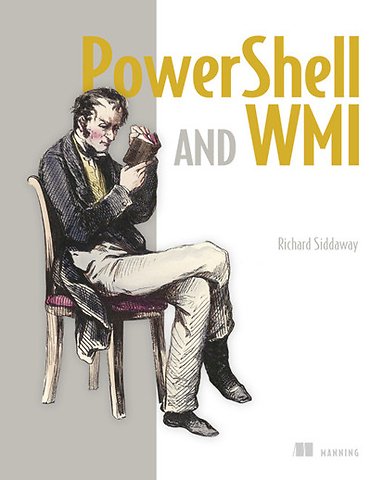
PowerShell and WMI

Covers 150 practical techniques

Paperback Engels 2012 1e druk 9781617290114
€ 71,77
Levertijd ± 11 werkdagen
Gratis verzonden

Samenvatting

WMI, on its own, is simply a collection of Windows management facilities. Paired with PowerShell, however, WMI becomes a brilliant toolset for automating servers, networks, and remote Windows computers.

'PowerShell and WM' is an industrial-strength guide for administrators of Windows networks, servers, and desktops. You'll start with practical overviews of PowerShell and of WMI. Then you'll explore 150 specific examples - all with ready-to-use scripts - designed to simplify your day-to-day system management. Each tested technique is configured to load as part of a PowerShell module.

What's Inside
- Managing Windows, IIS, and Hyper-V
- Remote desktops and devices
- Logs, jobs, and performance
- New PowerShell v3 WMI functionality

A set of handy appendixes includes references for PowerShell and WMI. Prior exposure to PowerShell and WMI is helpful but not required.

Specificaties

ISBN13:9781617290114
Taal:Engels
Bindwijze:paperback
Aantal pagina's:514
Uitgever:Manning
Druk:1
Verschijningsdatum:24-8-2012
Hoofdrubriek:IT-management / ICT

Lezersrecensies

Wees de eerste die een lezersrecensie schrijft!

Over Richard Siddaway

Richard Siddaway is an IT Architect with 20 years experience as a server administrator, support engineer, DBA, and architect. He is a PowerShell MVP and founded the UK PowerShell User Group.

Andere boeken door Richard Siddaway

Inhoudsopgave

Foreword
Preface
Acknowledgments
About this book
About the author
About the cover illustration

Part 1: Tools of the trade
1. Solving administrative challenges
1.1 Administrative challenges
1.2 Automation: the way forward
1.3 PowerShell overview
1.4 WMI overview
1.5 Automation with WMI and PowerShell
1.6 Putting PowerShell and WMI to work
1.7 Summary

2. Using PowerShell
2.1 PowerShell in a nutshell
2.2 Cmdlets
2.3 Pipeline
2.4 .NET for administrators
2.5 PowerShell scripting language
2.6 Finding help
2.7 Code reuse
2.8 PowerShell remoting
2.9 PowerShell jobs
2.10 Summary

3. WMI in depth
3.1 The structure of WMI
3.2 Methods and properties
3.3 Documenting WMI
3.4 WMI cmdlets and accelerators
3.5 Using WQL
3.6 WMI references and associators
3.7 WMI events
3.8 Summary

4. Best practices and optimization
4.1 Security
4.2 Optimizing PowerShell code
4.3 Calculated fields, types, and formatting
4.4 Debugging and error handling
4.5 Getting the most from WMI
4.6 Summary

Part 2: WMI in the enterprise
5. System documentation
5.1 System hardware and configuration
TECHNIQUE 1 Get computer system information
TECHNIQUE 2 Get computer type
TECHNIQUE 3 Get domain role
TECHNIQUE 4 Get processor information
TECHNIQUE 5 Get BIOS information
TECHNIQUE 6 Get memory configuration
5.2 Peripherals
TECHNIQUE 7 Get display settings
TECHNIQUE 8 Get input devices
TECHNIQUE 9 Get ports
Afgekapt op 60 regels

Managementboek Top 100

€ 71,77
Levertijd ongeveer 11 werkdagen
Gratis verzonden

Rubrieken

Producten

    Auteurs

      Trefwoorden

        Artikelen

          PowerShell and WMI