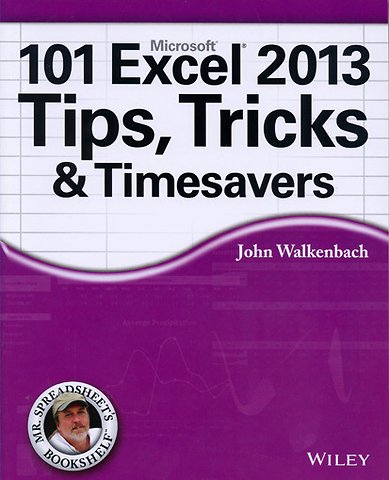
John Walkenbach
101 Excel 2013 Tips, Tricks and Timesavers
Unlock new levels of Excel functionality
Paperback Engels 2013 1e druk 9781118642184Levertijd ± 8 werkdagen
Gratis verzonden
Samenvatting
Niemand kent Excel zo goed als John Walkenbach. Deze zorgvuldige selectie uit zijn tips en trucs helpt u om meer functionaliteit uit het bekende maar complexe spreadsheetprogramma te persen. Ontwikkel dus uw Excel-vaardigheden: Leer hoe u met sheets in uw browser kunt werken, de opmaak te verbeteren, e-mailen vanuit Excel, uw formules verstoppen of op slot zetten, alles over pivot slices & timelines en nog veel meer.
Specificaties
ISBN13:9781118642184
Trefwoorden:Spreadsheets, Excel 2013
Taal:Engels
Bindwijze:paperback
Aantal pagina's:296
Uitgever:John Wiley & Sons
Druk:1
Verschijningsdatum:20-7-2013
Hoofdrubriek:IT-management / ICT
Lezersrecensies
Wees de eerste die een lezersrecensie schrijft!
Inhoudsopgave
Introduction
What You Should Know
What You Should Have
Conventions in This Book
Formula listings
Key names
The Ribbon
Functions, procedures, and named ranges
Mouse conventions
What the icons mean
How This Book Is Organized
How to Use This Book
About the Power Utility Pak Offer
Part I: Workbooks and Files
Tip 1: Changing the Look of Excel
Tip 2: Customizing the Quick Access Toolbar
Tip 3: Customizing the Ribbon
Tip 4: Understanding Protected View
Tip 5: Understanding AutoRecover
Tip 6: Using a Workbook in a Browser
Tip 7: Saving to a Read-Only Format
Tip 8: Generating a List of Filenames
Tip 9: Generating a List of Sheet Names
Tip 10: Using Document Themes
Tip 11: Understanding Excel Compatibility Issues
Tip 12: Where to Change Printer Settings
Part II: Formatting
Tip 13: Working with Merged Cells
Tip 14: Indenting Cell Contents
Tip 15: Using Named Styles
Tip 16: Creating Custom Number Formats
Tip 17: Using Custom Number Formats to Scale Values
Tip 18: Creating a Bulleted List
Tip 19: Shading Alternate Rows Using Conditional Formatting
Tip 20: Formatting Individual Characters in a Cell
Tip 21: Using the Format Painter
Tip 22: Inserting a Watermark
Tip 23: Showing Text and a Value in a Cell
Tip 24: Avoiding Font Substitution for Small Point Sizes
Tip 25: Updating Old Fonts
Part III: Formulas
Tip 26: Resizing the Formula Bar
Tip 27: Monitoring Formula Cells from Any Location
Tip 28: Learning Some AutoSum Tricks
Tip 29: Knowing When to Use Absolute and Mixed References
Tip 30: Avoiding Error Displays in Formulas
Tip 31: Creating Worksheet-Level Names
Tip 32: Using Named Constants
Tip 33: Sending Personalized E-Mail from Excel
Tip 34: Looking Up an Exact Value
Tip 35: Performing a Two-Way Lookup
Tip 36: Performing a Two-Column Lookup
Tip 37: Calculating Holidays
Tip 38: Calculating a Person's Age
Tip 39: Working with Pre-0 Dates
Tip 40: Displaying a Live Calendar in a Range
Tip 41: Returning the Last Nonblank Cell in a Column or Row
What You Should Know
What You Should Have
Conventions in This Book
Formula listings
Key names
The Ribbon
Functions, procedures, and named ranges
Mouse conventions
What the icons mean
How This Book Is Organized
How to Use This Book
About the Power Utility Pak Offer
Part I: Workbooks and Files
Tip 1: Changing the Look of Excel
Tip 2: Customizing the Quick Access Toolbar
Tip 3: Customizing the Ribbon
Tip 4: Understanding Protected View
Tip 5: Understanding AutoRecover
Tip 6: Using a Workbook in a Browser
Tip 7: Saving to a Read-Only Format
Tip 8: Generating a List of Filenames
Tip 9: Generating a List of Sheet Names
Tip 10: Using Document Themes
Tip 11: Understanding Excel Compatibility Issues
Tip 12: Where to Change Printer Settings
Part II: Formatting
Tip 13: Working with Merged Cells
Tip 14: Indenting Cell Contents
Tip 15: Using Named Styles
Tip 16: Creating Custom Number Formats
Tip 17: Using Custom Number Formats to Scale Values
Tip 18: Creating a Bulleted List
Tip 19: Shading Alternate Rows Using Conditional Formatting
Tip 20: Formatting Individual Characters in a Cell
Tip 21: Using the Format Painter
Tip 22: Inserting a Watermark
Tip 23: Showing Text and a Value in a Cell
Tip 24: Avoiding Font Substitution for Small Point Sizes
Tip 25: Updating Old Fonts
Part III: Formulas
Tip 26: Resizing the Formula Bar
Tip 27: Monitoring Formula Cells from Any Location
Tip 28: Learning Some AutoSum Tricks
Tip 29: Knowing When to Use Absolute and Mixed References
Tip 30: Avoiding Error Displays in Formulas
Tip 31: Creating Worksheet-Level Names
Tip 32: Using Named Constants
Tip 33: Sending Personalized E-Mail from Excel
Tip 34: Looking Up an Exact Value
Tip 35: Performing a Two-Way Lookup
Tip 36: Performing a Two-Column Lookup
Tip 37: Calculating Holidays
Tip 38: Calculating a Person's Age
Tip 39: Working with Pre-0 Dates
Tip 40: Displaying a Live Calendar in a Range
Tip 41: Returning the Last Nonblank Cell in a Column or Row
Tip 42: Various Methods of Rounding Numbers
Tip 43: Converting Between Measurement Systems
Tip 44: Counting Nonduplicated Entries in a Range
Tip 45: Using the AGGREGATE Function
Tip 46: Making an Exact Copy of a Range of Formulas
Tip 47: Using the Background Error-Checking Features
Tip 48: Using the Inquire Add-In
Tip 49: Hiding and Locking Your Formulas
Tip 50: Using the INDIRECT Function
Tip 51: Formula Editing in Dialog Boxes
Tip 52: Converting a Vertical Range to a Table
Part IV: Working with Data
Tip 53: Selecting Cells Efficiently
Tip 54: Automatically Filling a Range with a Series
Tip 55: Fixing Trailing Minus Signs
Tip 56: Restricting Cursor Movement to Input Cells
Tip 57: Transforming Data with and Without Using Formulas
Tip 58: Creating a Drop-Down List in a Cell
Tip 59: Comparing Two Ranges by Using Conditional Formatting
Tip 60: Finding Duplicates by Using Conditional Formatting
Tip 61: Working with Credit Card Numbers
Tip 62: Identifying Excess Spaces
Tip 63: Transposing a Range
Tip 64: Using Flash Fill to Extract Data
Tip 65: Using Flash Fill to Combine Data
Tip 66: Inserting Stock Information
Tip 67: Getting Data from a Web Page
Tip 68: Importing a Text File into a Worksheet Range
Tip 69: Using the Quick Analysis Feature
Tip 70: Filling the Gaps in a Report
Tip 71: Performing Inexact Searches
Tip 72: Proofing Your Data with Audio
Tip 73: Getting Data from a PDF File
Part V: Tables and Pivot Tables
Tip 74: Understanding Tables
Tip 75: Using Formulas with a Table
Tip 76: Numbering Table Rows Automatically
Tip 77: Identifying Data Appropriate for a Pivot Table
Tip 78: Using a Pivot Table Instead of Formulas
Tip 79: Controlling References to Cells Within a Pivot Table
Tip 80: Creating a Quick Frequency Tabulation
Tip 81: Grouping Items by Date in a Pivot Table
Tip 82: Creating Pivot Tables with Multiple Groupings
Tip 83: Using Pivot Table Slicers and Timelines
Part VI: Charts and Graphics
Tip 84: Understanding Recommended Charts
Tip 85: Customizing Charts
Tip 86: Making Charts the Same Size
Tip 87: Creating a Chart Template
Tip 88: Creating a Combination Chart
Tip 89: Handling Missing Data in a Chart
Tip 90: Using High-Low Lines in a Chart
Tip 91: Using Multi-Level Category Labels
Tip 92: Linking Chart Text to Cells
Tip 93: Freezing a Chart
Tip 94: Creating a Chart Directly in a Range
Tip 95: Creating Minimalistic Charts
Tip 96: Applying Chart Data Labels from a Range
Tip 97: Grouping Charts and Other Objects
Tip 98: Taking Pictures of Ranges
Tip 99: Changing the Look of Cell Comments
Tip 100: Enhancing Images
Tip 101: Saving Shapes, Charts, and Ranges as Images
Index
Tip 43: Converting Between Measurement Systems
Tip 44: Counting Nonduplicated Entries in a Range
Tip 45: Using the AGGREGATE Function
Tip 46: Making an Exact Copy of a Range of Formulas
Tip 47: Using the Background Error-Checking Features
Tip 48: Using the Inquire Add-In
Tip 49: Hiding and Locking Your Formulas
Tip 50: Using the INDIRECT Function
Tip 51: Formula Editing in Dialog Boxes
Tip 52: Converting a Vertical Range to a Table
Part IV: Working with Data
Tip 53: Selecting Cells Efficiently
Tip 54: Automatically Filling a Range with a Series
Tip 55: Fixing Trailing Minus Signs
Tip 56: Restricting Cursor Movement to Input Cells
Tip 57: Transforming Data with and Without Using Formulas
Tip 58: Creating a Drop-Down List in a Cell
Tip 59: Comparing Two Ranges by Using Conditional Formatting
Tip 60: Finding Duplicates by Using Conditional Formatting
Tip 61: Working with Credit Card Numbers
Tip 62: Identifying Excess Spaces
Tip 63: Transposing a Range
Tip 64: Using Flash Fill to Extract Data
Tip 65: Using Flash Fill to Combine Data
Tip 66: Inserting Stock Information
Tip 67: Getting Data from a Web Page
Tip 68: Importing a Text File into a Worksheet Range
Tip 69: Using the Quick Analysis Feature
Tip 70: Filling the Gaps in a Report
Tip 71: Performing Inexact Searches
Tip 72: Proofing Your Data with Audio
Tip 73: Getting Data from a PDF File
Part V: Tables and Pivot Tables
Tip 74: Understanding Tables
Tip 75: Using Formulas with a Table
Tip 76: Numbering Table Rows Automatically
Tip 77: Identifying Data Appropriate for a Pivot Table
Tip 78: Using a Pivot Table Instead of Formulas
Tip 79: Controlling References to Cells Within a Pivot Table
Tip 80: Creating a Quick Frequency Tabulation
Tip 81: Grouping Items by Date in a Pivot Table
Tip 82: Creating Pivot Tables with Multiple Groupings
Tip 83: Using Pivot Table Slicers and Timelines
Part VI: Charts and Graphics
Tip 84: Understanding Recommended Charts
Tip 85: Customizing Charts
Tip 86: Making Charts the Same Size
Tip 87: Creating a Chart Template
Tip 88: Creating a Combination Chart
Tip 89: Handling Missing Data in a Chart
Tip 90: Using High-Low Lines in a Chart
Tip 91: Using Multi-Level Category Labels
Tip 92: Linking Chart Text to Cells
Tip 93: Freezing a Chart
Tip 94: Creating a Chart Directly in a Range
Tip 95: Creating Minimalistic Charts
Tip 96: Applying Chart Data Labels from a Range
Tip 97: Grouping Charts and Other Objects
Tip 98: Taking Pictures of Ranges
Tip 99: Changing the Look of Cell Comments
Tip 100: Enhancing Images
Tip 101: Saving Shapes, Charts, and Ranges as Images
Index
Afgekapt op 60 regels
Anderen kochten ook
 Wim de Groot€ 39,99
 Wim de Groot€ 59,99
 Ben Groenendijk€ 41,95
 Peter Kassenaar€ 54,99
 Wim de Groot€ 29,99
 Wim de Groot€ 29,99
Rubrieken
- advisering
- algemeen management
- coaching en trainen
- communicatie en media
- economie
- financieel management
- inkoop en logistiek
- internet en social media
- it-management / ict
- juridisch
- leiderschap
- marketing
- mens en maatschappij
- non-profit
- ondernemen
- organisatiekunde
- personal finance
- personeelsmanagement
- persoonlijke effectiviteit
- projectmanagement
- psychologie
- reclame en verkoop
- strategisch management
- verandermanagement
- werk en loopbaan