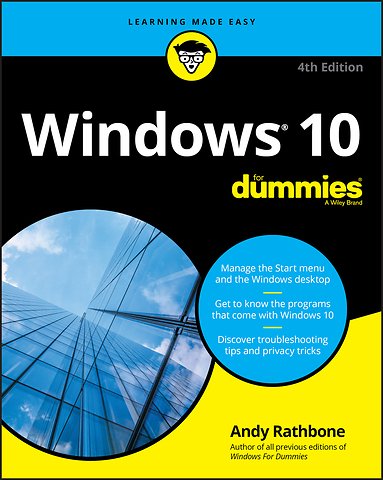
Windows 10 For Dummies
Paperback Engels 2020 4e druk 9781119679332Samenvatting
Time-tested advice on Windows 10
Windows 10 For Dummies remains the #1 source for readers looking for advice on Windows 10. Expert author Andy Rathbone provides an easy-to-follow guidebook to understanding Windows 10 and getting things done based on his decades of experience as a Windows guru.
Look inside to get a feel for the basics of the Windows interface, the Windows apps that help you get things done, ways to connect to the Internet at home or on the go, and steps for customizing your Windows 10 experience from the desktop wallpaper to how tightly you secure your computer.
- Manage user accounts
- Customize the start menu
- Find and manage your files
- Connect to a printer wirelessly
Revised to cover the latest round of Windows 10 updates, this trusted source for unleashing everything the operating system has to offer is your first and last stop for learning the basics of Windows!
Specificaties
Lezersrecensies
Inhoudsopgave
About This Book 2
How to Use This Book 3Touchscreen Owners Aren’t Left Out 4
And What about You? 5
Icons Used in This Book 5
Beyond the Book 6
Where to Go from Here 6
Part 1: Windows 10 Stuff Everybody Thinks You Already Know 7
Chapter 1: What is Windows 10? 9
What is Windows, and Why Are You Using It? 9
What’s New in Windows 10? 12
What’s So Different about Windows 10? 15
Why Does Windows 10 Keep Changing? 16
Can My Current PC Still Run Windows 10? 17
The Different Flavors of Windows 10 18
Chapter 2: Starting with the Start Menu 19
Being Welcomed to the World of Windows 20
Understanding user accounts 22
Keeping your account private and secure 23
Signing up for a Microsoft account 26
Figuring Out the Windows 10 Start Menu 27
Toggling between Tablet and Desktop mode 30
Launching a Start menu program or app 31
Finding something on the Start menu 33
Viewing, closing, or returning to apps 34
Getting to know your free apps 35
Adding or removing Start menu items 38
Customizing the Start menu 39
Exiting from Windows 44
Temporarily leaving your computer 44
Leaving your computer for the day 46
Chapter 3: The Traditional Desktop 49
Finding the Desktop and the Start Menu 50
Working with the Desktop 51
Launching apps with the Start menu 53
Jazzing up the desktop’s background 54
Toggling between Tablet mode and the desktop 56
Dumpster diving in the Recycle Bin 58
Bellying Up to the Taskbar 59
Shrinking windows to the taskbar and retrieving them 61
Switching to different tasks from the taskbar’s Jump Lists 62
Clicking the taskbar’s sensitive areas 62
Opening the Action Center 66
Customizing the taskbar 67
Setting Up Virtual Desktops 69
Making Programs Easier to Find 72
Chapter 4: Basic Desktop Window Mechanics 75
Dissecting a Typical Desktop Window 76
Tugging on a window’s title bar 77
Navigating folders with a window’s Address bar 79
Finding commands on the Ribbon 80
Quick shortcuts with the Navigation Pane 82
Moving inside a window with its scroll bar 84
Boring borders 85
Maneuvering Windows around the Desktop 86
Moving a window to the top of the pile 86
Making a window fill the whole desktop 87
Closing a window 88
Making a window bigger or smaller 88
Placing two windows side by side 89
Making windows open to the same darn size 90
Chapter 5: Storage: Internal, External, and in the Cloud 91
Browsing the File Explorer File Cabinets 92
Getting the Lowdown on Folders 96
Peering into Your Drives, Folders, and Other Media 97
Seeing the files on a drive 97
Seeing what’s inside a folder 100
Creating a New Folder 101
Renaming a File or Folder 103
Selecting Bunches of Files or Folders 104
Getting Rid of a File or Folder 105
Copying or Moving Files and Folders 106
Seeing More Information about Files and Folders 108
Writing to CDs and DVDs 111
Buying the right kind of blank CDs and DVDs for burning 111
Copying files to or from a CD or DVD 112
Working with Flash Drives and Memory Cards 115
OneDrive: Your Cubbyhole in the Clouds 116
Setting up OneDrive 117
Changing your OneDrive settings 120
Opening and saving files from OneDrive 122
Customizing OneDrive for different devices with OneDrive Files On Demand 123
Accessing OneDrive from the Internet 126
Part 2: Working with Programs, Apps, and Files 129
Chapter 6: Playing with Programs, Apps, and Documents 131
Starting a Program or an App 132
Opening a Document 134
Saving a Document 136
Choosing Which Program Should Open Which File 138
Navigating the Microsoft Store 141
Adding new apps from the Store app 142
Uninstalling apps 145
Taking the Lazy Way with a Desktop Shortcut 146
Absolutely Essential Guide to Cutting, Copying, and Pasting 147
The quick ’n’ dirty guide to cut ’n’ paste 148
Selecting things to cut or copy 148
Cutting or copying your selected goods 149
Pasting information to another place 151
Chapter 7: Finding the Lost 153
Finding Currently Running Apps and Programs 153
Finding Lost Windows on the Desktop 155
Locating a Missing App, Program, Setting, or File 156
Searching with Cortana 159
Asking Cortana questions 160
Finding a Missing File inside a Folder 161
Finding Lost Photos 164
Finding Other Computers on a Network 164
Chapter 8: Printing and Scanning Your Work 167
Printing from a Start Menu App 168
Printing Your Masterpiece from the Desktop 170
Adjusting how your work fits on the page 171
Adjusting your printer’s settings 173
Canceling a print job 175
Printing a web page 176
Troubleshooting your printer 178
Scanning from the Start Menu 180
Part 3: Getting Things Done on the Internet 183
Chapter 9: Cruising the Web 185
What’s an ISP, and Why Do I Need One? 186
Connecting Wirelessly to the Internet 187
Browsing the Web with Microsoft Edge 190
Moving from one web page to another 192
Making Microsoft Edge open to your favorite site 193
Revisiting favorite places 195
Finding things on the Internet 196
Finding More Information on a Website 197
Saving Information from the Internet 198
Saving a web page 198
Saving text 199
Saving a picture 199
Downloading a program, song, or other type of file 200
Chapter 10: Being Social: Mail, People, and Calendar 201
Adding Your Accounts to Windows 202
Understanding the Mail App 204
Switching among the Mail app’s views, menus, and accounts 204
Composing and sending an email 207
Reading a received email 209
Sending and receiving files through email 211
Managing Your Contacts in the People App 213
Adding contacts 215
Deleting or editing contacts 216
Managing Appointments in Calendar 217
Chapter 11: Safe Computing 221
Understanding Those Annoying Permission Messages 221
Staying Safe with the New Windows Security Center 222
Avoiding and removing viruses 224
Avoiding phishing scams 226
Setting up controls for children 228
Part 4: Customizing and Upgrading Windows 10 233
Chapter 12: Customizing Settings in Windows 235
Finding the Right Switch 236
Flipping Switches with the Windows Settings App 237
System 238
Devices (adjusting mice, keyboards, scanners, and other gadgets) 244
Phone 248
Network & Internet 250
Personalization (changing your PC’s look and feel) 250
Apps 255
Accounts 256
Time & Language 257
Gaming 258
Ease of Access 258
Search 260
Privacy 260
Update & Security 261
Chapter 13: Keeping Windows from Breaking 263
Backing Up Your Computer with File History 264
Finding Technical Information about Your Computer 268
Freeing Up Space on Your Hard Drive 270
Setting Up Devices That Don’t Work (Fiddling with Drivers) 272
Chapter 14: Sharing One Computer with Several People 275
Understanding User Accounts 276
Changing or Adding User Accounts 277
Adding an account for a family member or friend 278
Changing existing accounts 282
Switching Quickly between Users 283
Changing a User Account’s Picture 285
Setting Up Passwords and Security 287
Signing in with Windows Hello 289
Chapter 15: Connecting Computers with a Network 293
Understanding a Network’s Parts 294
Setting Up a Small Network 296
Buying parts for a network 296
Setting up a wireless router 297
Setting up Windows computers to connect to a network 298
Sharing Files with Your Networked Computers 300
Setting your home network to private 300
Sharing files and folders on your private network 303
Accessing what others have shared 305
Sharing a printer on the network 307
Sharing with Nearby Sharing 307
Turning on Nearby Sharing 308
Sharing files with Nearby Sharing 309
Part 5: Music, Photos, and Videos 311
Chapter 16: Playing and Copying Music 313
Playing Music with the Groove Music app 314
Handing Music-Playing Chores Back to Windows Media Player 317
Stocking the Windows Media Player Library 320
Browsing Windows Media Player’s Libraries 323
Playing Music Files in a Playlist 326
Controlling Your Now Playing Items 327
Playing CDs 329
Playing DVDs 330
Playing Videos and TV Shows 330
Creating, Saving, and Editing Playlists 332
Ripping (Copying) CDs to Your PC 333
Burning (Creating) Music CDs 335
Chapter 17: Fiddling with Photos (and Videos) 337
Dumping Photos from a Phone or Camera to Your Computer 338
Taking Photos with the Camera App 341
Linking Your Phone with Your PC through the Your Phone App 343
Viewing Photos with the Photos App 345
Viewing your photo collection 346
Viewing photo albums 349Viewing a slideshow 351
Copying digital photos to a CD or DVD 352
Part 6: Help! 355
Chapter 18: The Case of the Broken Window 357
Toggling between Tablet and Desktop Mode 358
The Magic Fixes in Windows 359
Resetting your computer 359
Restoring backups with File History 363
Windows Keeps Asking Me for Permission 367
I Need to Retrieve Deleted Files 369
I Need to Fix Broken Apps 369
My Settings Are Messed Up 370
I Forgot My Password 372
My Computer is Frozen Solid 373
Chapter 19: Strange Messages: What You Did Does Not Compute 375
Add Your Microsoft Account 376
Choose What Happens with This Device 376
Did You Mean to Switch Apps? 377
Do You Want to Allow This App to Make Changes to Your Device? 378
Do You Want to Save Changes? 379
How Do You Want to Open This? 379
Threats Found 380
How Do You Want to Open This File? 381
We’re Not Allowed to Find You 382
Reconnect Your Drive 382
You Don’t Currently Have Permission to Access This Folder 383
Chapter 20: Moving from an Old PC to a New Windows 10 PC 385
Hiring a Third Party to Make the Move 386
Buying Laplink’s PCmover program 386
Visiting a repair shop 388
Transferring Files Yourself 389
Chapter 21: Help on the Windows Help System 393
Getting Started with Windows 10 394
Contacting Support 395
Microsoft’s paid support options 396
Microsoft’s free support options 396
Part 7: The Part of Tens 401
Chapter 22: Ten Things You’ll Hate about Windows 10 (and How to Fix Them) 403
Windows 10 Keeps Changing! 403
I Want to Avoid the Apps! 404
Pruning apps from the Start menu and your PC 404
Telling desktop programs, not apps, to open your files 406
I Want to Avoid the Desktop! 407
I Don’t Want a Microsoft Account 408
Windows Makes Me Sign in All the Time 408
The Taskbar Keeps Disappearing 409
I Can’t Line Up Two Windows on the Screen 410
It Won’t Let Me Do Something Unless I’m an Administrator! 411
I Don’t Know What Version of Windows I Have 412
My Print Screen Key Doesn’t Work 412
Chapter 23: Ten or So Tips for Tablet and Laptop Owners 415
Turning on Tablet Mode 416
Switching to Airplane Mode 417
Connecting to a New Wireless Internet Network 418
Toggling Your Tablet’s Screen Rotation 419
Adjusting to Different Locations 420
Backing Up Your Laptop before Traveling 421
Accessing the Mobility Center 422
Turning Calculator into a Road Warrior Tool 422
Index 425
Rubrieken
- advisering
- algemeen management
- coaching en trainen
- communicatie en media
- economie
- financieel management
- inkoop en logistiek
- internet en social media
- it-management / ict
- juridisch
- leiderschap
- marketing
- mens en maatschappij
- non-profit
- ondernemen
- organisatiekunde
- personal finance
- personeelsmanagement
- persoonlijke effectiviteit
- projectmanagement
- psychologie
- reclame en verkoop
- strategisch management
- verandermanagement
- werk en loopbaan