Op werkdagen voor 23:00 besteld, morgen in huis Gratis verzending vanaf €20
-
Inloggen

Uw winkelwagen

Naar winkelwagen Verder winkelen
Uitdagingen + oplossingen
Alle uitdagingen + oplossingen
  • Direct naar
    • Alle uitdagingen en oplossingen
    • Meest bekeken managementvragen
    • Recent gestelde vragen
    • Stel jouw managementvraag
    • Boeken als cadeau
  • Ontdek oplossingen per thema
    • Boekadviezen en geschenken
    • Digitalisering en technologie
    • Communicatie en onderhandeling
    • Compliance en regelgeving
    • alle thema’s
  • Voorbeelden
    • Boekcadeau voor promotie
    • AI toepassen op werk
    • Versterken interne communicatie
    • Voorkomen corruptie en onethisch gedrag
    • alle vragen
Managementboeken
Alle managementboeken
  • Direct naar
    • Boeken als cadeau
    • Managementboek TOP 100
    • AI-books
    • Managementuitdagingen
    • Auteur in de spotlight
    • Online Magazine
    • Binnenkort verwacht
    • Aanbiedingen
    • Trending trefwoorden
  • Rubrieken
    • Advisering
    • Algemeen management
    • Coaching en trainen
    • Communicatie en media
    • Economie
    • Financieel management
    • Inkoop en logistiek
    • Internet en social media
    • IT-management / ICT
    • Juridisch
    • Leiderschap
    • Marketing
    • Mens en maatschappij
    • Non-profit
    • Ondernemen
    • Organisatiekunde
    • Personal finance
    • Personeelsmanagement
    • Persoonlijke effectiviteit
    • Projectmanagement
    • Psychologie
    • Reclame en verkoop
    • Strategisch management
    • Verandermanagement
    • Werk en loopbaan
    • alle rubrieken
Overige boeken
Alle overige boeken
  • Direct naar
    • Bestseller 60
    • Fictie TOP 20
    • Non-fictie TOP 20
    • Spanning TOP 20
    • Jeugd TOP 10
    • Culinair TOP 10
    • Aanbiedingen
    • Boeken als cadeau
  • Rubrieken
    • Cadeauboeken
    • Computer en informatica
    • Economie
    • Filosofie
    • Flora en fauna
    • Geneeskunde
    • Geschiedenis
    • Gezondheid
    • Informatief / professioneel
    • Jeugd
    • Juridisch
    • Koken en eten
    • Kunst en cultuur
    • Literatuur en romans
    • Mens en maatschappij
    • Naslagwerken
    • Paramedisch
    • Psychologie
    • Reizen
    • Religie
    • Schoolboeken
    • Spiritualiteit
    • Sport, hobby, lifestyle
    • Thrillers en spanning
    • Wetenschap en techniek
    • Woordenboeken en taal
Interactief leren
Alle seminars & trainingen
  • Direct naar
    • Live events
    • Online training
    • AI-books
  • Online Magazine
    • Previews
    • Recensies
    • Interviews
    • Podcasts
    • Videos
  • Volg ons op
    • Spotify
    • YouTube
    • Instagram
    • Linkedin
Attenderingen
Aanbevelingen instellen
  • Algemeen
    • Recht op u af
    • Juridisch
    • Expertselectie juridisch
    • Series
    • Herdrukken
    • Wetenschappelijk
  • Aanbevolen per ministerie
    • Algemene Zaken
    • Binnenlandse Zaken en Koninkrijksrelaties
    • Buitenlandse Zaken
    • Defensie
    • Economische Zaken
    • Financiën
    • Infrastructuur en Waterstaat
    • Justitie en Veiligheid
    • Landbouw, Visserij, Voedselzekerheid en Natuur
    • Onderwijs, Cultuur en Wetenschap
    • Nationale Politie
    • Sociale Zaken en Werkgelegenheid
    • Volksgezondheid, Welzijn en Sport
Abonnementen
Abonnementencatalogus
  • Algemeen
    • Uw abonnementen
    • Verlengen / opzeggen
    • Openstaande claims
    • Bibliografische wijzigingen
    • Abonnementshouders
    • Afleveradressen
    • Referenties
    • Notities
  • Aanbevolen per ministerie
    • Algemene Zaken
    • Binnenlandse Zaken en Koninkrijksrelaties
    • Buitenlandse Zaken
    • Defensie
    • Economische Zaken
    • Financiën
    • Infrastructuur en Waterstaat
    • Justitie en Veiligheid
    • Landbouw, Visserij, Voedselzekerheid en Natuur
    • Onderwijs, Cultuur en Wetenschap
    • Nationale Politie
    • Sociale Zaken en Werkgelegenheid
    • Volksgezondheid, Welzijn en Sport
Boekseries
Boekseriecatalogus
  • Algemeen
    • Uw serieabonnementen
    • Geadresseerden
    • Abonnementshouders
    • Afleveradressen
    • Referenties
    • Notities
  • Aanbevolen per ministerie
    • Algemene Zaken
    • Binnenlandse Zaken en Koninkrijksrelaties
    • Buitenlandse Zaken
    • Defensie
    • Economische Zaken
    • Financiën
    • Infrastructuur en Waterstaat
    • Justitie en Veiligheid
    • Landbouw, Visserij, Voedselzekerheid en Natuur
    • Onderwijs, Cultuur en Wetenschap
    • Nationale Politie
    • Sociale Zaken en Werkgelegenheid
    • Volksgezondheid, Welzijn en Sport
Nu lezen
Online Magazine
  • Direct naar
    • Recensies
    • Interviews
    • Previews
    • Opinie
    • Actueel
    • Podcasts
    • Videos
  • Lees over
    • Algemeen management
    • Coachen en trainen
    • Leiderschap
    • Marketing
    • Organisatiekunde
    • Strategisch management
    • Verandermanagement
    • meer onderwerpen
  • Recente artikelen
Meer
  • Meer
    010-4731397
    Klantenservice
    Mijn account
    Mijn bestellingen
    010-4731397
    Boeken IT-management / ICT Excel Dashboards & Reports For Dummies
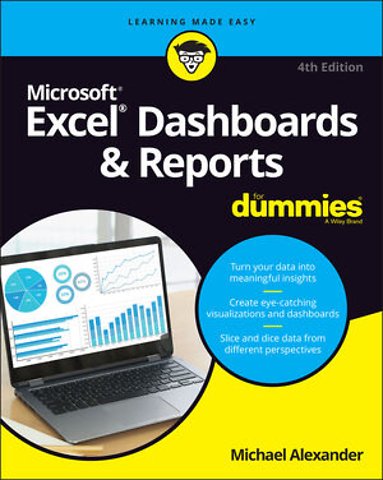
    Excel Dashboards & Reports For Dummies
    Excel Dashboards & Reports For Dummies
    Michael Alexander

    Michael Alexander is a Microsoft Certified Application Developer (MCAD) with over 14 years experience developing business solutions with Microsoft Office, VBA, and .Net. He currently lives in Frisco, Texas, where he works as a senior program manager for a top technology firm.

    Meer over Michael Alexander
    Michael Alexander

    Excel Dashboards & Reports For Dummies

    Paperback Engels 2022 4e druk 9781119844396
    € 49,07
    In winkelwagen
    Levertijd ± 8 werkdagen
    Gratis verzonden

    Samenvatting

    It’s time for some truly “Excel-lent” spreadsheet reporting

    Beneath the seemingly endless rows and columns of cells, the latest version of Microsoft Excel boasts an astonishing variety of features and capabilities. But how do you go about tapping into some of that power without spending all of your days becoming a spreadsheet guru?

    It’s easy. You grab a copy of the newest edition of Excel Dashboards & Reports For Dummies and get ready to blow the pants off your next presentation audience!

    With this book, you’ll learn how to transform those rows and columns of data into dynamic reports, dashboards, and visualizations. You’ll draw powerful new insights from your company’s numbers to share with your colleagues – and seem like the smartest person in the room while you’re doing it.

    Excel Dashboards & Reports For Dummies offers:
    - Complete coverage of the latest version of Microsoft Excel provided in the Microsoft 365 subscription
    - Strategies to automate your reporting so you don’t have to manually crunch the numbers every week, month, quarter, or year
    - Ways to get new perspectives on old data, visualizing it so you can find solutions no one else has seen before

    If you’re ready to make your company’s numbers and spreadsheets dance, it’s time to get the book that’ll have them moving to your tune in no time. Get Excel Dashboards & Reports For Dummies today.

    Specificaties

    ISBN13:9781119844396
    Trefwoorden:financiële verslaglegging, Excel, Spreadsheets, Dashboard, Reports
    Taal:Engels
    Bindwijze:paperback
    Aantal pagina's:384
    Uitgever:John Wiley & Sons
    Druk:4
    Verschijningsdatum:23-5-2022
    Hoofdrubriek:IT-management / ICT
    Serie:Dummies (Engelstalig)
    Thema:
    UF Bedrijfsapplicaties
    UFC Spreadsheetsoftware

    Lezersrecensies

    Wees de eerste die een lezersrecensie schrijft!
    Schrijf een recensie
    Lees ons recensiebeleid
    Uw waardering
    ?
    Log in om uw waardering te geven
    Klik om uw waardering te geven

    Over Michael Alexander

    Michael Alexander is a Microsoft Certified Application Developer (MCAD) with over 14 years experience developing business solutions with Microsoft Office, VBA, and .Net. He currently lives in Frisco, Texas, where he works as a senior program manager for a top technology firm. In his spare time, he runs a free tutorial site, www.datapigtechnologies.com, where he shares basic Access and Excel tips with intermediate users.

    Andere boeken door Michael Alexander

    Meer over Michael Alexander

    Inhoudsopgave

    Introduction 1
    About This Book 2
    Foolish Assumptions 4
    Icons Used in This Book 4
    Beyond the Book 4
    Where to Go from Here 5

    Part 1: Getting Started with Excel Dashboards and Reports 7
    Chapter 1: Getting in the Dashboard State of Mind 9
    Defining Dashboards and Reports 10
    Defining reports 10
    Defining dashboards 11
    Preparing for Greatness 12
    Establish the audience for, and purpose of, the dashboard 12
    Delineate the measures for the dashboard 13
    Catalog the required data sources 14
    Define the dimensions and filters for the dashboard 15
    Determine the need for drill-down features 16
    Establish the refresh schedule 16
    A Quick Look at Dashboard Design Principles 16
    Rule number 1: Keep it simple 17
    Use layout and placement to draw focus 19
    Format numbers effectively 20
    Use titles and labels effectively 20

    Chapter 2: Building a Super Model 23
    Data Modeling Best Practices 24
    Separating data, analysis, and presentation 24
    Starting with appropriately structured data 27
    Avoiding turning your data model into a database 30
    Using tabs to document and organize your data model 31
    Testing your data model before building reporting components on top of it 33
    Excel Functions That Really Deliver 34
    The VLOOKUP function 34
    The HLOOKUP function 38
    The SUMPRODUCT function 40
    The CHOOSE function 43
    Using Smart Tables That Expand with Data 45
    Converting a range to an Excel table 46
    Converting an Excel table back to a range 49
    Introducing Dynamic Arrays 49
    Getting the basics of dynamic arrays 49
    Understanding spill ranges 51
    Referencing spill ranges 53
    Exploring Dynamic Array Functions 54
    The SORT function 55
    The SORTBY function 56
    The UNIQUE function 57
    The FILTER function 58
    The XLOOKUP function 61

    Chapter 3: The Pivotal Pivot Table 65
    An Introduction to the Pivot Table 65
    The Four Areas of a Pivot Table 66
    Values area 66
    Row area 67
    Column area 67
    Filter area 68
    Creating Your First Pivot Table 69
    Changing and rearranging your pivot table 72
    Adding a report filter 73
    Keeping your pivot table fresh 74
    Customizing Pivot Table Reports 76
    Changing the pivot table layout 76
    Customizing field names 78
    Applying numeric formats to data fields 79
    Changing summary calculations 80
    Suppressing subtotals 81
    Showing and hiding data items 84
    Hiding or showing items without data 86
    Sorting your pivot table 88
    Creating Useful Pivot-Driven Views 89
    Producing top and bottom views 89
    Creating views by month, quarter, and year 93
    Creating a percent distribution view 95
    Creating a month-over-month variance view 97

    Chapter 4: Using External Data for Your Dashboards and Reports 101
    Leveraging Power Query to Extract and Transform Data 102
    Reviewing Power Query basics 102
    Understanding query steps 109
    Importing Data from Files 111
    Getting data from Excel workbooks 111
    Getting data from CSV and text files 113
    Importing Data from Database Systems 114
    Importing data from Microsoft Access 114
    Managing data source settings 116

    Part 2: Building Basic Dashboard Components 119
    Chapter 5: Dressing Up Your Data Tables 121
    Table Design Principles 122
    Use colors sparingly 122
    De-emphasize borders 123
    Use effective number formatting 126
    Subdue your labels and headers 127
    Getting Fancy with Custom Number Formatting 129
    Number formatting basics 129
    Formatting numbers in thousands and millions 132
    Hiding and suppressing zeroes 134
    Applying custom format colors 135
    Formatting dates and times 136

    Chapter 6: Sparking Inspiration with Sparklines 139
    Introducing Sparklines 139
    Understanding Sparklines 141
    Creating sparklines 142
    Understanding sparkline groups 144
    Customizing Sparklines 145
    Sizing and merging sparkline cells 145
    Handling hidden or missing data 146
    Changing the sparkline type 147
    Changing sparkline colors and line width 147
    Using color to emphasize key data points 147
    Adjusting sparkline axis scaling 148
    Faking a reference line 149
    Specifying a date axis 151
    Autoupdating sparkline ranges 152

    Chapter 7: Formatting Your Way to Visualizations 153
    Enhancing Reports with Conditional Formatting 154
    Applying basic conditional formatting 154
    Adding your own formatting rules manually 162
    Showing only one icon 166
    Showing Data Bars and icons outside of cells 169
    Representing trends with Icon Sets 171
    Using Symbols to Enhance Reporting 173
    Wielding the Magical Camera Tool 176
    Finding the Camera tool 176
    Using the Camera tool 177
    Enhancing a dashboard with the Camera tool 179
    Enhancing Excel Reports with Shapes 180
    Creating visually appealing containers with shapes 180
    Layering shapes to save space 182
    Constructing your own infographic widgets with shapes 182

    Part 3: Adding Charts to Your Dashboards 185
    Chapter 8: Charts That Show Trending 187
    Trending Dos and Don’ts 188
    Using chart types appropriate for trending 188
    Starting the vertical scale at zero 190
    Leveraging Excel’s logarithmic scale 192
    Applying creative label management 193
    Comparative Trending 196
    Creating side-by-side time comparisons 196
    Creating stacked time comparisons 198
    Trending with a secondary axis 199
    Emphasizing Periods of Time 202
    Formatting specific periods 202
    Using dividers to mark significant events 203
    Representing forecasts in your trending components 204
    Other Trending Techniques 206
    Avoiding overload with directional trending 206
    Smoothing data 207

    Chapter 9: Grouping and Bucketing Data 211
    Creating Top and Bottom Displays 211
    Incorporating top and bottom displays into dashboards 212
    Using pivot tables to get top and bottom views 213
    Top Values in Charts 216
    Using Histograms to Track Relationships and Frequency 220
    Using Excel’s Histogram statistical chart 220
    Creating a formula-driven histogram 223
    Adding a cumulative percent 226
    Using a pivot table to create a histogram 228

    Chapter 10: Displaying Performance against a Target 231
    Showing Performance with Variances 231
    Showing Performance against Organizational Trends 233
    Using a Thermometer-Style Chart 234
    Using a Bullet Graph 235
    Creating a bullet graph 236
    Adding data to your bullet graph 239
    Final thoughts on formatting bullet graphs 241
    Showing Performance against a Target Range 243

    Part 4: Advanced Reporting Techniques 247
    Chapter 11: Giving Users an Interactive Interface 249
    Introducing Macros 249
    Why use a macro? 250
    Recording your first macro 251
    Running your macros 254
    Enabling and trusting macros 257
    Understanding macro-enabled file extensions 258
    Enabling macro content 258
    Setting up trusted locations 258
    Examining some macro examples 259
    Building navigation buttons 260
    Dynamically rearranging pivot table data 261
    Offering one-touch reporting options 262
    Getting Started with Form Controls 263
    Finding Form controls 263
    Adding a control to a worksheet 264
    Using the Button Control 266
    Using the Check Box Control 266
    Toggling a Chart Series On and Off 268
    Using the Option Button Control 270
    Showing Many Views through One Chart 272
    Using the Combo Box Control 274
    Changing Chart Data with a Drop-Down Selector 275
    Using the List Box Control 277
    Controlling Multiple Charts with One Selector 279

    Chapter 12: Adding Interactivity with Pivot Slicers 283
    Understanding Slicers 283
    Creating a Standard Slicer 286
    Getting Fancy with Slicer Customizations 288
    Size and placement 288
    Data item columns 288
    Other slicer settings 289
    Creating your own slicer style 289
    Controlling Multiple Pivot Tables with One Slicer 293
    Creating a Timeline Slicer 294
    Using Slicers as Form Controls 296
    Using Slicers on Excel Table Objects 300

    Chapter 13: Sharing Your Workbook with the Outside World 303
    Protecting Your Dashboards and Reports 303
    Securing access to the entire workbook 304
    Limiting access to specific worksheet ranges 307
    Protecting the workbook structure 310
    Linking Your Excel Dashboards to PowerPoint 311
    Creating a link between Excel and PowerPoint 312
    Manually updating links to capture updates 313
    Turning off automatic updating of links 314
    Distributing Your Dashboards via a PDF 316
    Distributing Your Dashboards to OneDrive 318
    Limitations When Publishing to the Web 321

    Part 5: The Part of Tens 323
    Chapter 14: Ten Chart Design Principles 325
    Avoid Fancy Formatting 325
    Skip the Unnecessary Chart Junk 327
    Format Large Numbers Where Possible 329
    Use Data Tables Instead of Data Labels 330
    Make Effective Use of Chart Titles 332
    Sort Your Data before Charting 333
    Limit the Use of Pie Charts 333
    Don’t Be Afraid to Parse Data into Separate Charts 334
    Maintain Appropriate Aspect Ratios 336
    Don’t Be Afraid to Use Something Other Than a Chart 337

    Chapter 15: Ten Questions to Ask Before Distributing Your Dashboard 339
    Does My Dashboard Present the Right Information? 339
    Does Everything on My Dashboard Have a Purpose? 340
    Does My Dashboard Prominently Display the Key Message? 340
    Can I Maintain This Dashboard? 341
    Does My Dashboard Clearly Display Its Scope and Shelf Life? 341
    Is My Dashboard Well Documented? 341
    Is My Dashboard Overwhelmed with Formatting and Graphics? 342
    Does My Dashboard Overuse Charts When Tables Will Do? 343
    Is My Dashboard User-Friendly? 343
    Is My Dashboard Accurate? 344

    Index 345
    Afgekapt op 60 regels

    Anderen kochten ook

    • Excel aan het werk: Dashboards maken
      Excel aan het werk: Dashboards maken
      Wim de Groot
      € 29,99
    • Portfoliomanagement
      Portfoliomanagement
      Jan Bloem
      € 35,–
    • Risicodialoog
      Risicodialoog
      Martin van Staveren
      € 26,50
    • Zuurstof voor het brein
      Zuurstof voor het brein
      Isabelle Hoebrechts
      € 32,–
    • Lean Green Belt
      Lean Green Belt
      Ton van Kollenburg
      € 39,90
    • The Politics of Modelling
      The Politics of Modelling
      Andrea Barcelona School of Management
      € 136,51

    Managementboek Top 100

    Bekijk de volledige Managementboek Top 100
    € 49,07
    Levertijd ongeveer 8 werkdagen
    Gratis verzonden

    Rubrieken

    • advisering
    • algemeen management
    • coaching en trainen
    • communicatie en media
    • economie
    • financieel management
    • inkoop en logistiek
    • internet en social media
    • it-management / ict
    • juridisch
    • leiderschap
    • marketing
    • mens en maatschappij
    • non-profit
    • ondernemen
    • organisatiekunde
    • personal finance
    • personeelsmanagement
    • persoonlijke effectiviteit
    • projectmanagement
    • psychologie
    • reclame en verkoop
    • strategisch management
    • verandermanagement
    • werk en loopbaan
    Uw cookie-instellingen
    Deze website maakt gebruik van verschillende soorten cookies. Sommige cookies worden geplaatst door diensten van derden die op onze pagina's worden weergegeven. Om deze externe content te kunnen tonen is nodig dat u toestemming geeft voor het zetten van persoonlijke en marketingcookies. U kunt uw toestemming op elk moment wijzigen of intrekken. In onze cookieverklaring vindt u meer informatie.

    Functionele cookies
    Deze zijn noodzakelijk voor de werking van de website, zonder deze cookies kan de website niet naar behoren werken.

    Persoonlijke en marketingcookies
    Wij gebruiken cookies voor statistieken om bij te houden en rapportages te krijgen over hoe bezoekers de website gebruiken. Zo kunnen wij onze website verbeteren. Marketingcookies worden gebruikt om bezoekers te volgen wanneer ze verschillende websites bezoeken. Hun doel is advertenties weergeven die zijn toegesneden op en relevant zijn voor de individuele gebruiker.
    Op werkdagen voor 23:00 besteld, morgen in huis Gratis verzending vanaf €20

    Klantenservice

    Over ons Contact Voorwaarden Bestellen en retourneren Lezen en luisteren Voor auteurs Recensiebeleid Partnerprogramma

    Zakelijk

    Zakelijke diensten Partnerprogramma Cadeaubonnen

    Altijd op de hoogte

    Schrijf u in voor onze nieuwsbrief en blijf up-to-date met relevante interviews en recensies, inspirerende events en de beste acties.
    PRETTIG KENNIS MAKEN
    Thuiswinkel waarborg Algemene voorwaarden Colofon Privacy Cookies Cookie instellingen Toegankelijkheidsverklaring Service & Contact Over ons
    © 2026 Mainpress BV

    Producten

      Auteurs

        Trefwoorden

          Artikelen

            Excel Dashboards & Reports For Dummies

            Excel Dashboards & Reports For Dummies
            Michael Alexander
            /
            loader
            Recensiebeleid
            AI-book

            Wat is een AI-book?

            Een AI-book is niet een boek dat geschreven is door AI maar een boek dat verrijkt is met AI. Het maakt de inhoud van een boek interactief via WhatsApp, zodat je ermee kunt chatten. Zie het als een razend slimme assistent die het boek perfect begrijpt en er alles uit onthouden heeft. Jij kunt deze assistent alles vragen. Vraag bijvoorbeeld hoe je iets kunt toepassen op jouw persoonlijke situatie, om een korte samenvatting, of wat de belangrijkste inzichten zijn. AI-books zijn alleen te gebruiken via WhatsApp, je hoeft er geen aparte app voor te installeren.
            Meer informatie over AI-books

            ?

            Geef uw beoordeling

            Excel Dashboards & Reports For Dummies

            Verwijder uw beoordeling